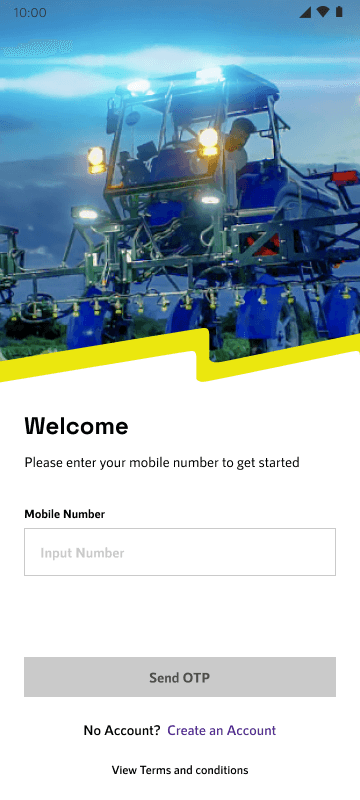
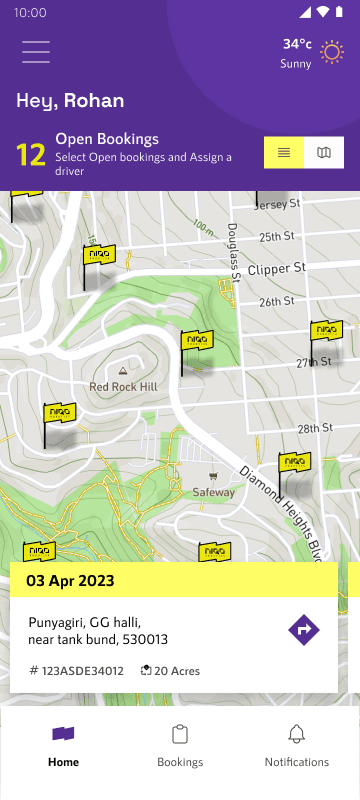
You can find farmer app In the Play store. For the Partner app should reach out to Niqo Robotics support team.
Exploration of Confirmation Screens and a few micro interactions
Niqo motif + check
for farm added
confirmation
Niqo motif + check
for farm added
confirmation
Simple play with the
Motif and the outline
An idea for
keeping the mid
banner more
engaging
An idea to make the
marker on map
more lively
a play with the Niqo
motif + regional
languages
a play with the Niqo
motif + regional
languages
a play with the Niqo
motif which to refers
to a snippet in their
brand release
showreel
a play with the Niqo
motif which to refers
to a snippet in their
brand release
showreel
a play with the Niqo
motif which to refers
to a snippet in their
brand release
showreel
Splash Screen Explorations
VISUAL DESIGN
The directions for visual design was dictated by the Niqo Robotics' brand identity. The philosophy behind the brand is to liberate farmers from conventional means to their livelihood.
Here is a snippet of the attributes and values carried by Niqo Robotics
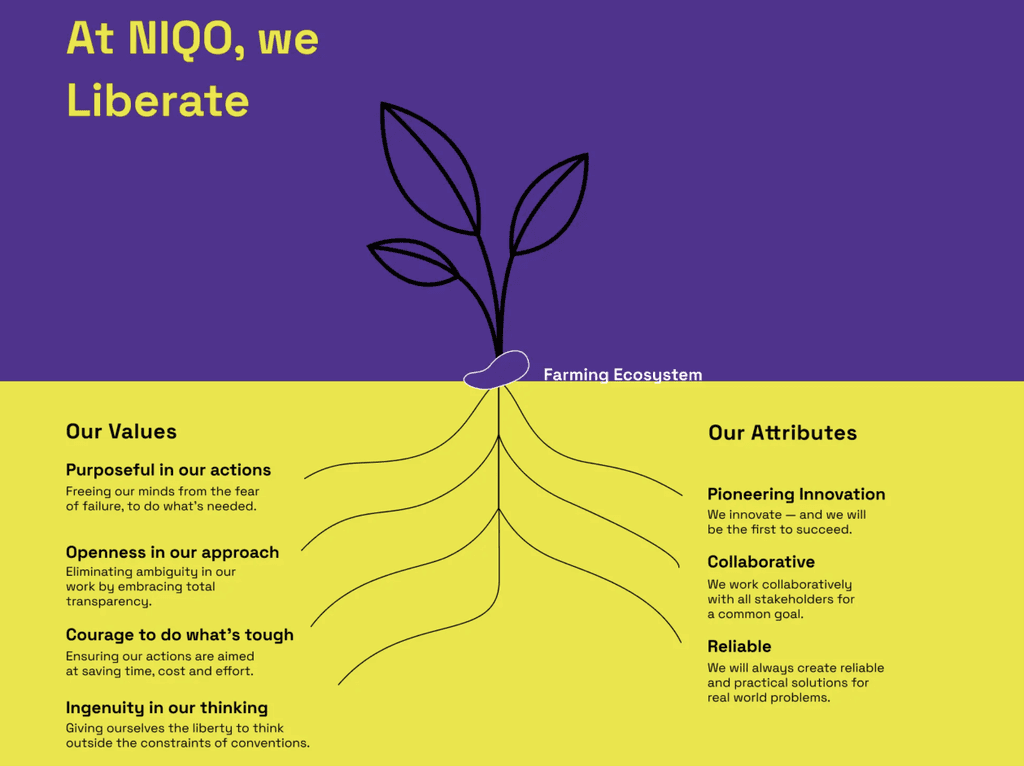
Rebellious
+ Courage
+ Ingenuity
Thoughts which gave us ideas for the theme
Breaking conventions, Strong Identity,
Reflection, Stark, Contrast, Sharp, Progressive,
Technology
For more details regarding the typography
and colour styles view the Design System.
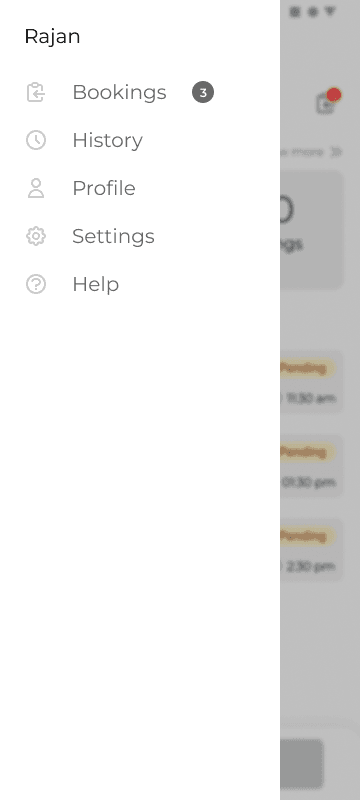
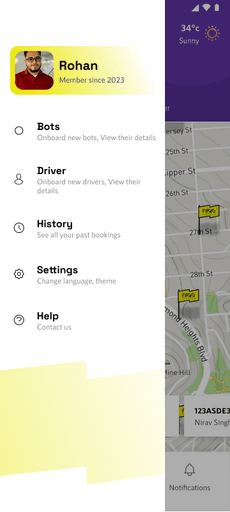
Side menu to access other items
A side menu was considered to be access to other items but eventually some items got transferred to bottom nav.
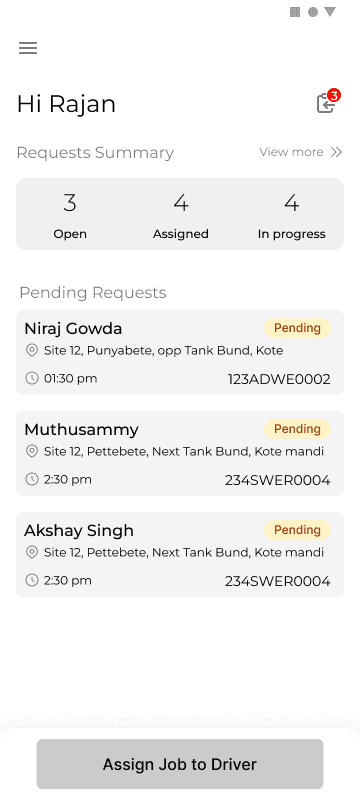
VLE home screen
The screen divided into two main sections requests summary and pending requests. The main CTA was to direct VLE to attend the pending request immediately.
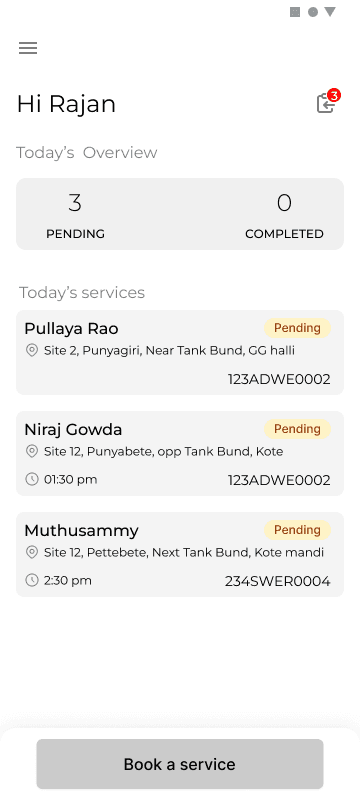
Driver home screen
The screen divided into two main sections Today's overview and services. The CTA is to alllow driver to make a on the spot booking for a new farmer
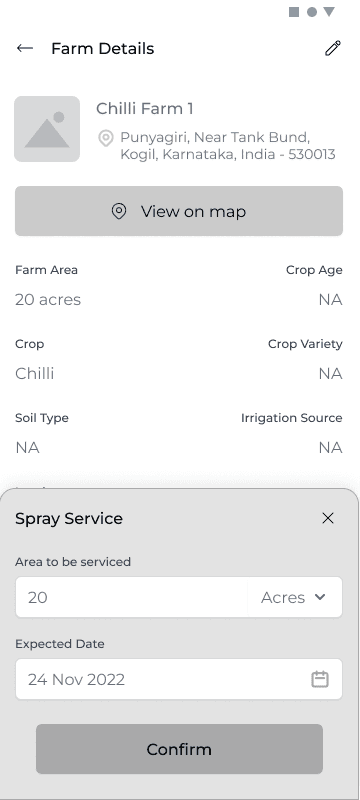
Bottom modal For all Input
Adopted Bottom modal for any input related action across all the three applications
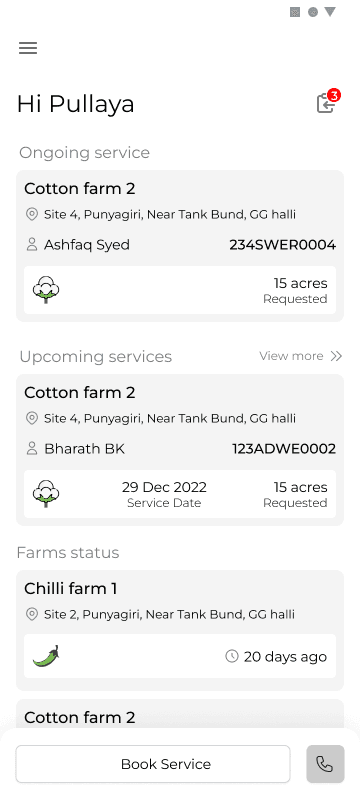
Farmer home screen
The screen divided into two main sections on going services and upcoming services. Each of the cards designed to contain the information pertaining to the farm and the request.
WIREFRAMES
Following are a few unique screens which show the design decisions taken forward for various use cases , scenarios. Rationale behind adopted design paradigms. Note that these are few out of 150+ screens.
view more
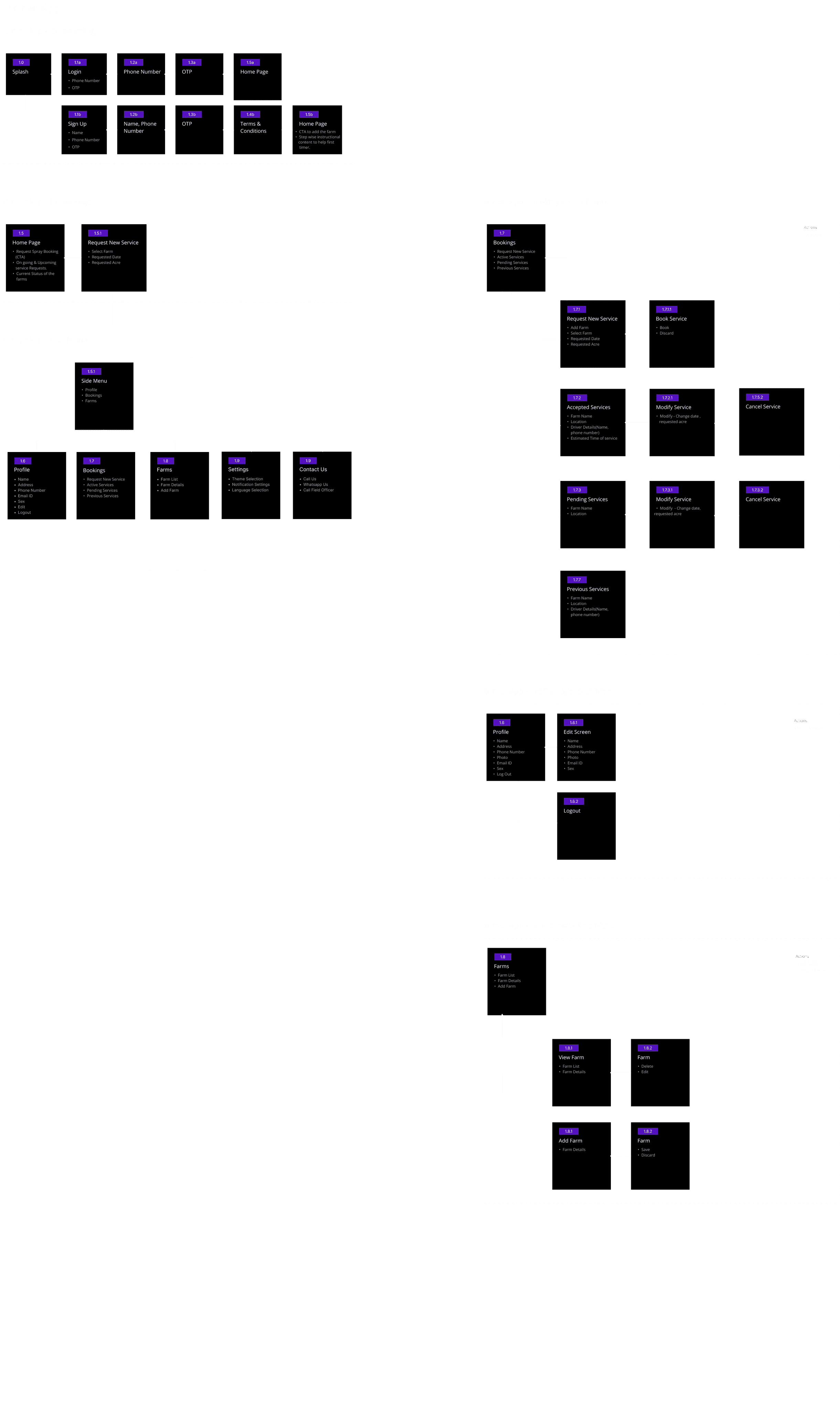
USER FLOW
With high level understanding of the actions of the three personas we sat down to define the user flows for the entire application.
Click to view
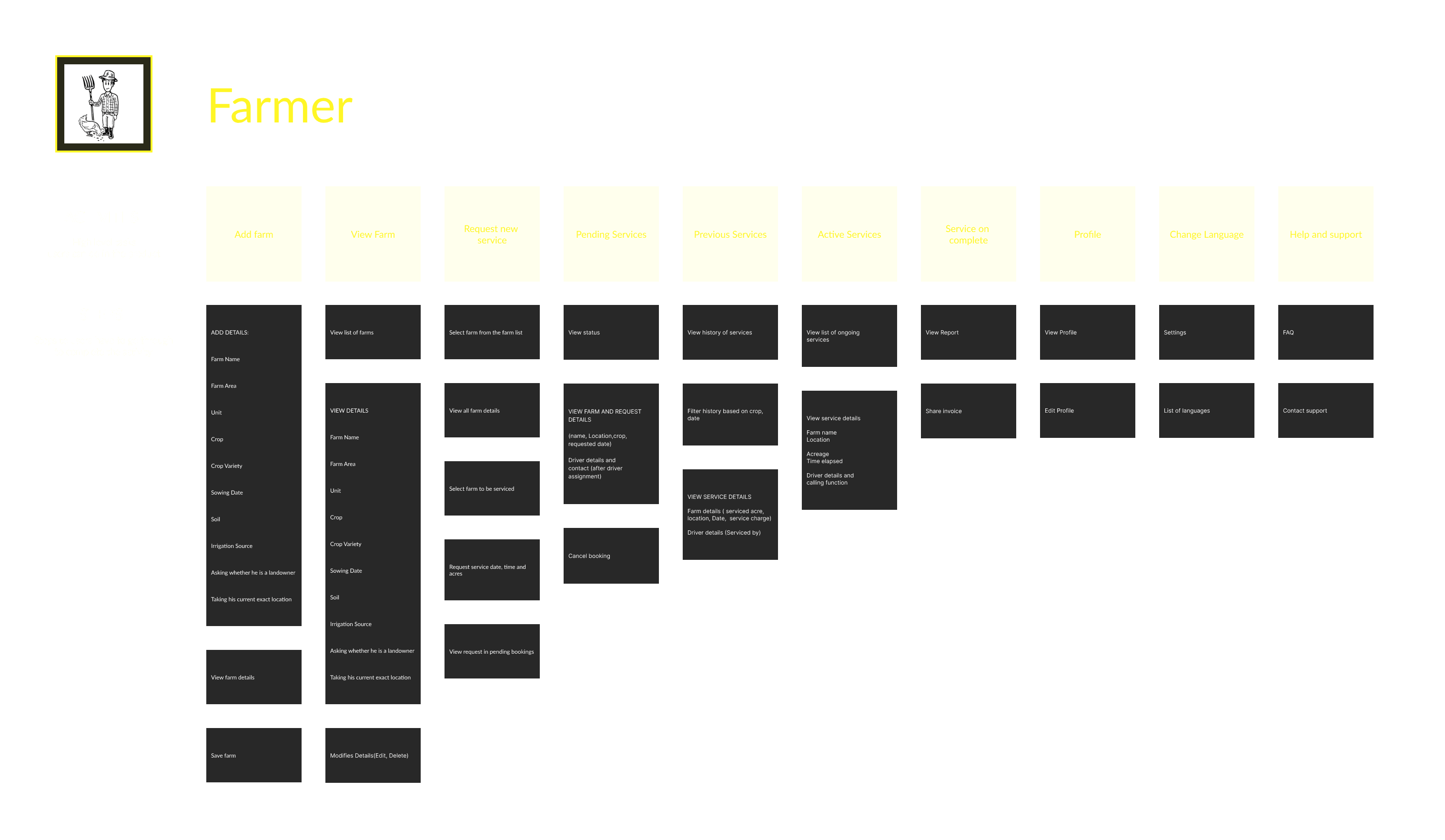
For the farmer three primary sections were identified - To do with farm - Adding farm, farm details, view farm list etc || To do with service requests - New service, viewing past services and details, active services || Profile section - Phone number, location details
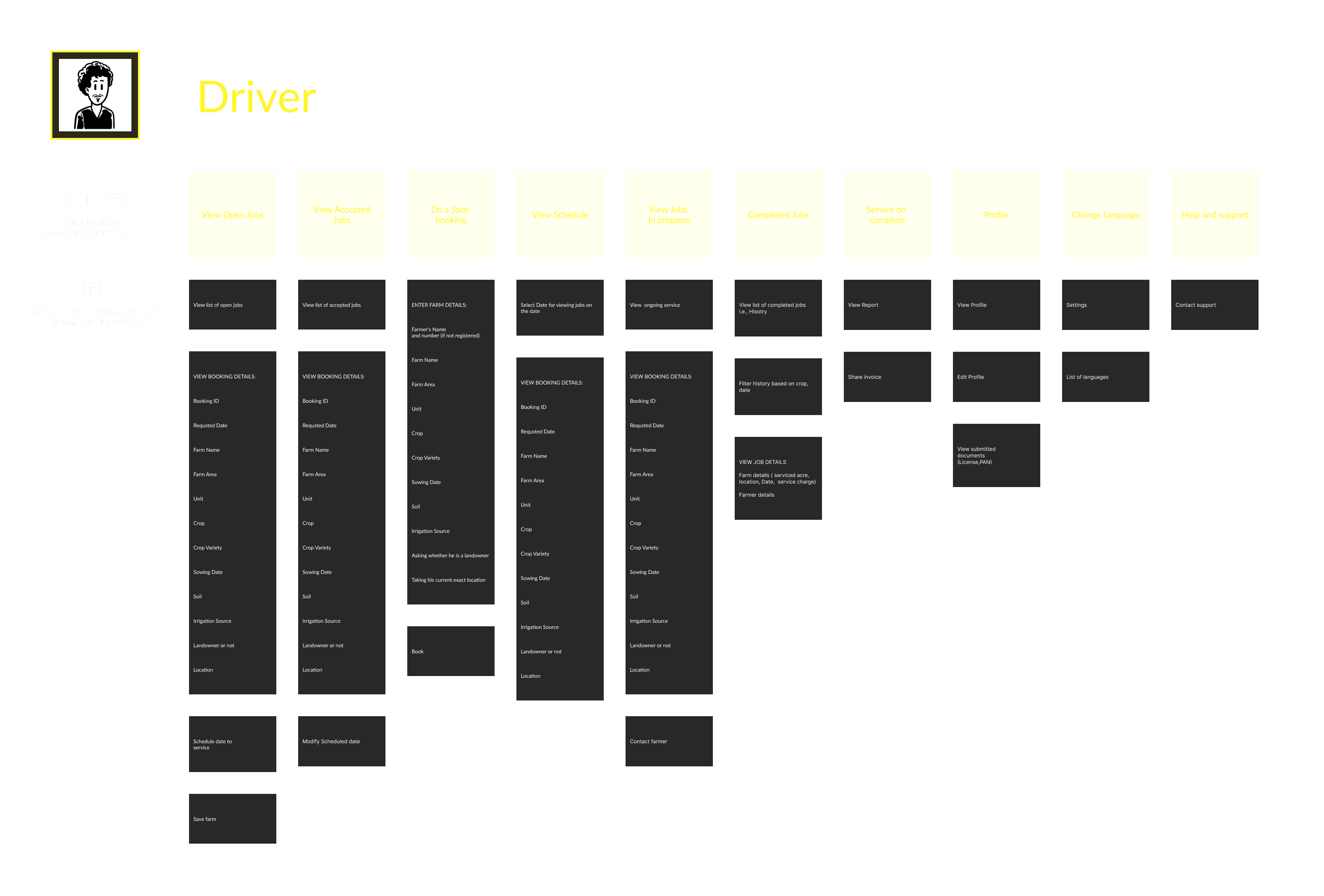
For the Driver two primary sections are - To do with Jobs - New Job, spot booking, viewing past jobs and details, active jobs || Profile section - Phone number, location details
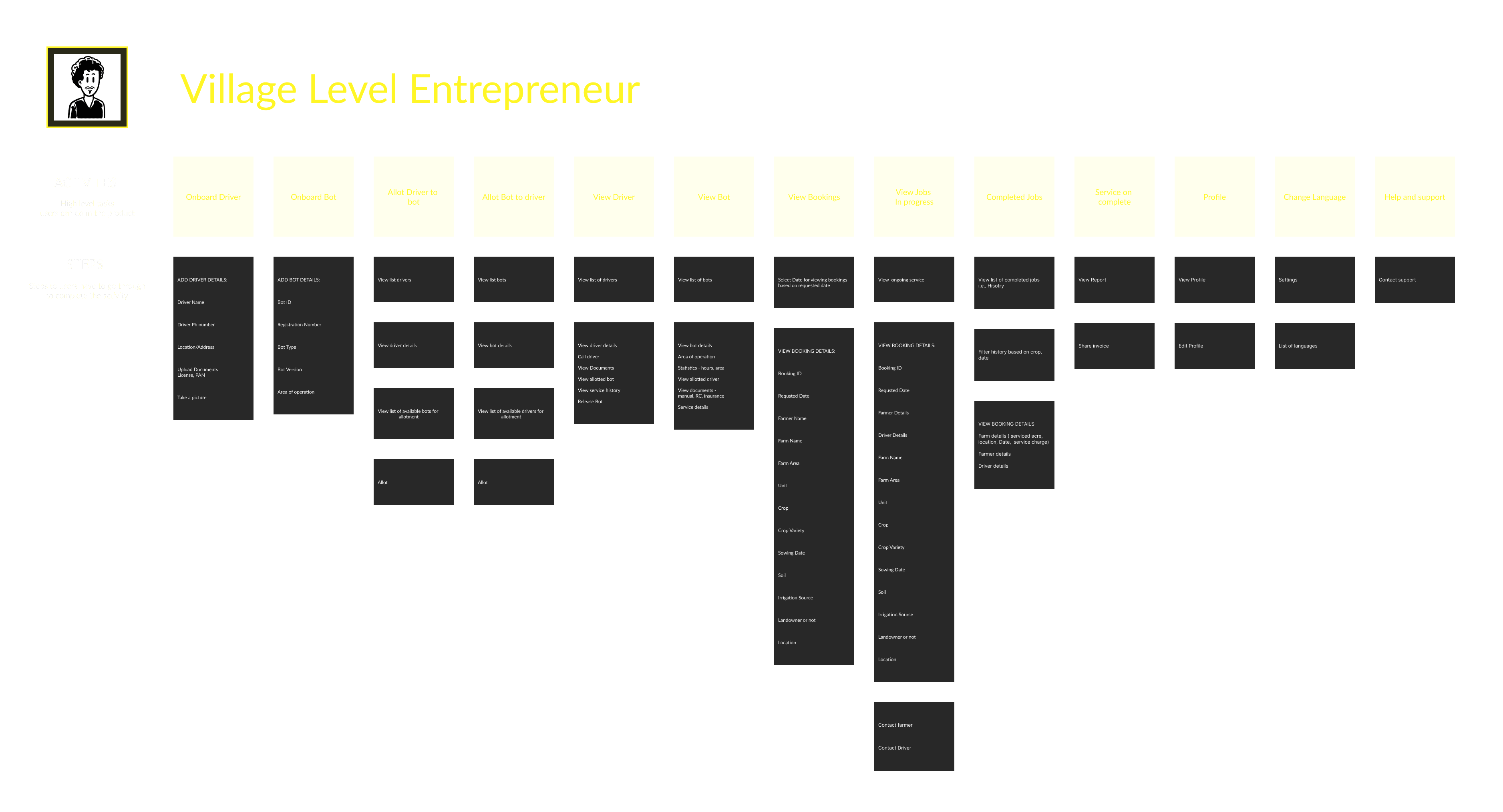
For the VLE as well three primary sections were identified - To do with onboarding of bots and drivers, assign / reassign drivers to bots || To do with requests - new request, assigning request to driver , past services, active jobs etc || Profile section - Phone number, location details
USER STORY MAPPING
In order to define the features for the applications we had multiple discussions which made us understand the courses of action for each persona. Following that we put in a lot of hours in user story mapping to define primary use cases and the required steps for each of them.
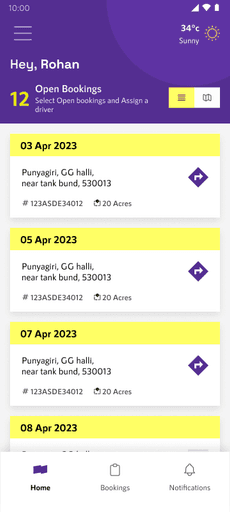
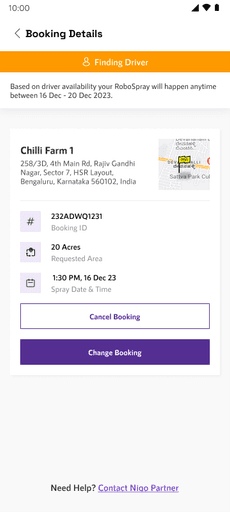
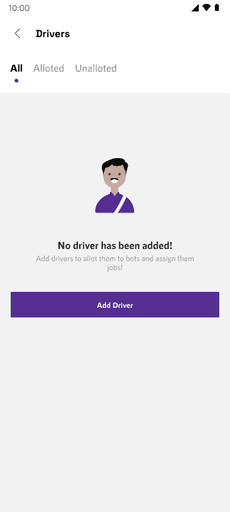
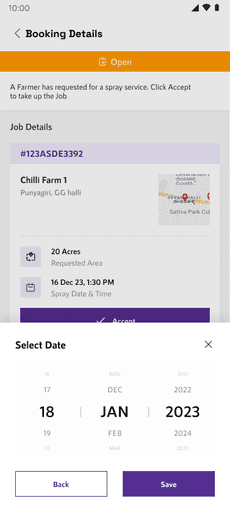
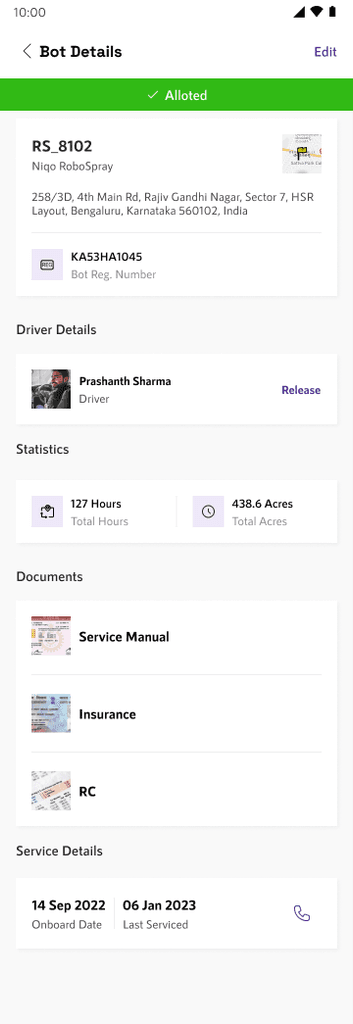
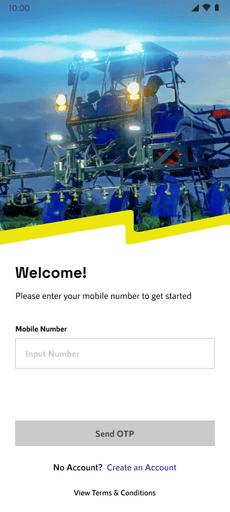
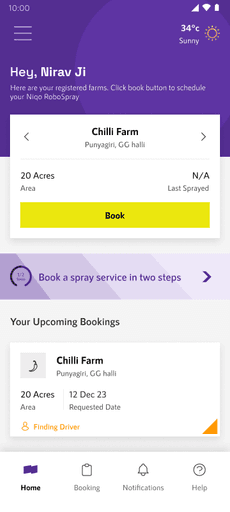
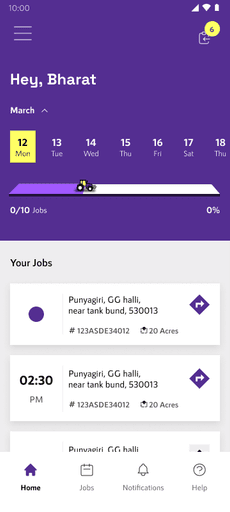
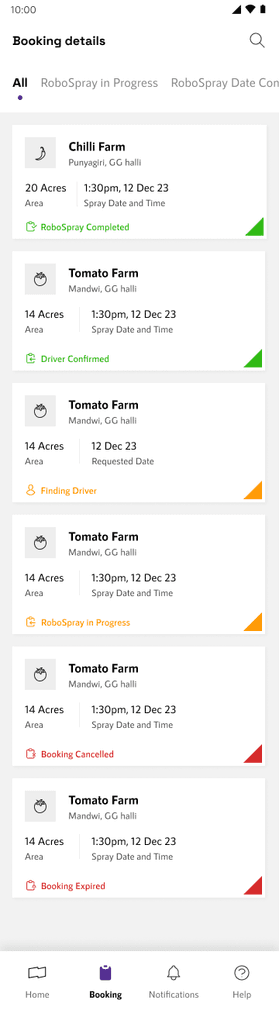
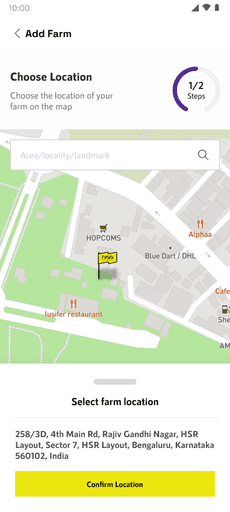
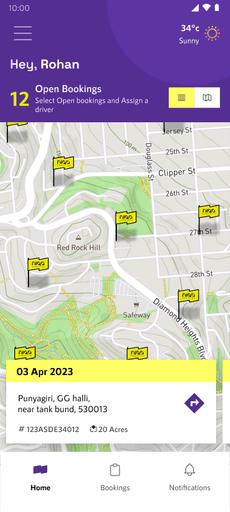
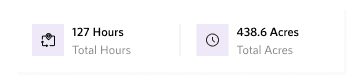
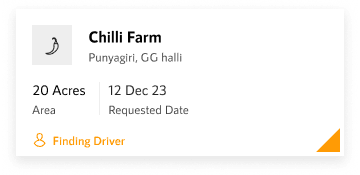
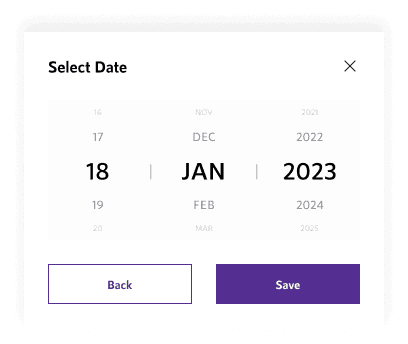
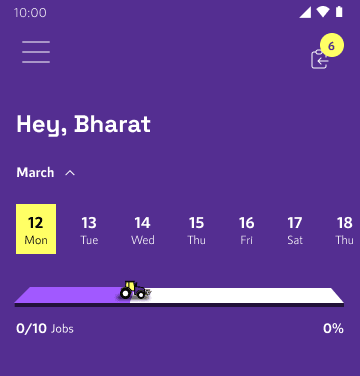
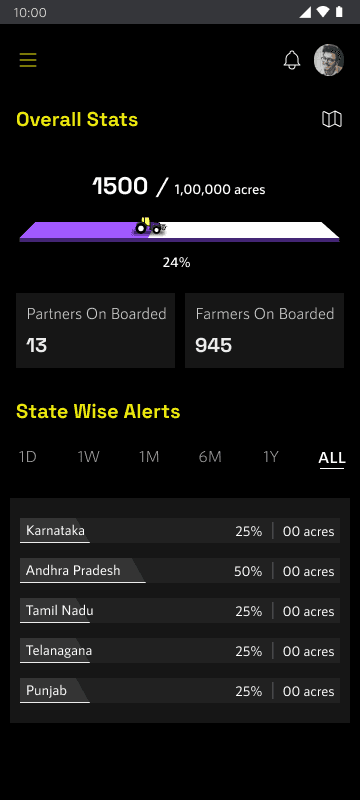
The major touchpoint for the user base in the ecosystem are the mobile applications. Farrmer app and Partner apps for driver and VLE.
MOBILE APPS
view more
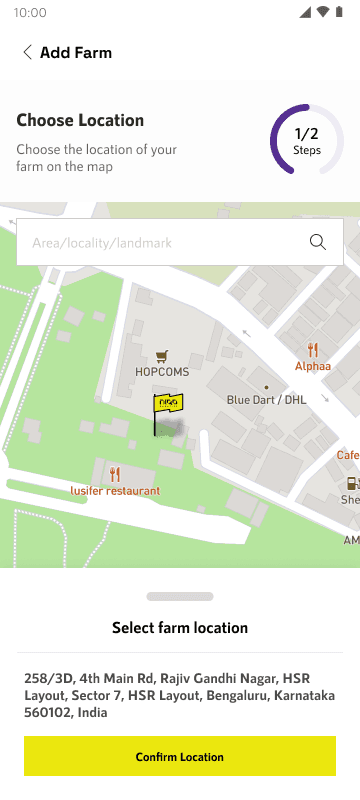
Adding Farm Details Screen. Easing the process using a stepper
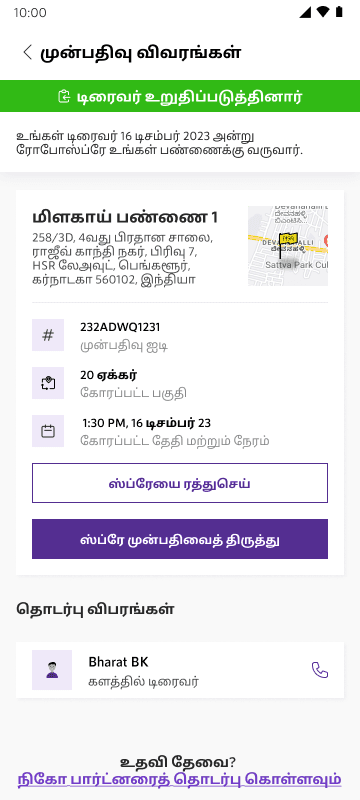
Accommodating regional languages
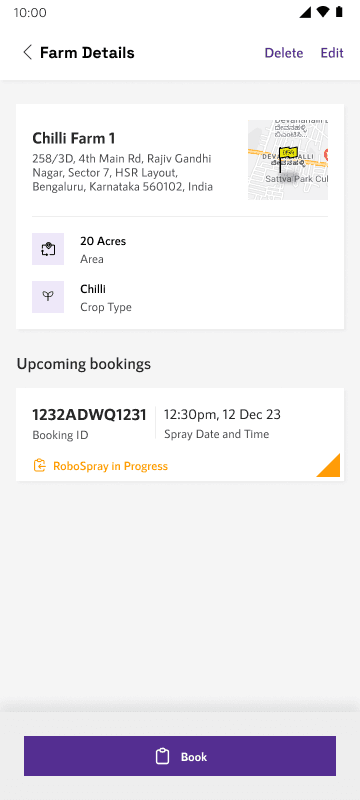
Farm details screen
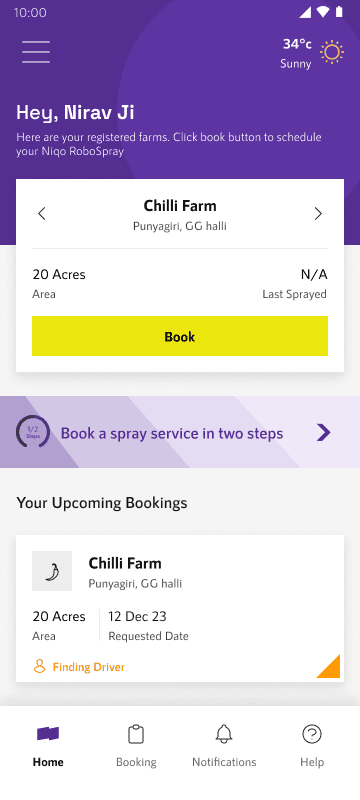
Farmer Nth time log in screen
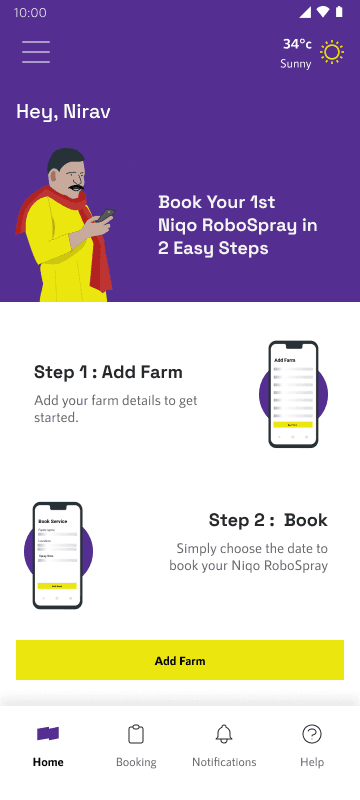
Farmer first time log in home screen
Following are few screens along with the inital wireframes with the rationale behind the designs.
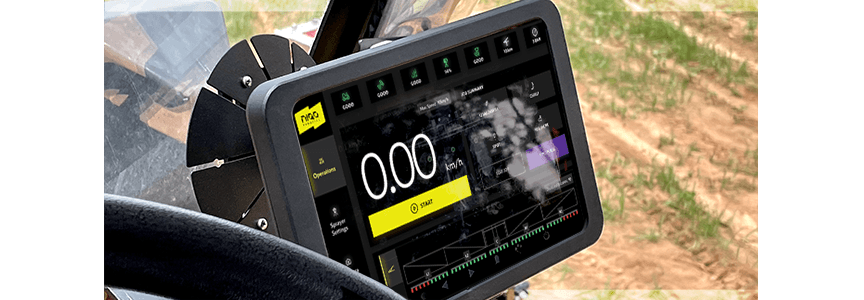
Niqo Robotics approached us to design interface for the bot application which is used by the operator.
BOT INTERFACE
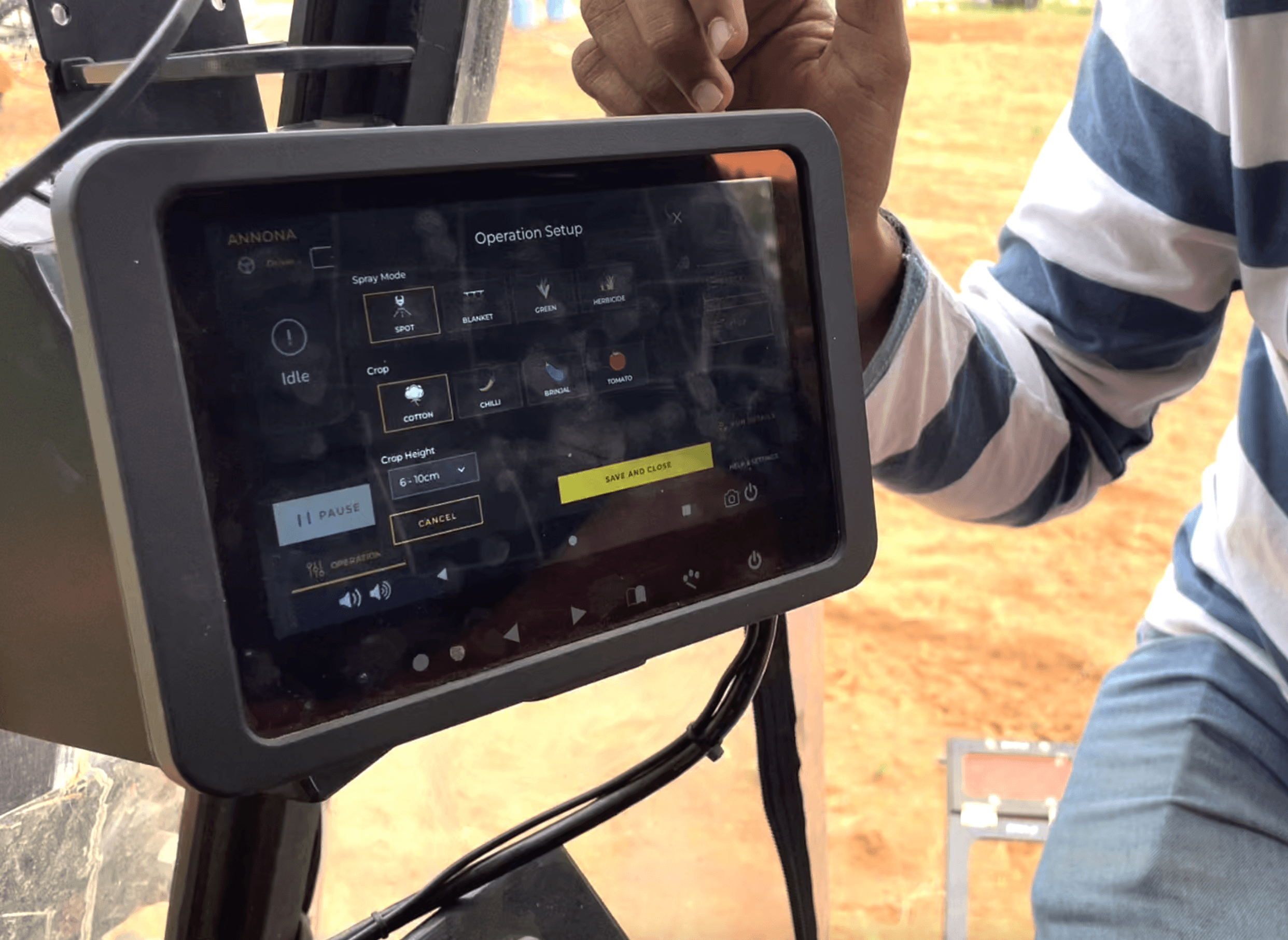
What is the Bot Interface?
Bot interface is a control panel fitted on to the spraying machine. The system serves multiple purpose.
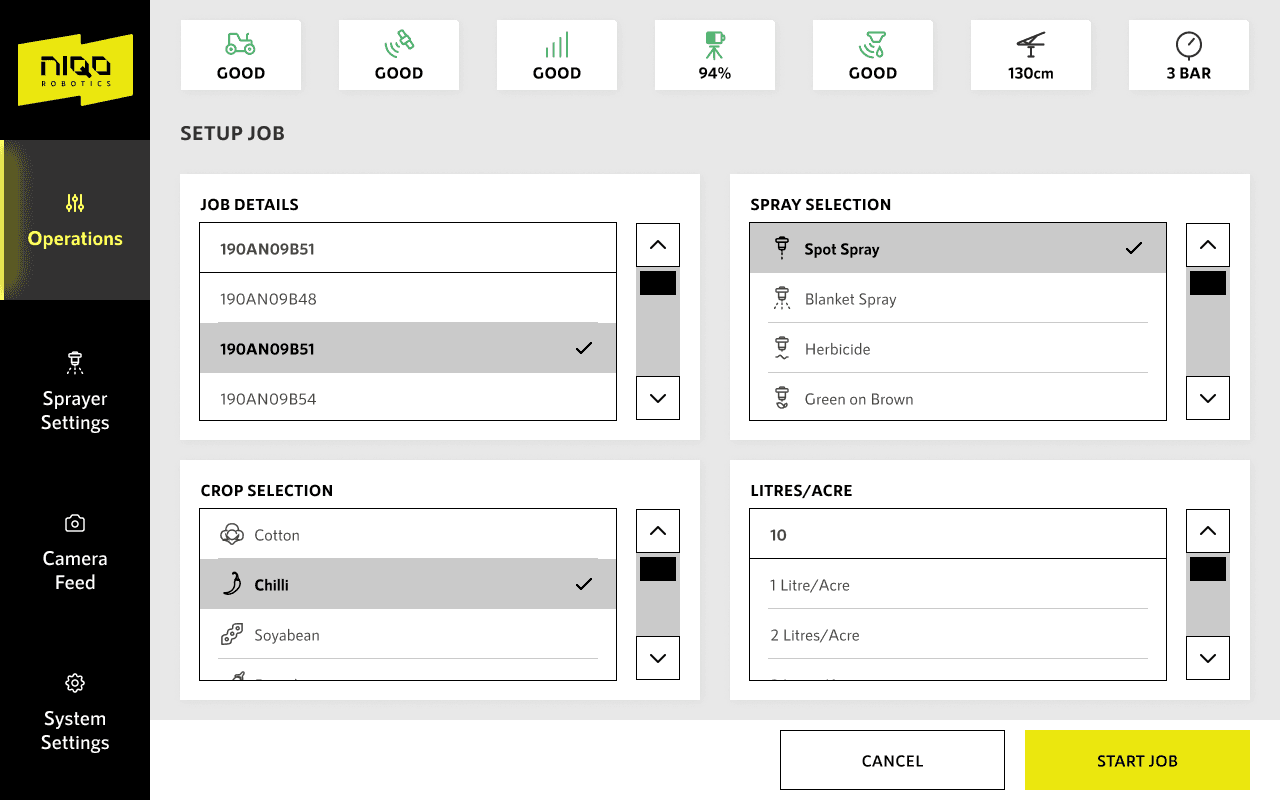
Acts as an input for the driver to put in job details.
Operation of the spray - Select the crop being operated on, setup technical parameters such as the height of the spray based on the age of the crop, select the type of spray etc. Once every operation is done it sends out report to the cloud which gets relayed to the mobile application.
Shows status and live feed - Display system status, device status, operation status, speed. Apart from operation there are peripheral devices used in the process which also have statuses.
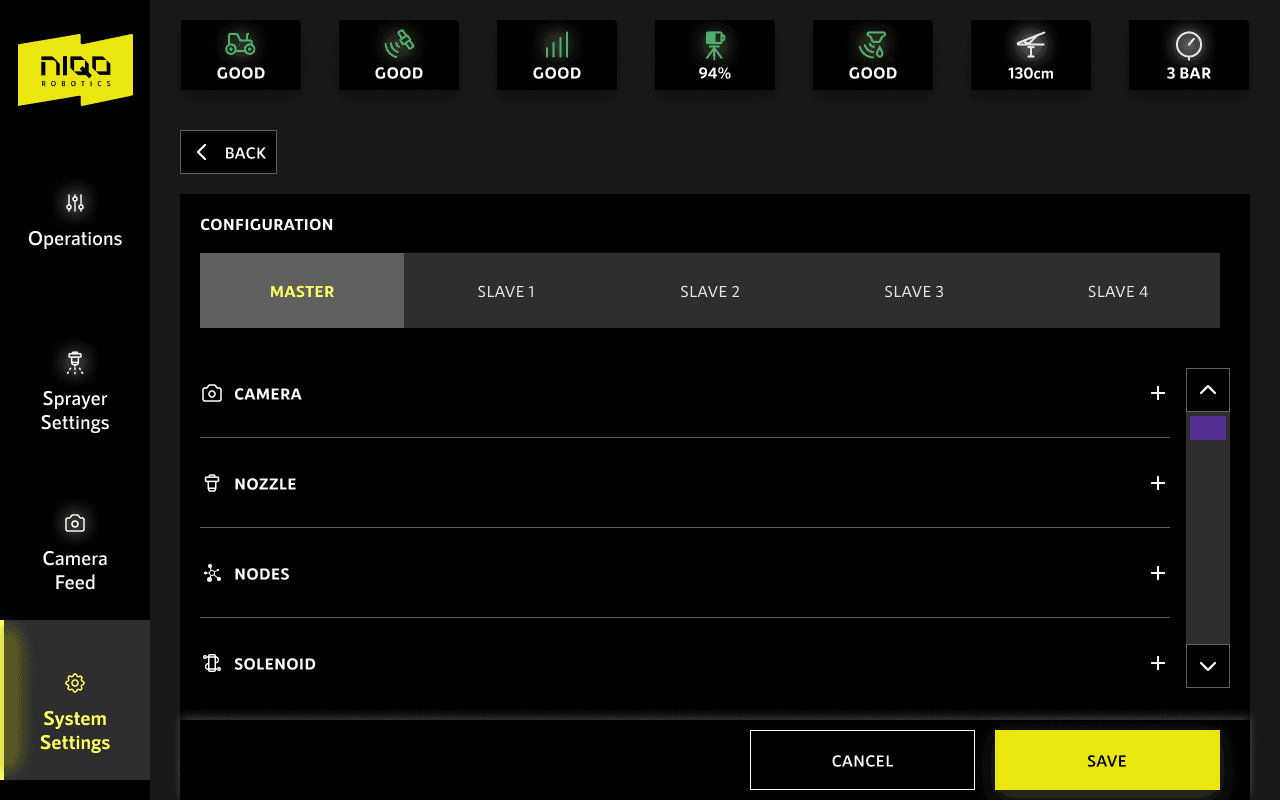
Configuration - Configure and test nozzles, camera settings etc.
FIELD VISIT SUMMARY
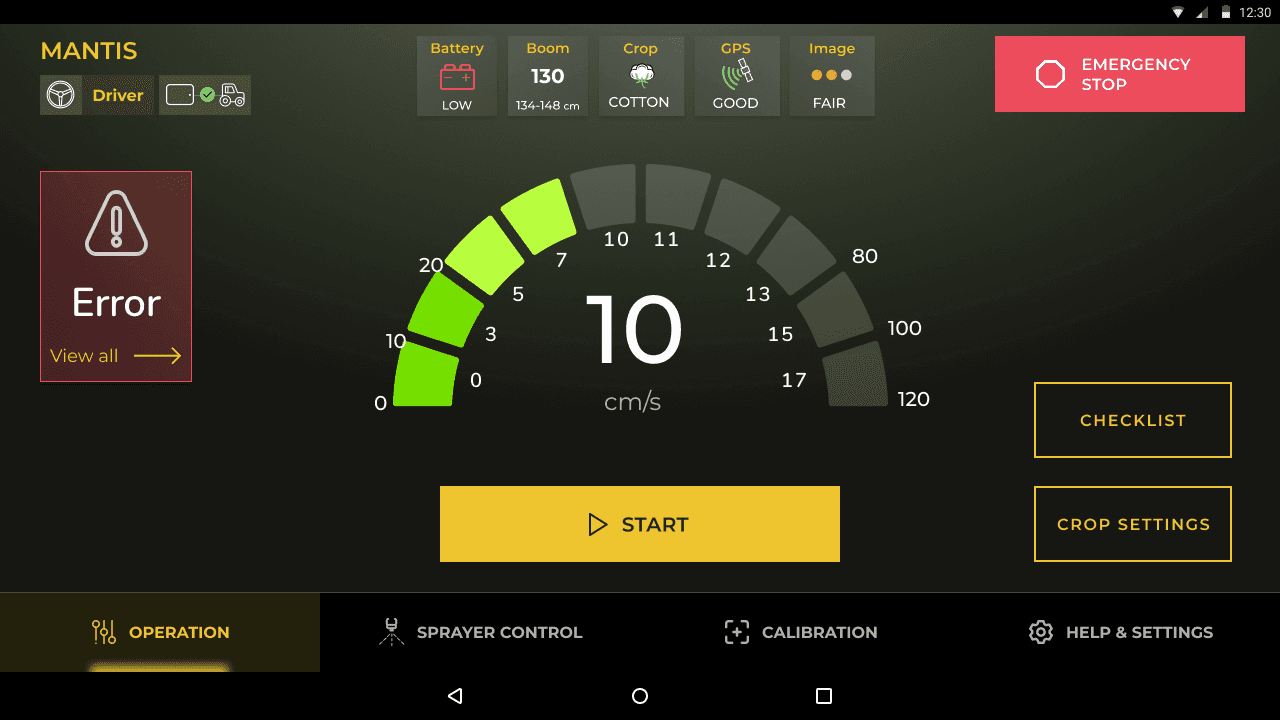
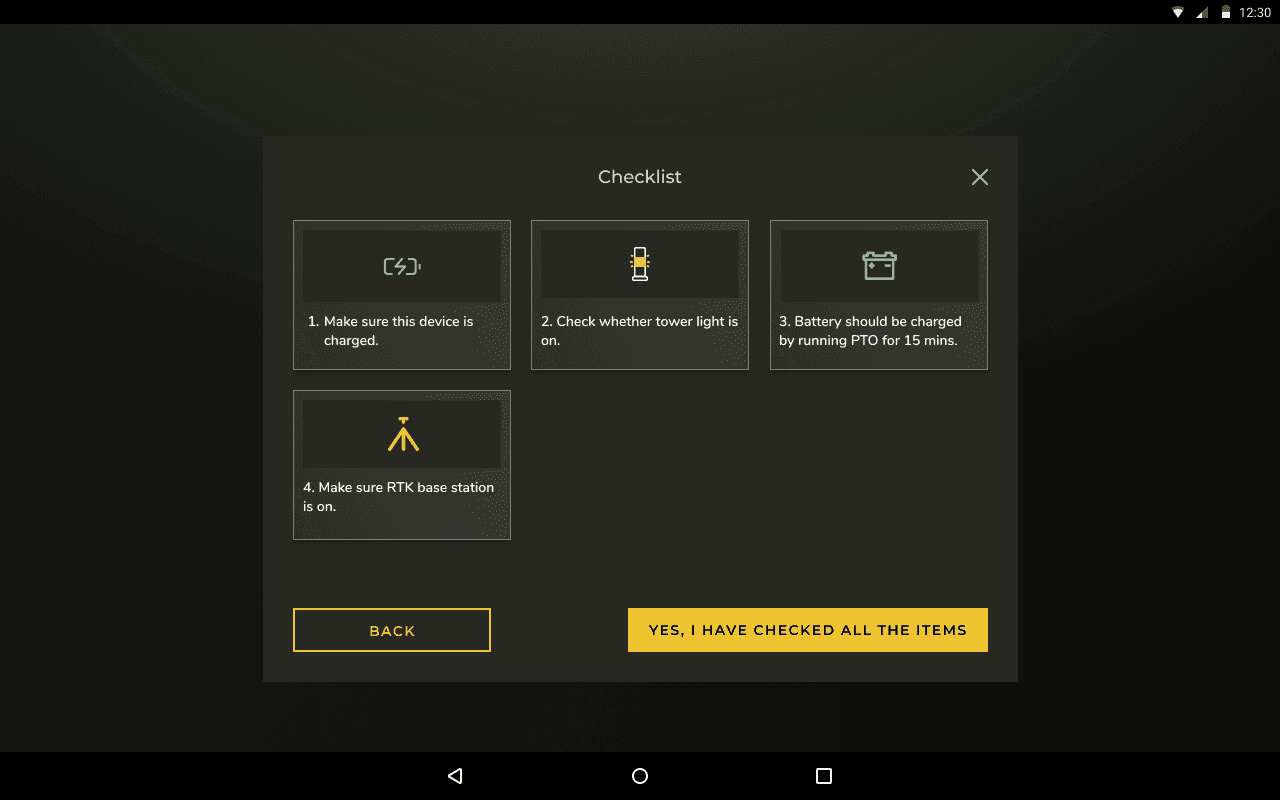
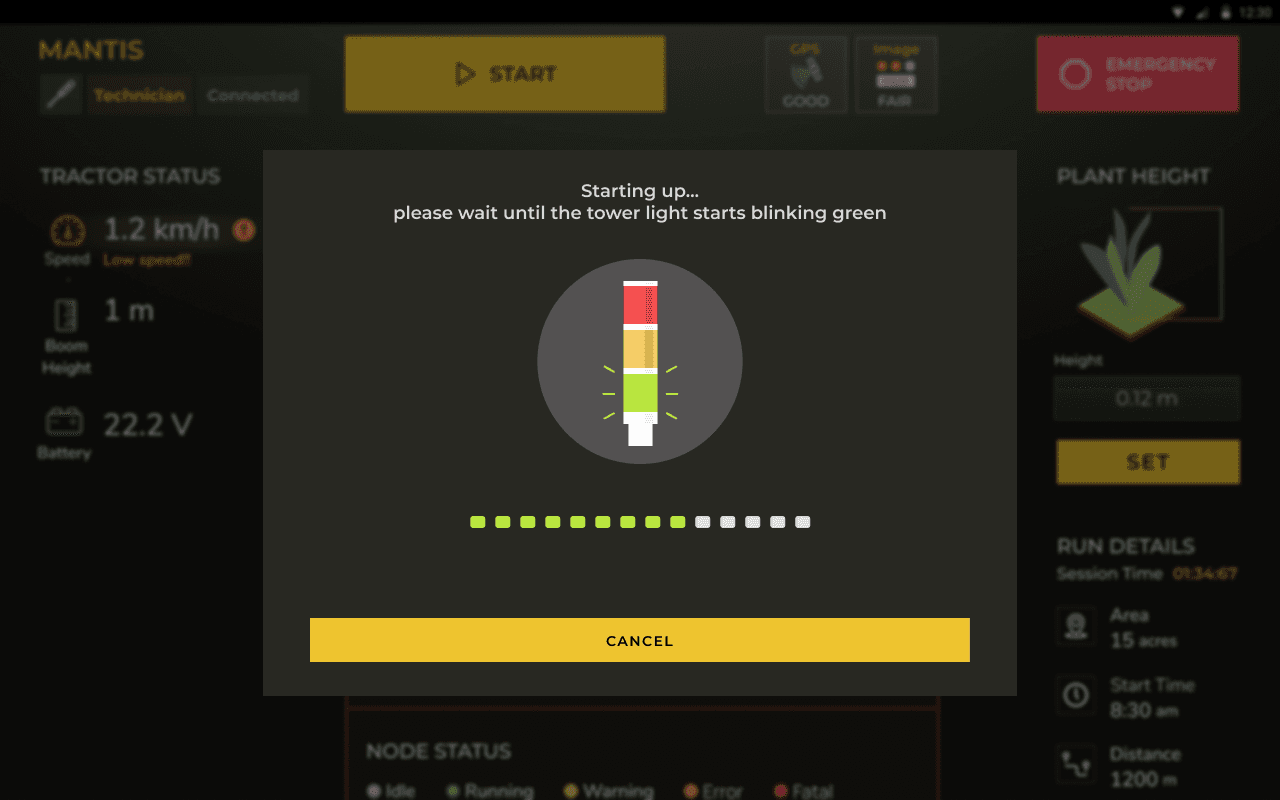
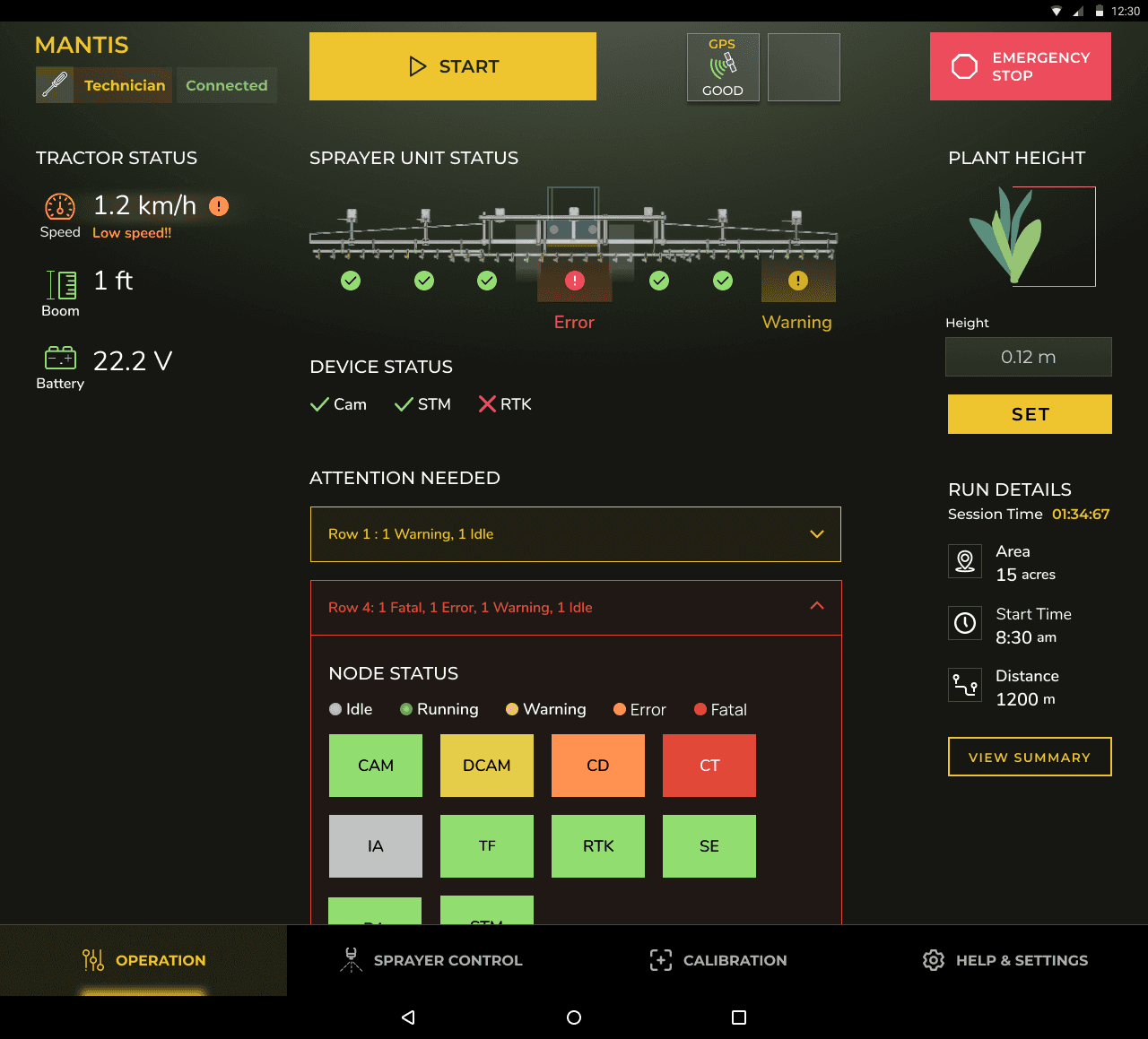
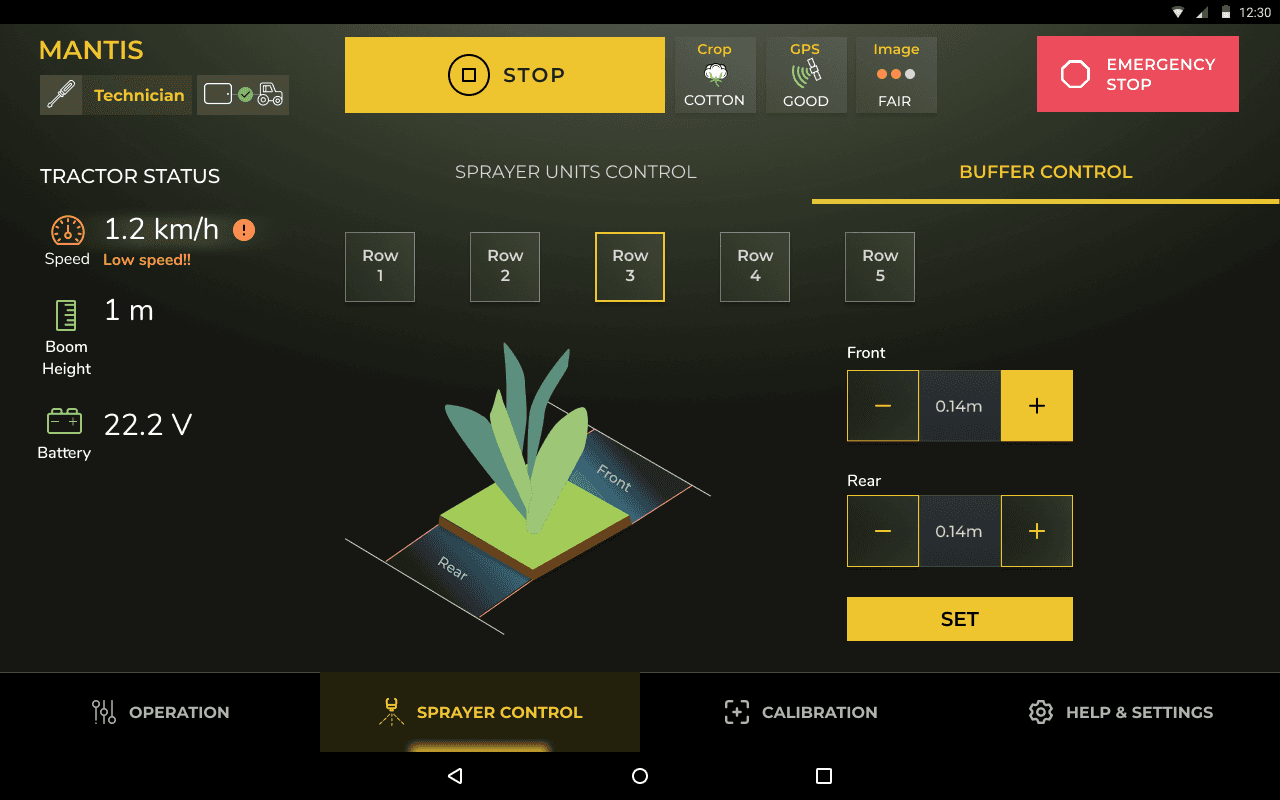
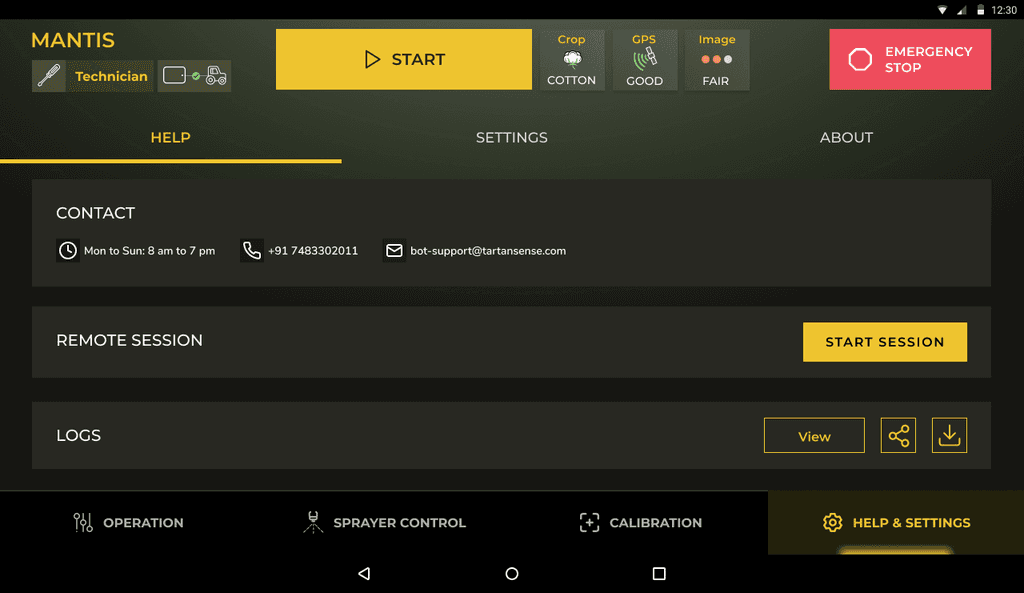
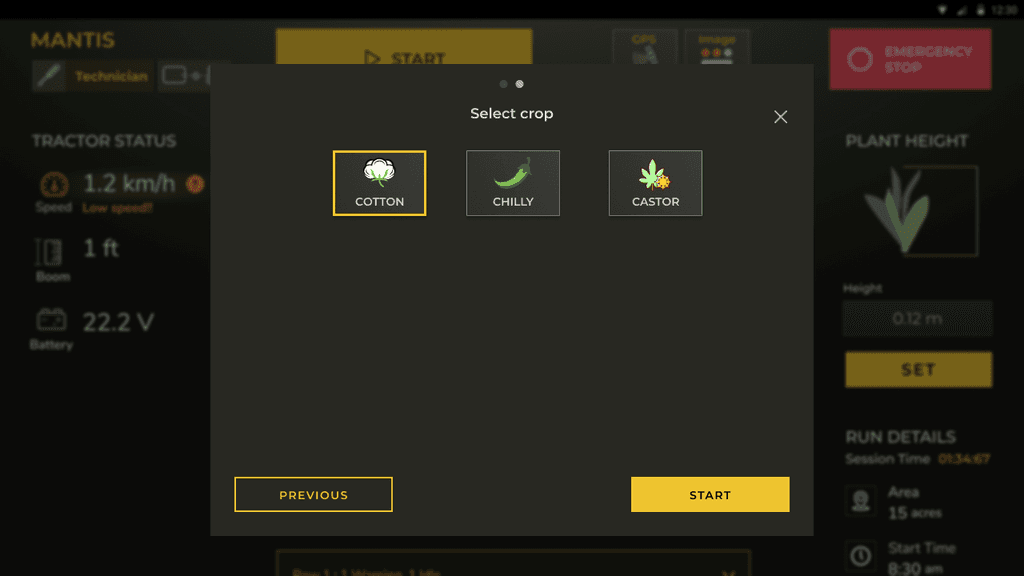
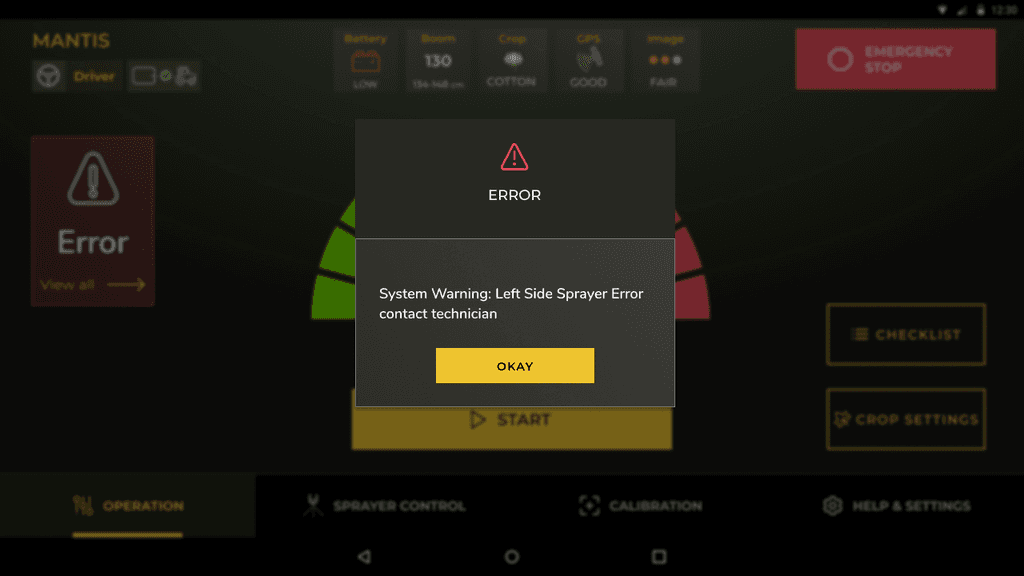
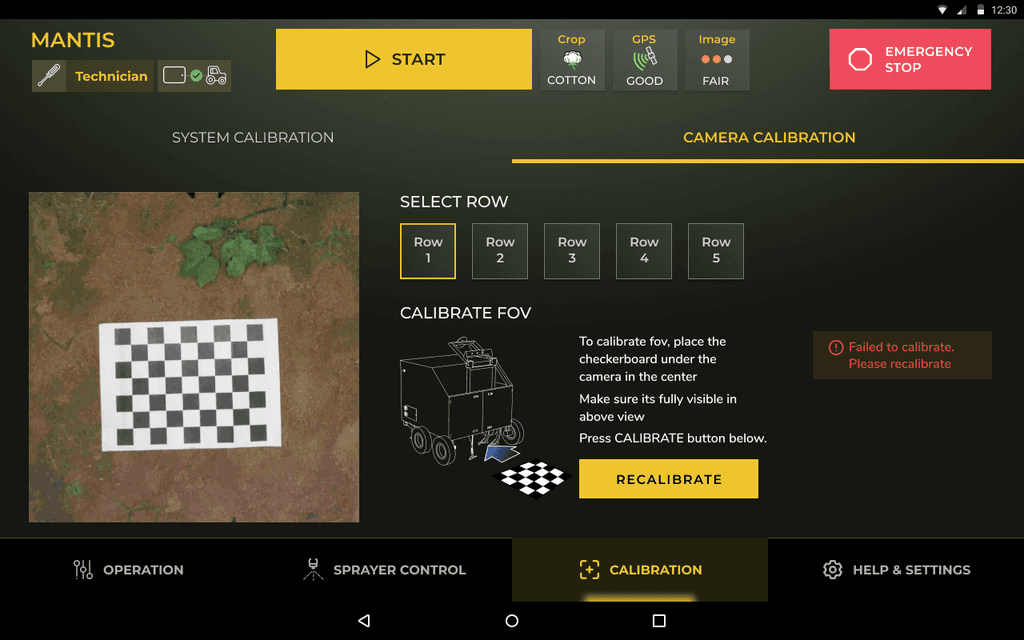
V1 Screens which were tested in the field
OBSERVATION 1 : Accessibility during operation - Elements to be accessible at ~1m distance.
SUGGESTION 1 : Choose high contrast visuals for frequent actions. Prioritize alarms and critical alerts. Introduce sound cues for operator awareness.
OBSERVATION 2 : Dark theme contrasts well indoors and at night, but causes screen reflections outdoors during the day, hampering visibility.
SUGGESTION 2 : Would be prudent to have light mode as well
OBSERVATION 3 : Setup process initially scored 9/10 for user-friendliness but lacks efficiency for frequent daily use, with potential to condense multiple actions into chunks.
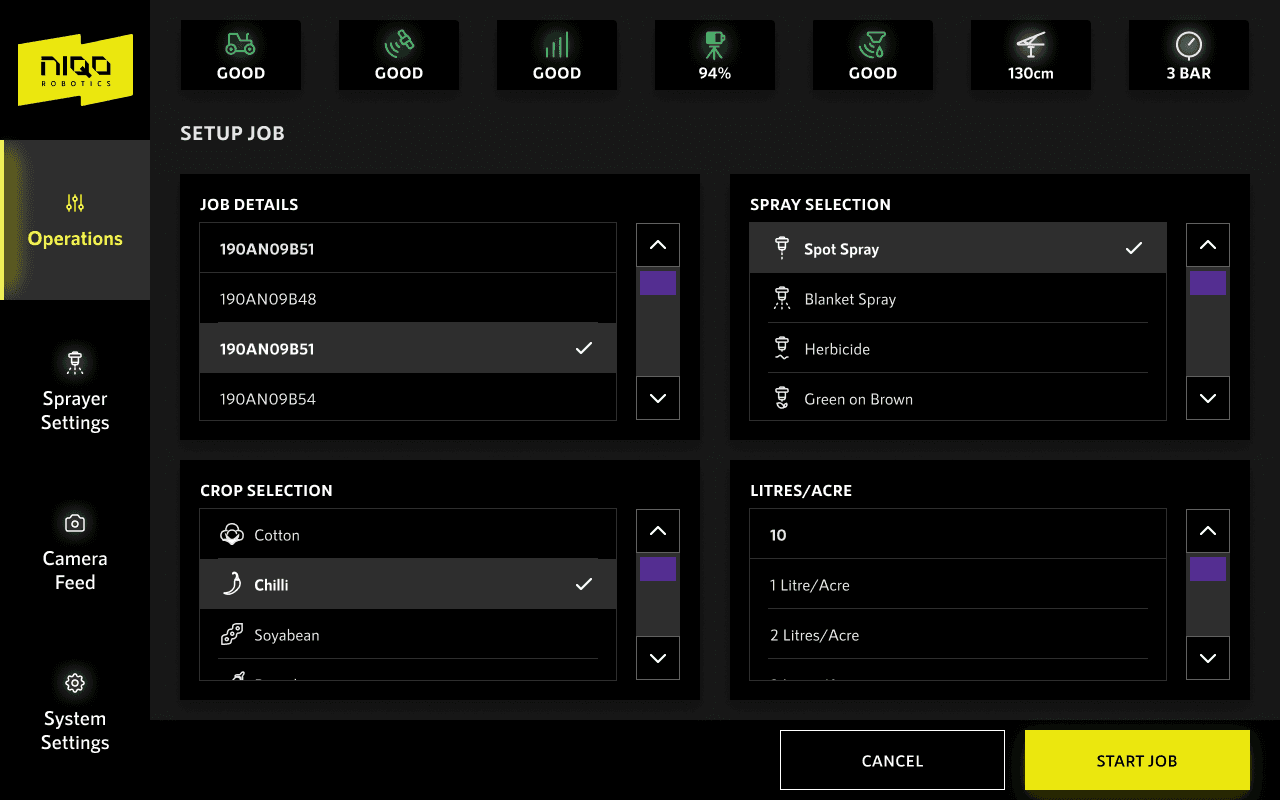
SUGGESTION 3 : Brainstorming led to a streamlined operation setup, condensing 8 steps into a concise 2-screen process.
Points to test :
- Ease of operation setup in the context.
- Accessibility of CTAs.
- Ergonomics in the context.
- Visual theme (V1 designed only for dark mode).
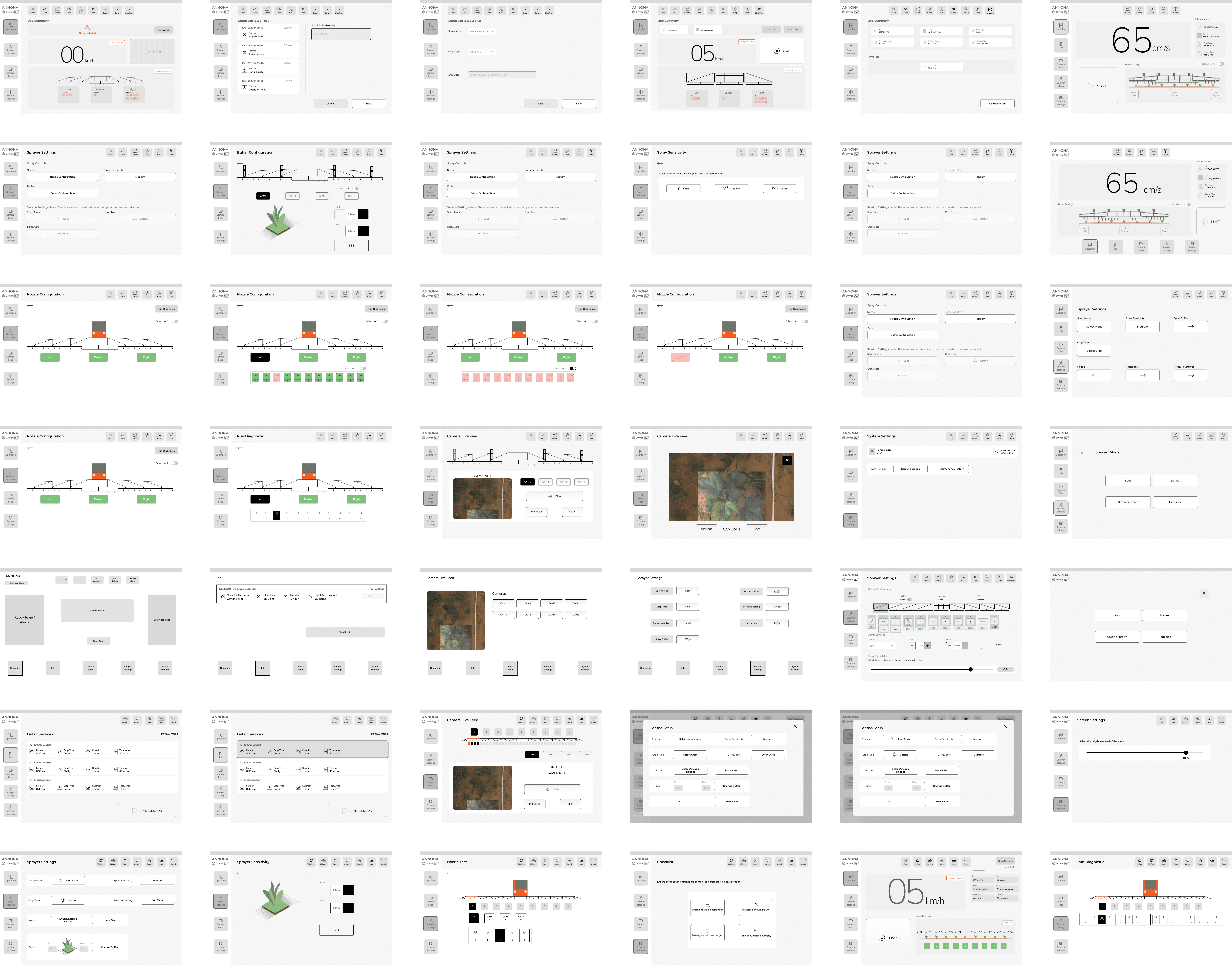
WIREFRAMES
Here is a showcase of various explorations with the wireframes. Multiple options for some of the primary components were discussed such as Screen layouts, Nav Panel, nozzle toggles, setup flows etc
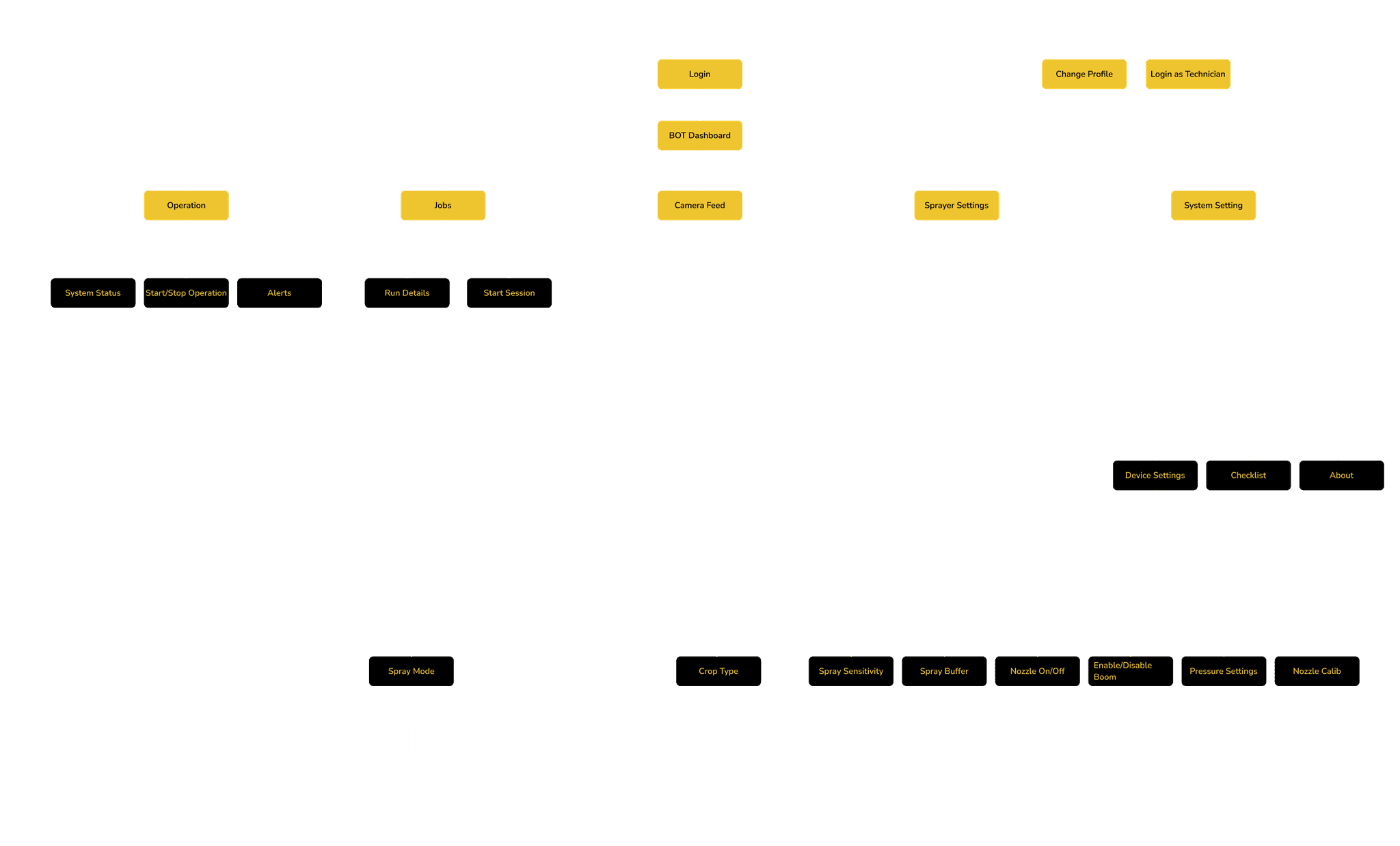
DRIVER
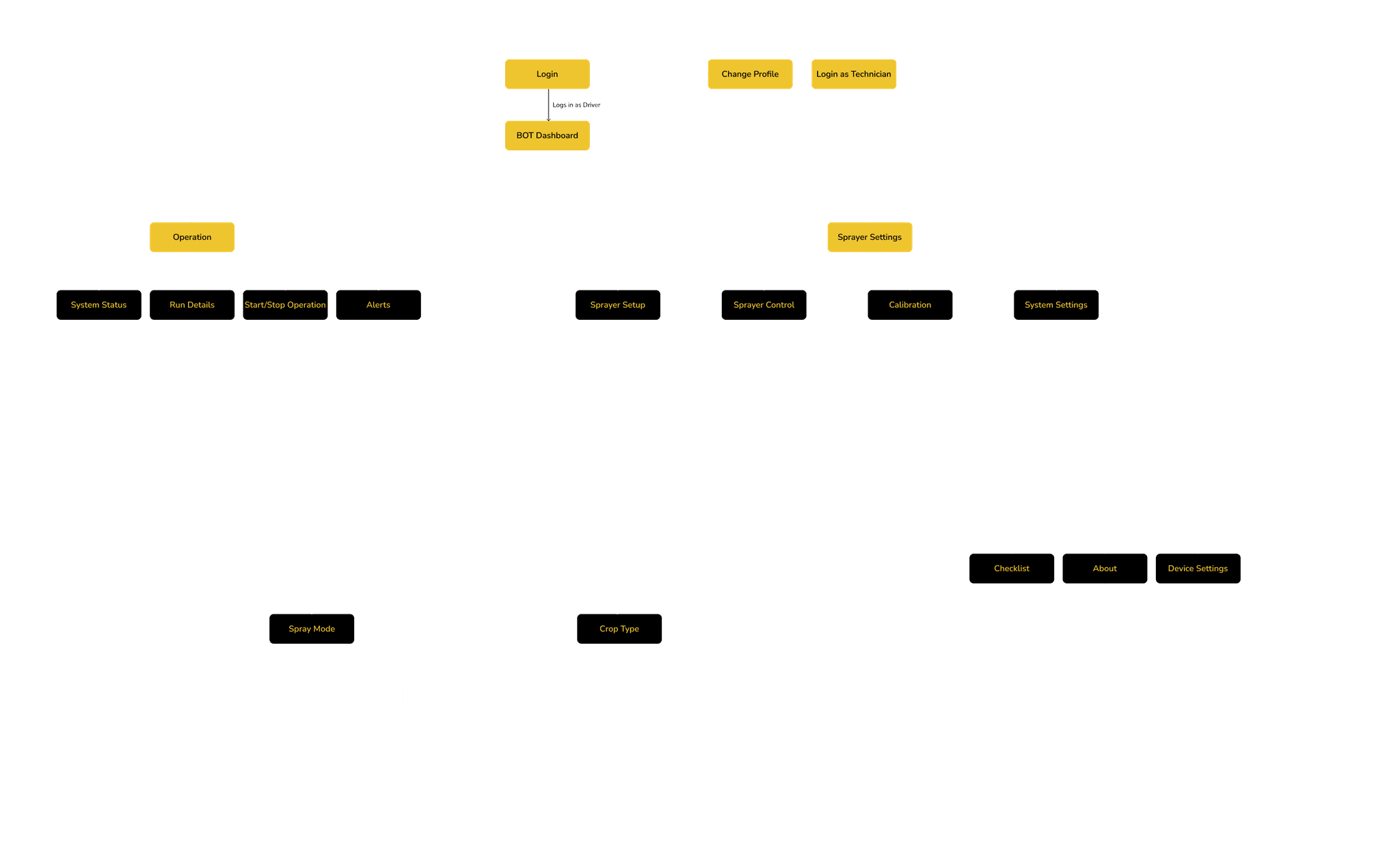
TECHNICIAN
INFORMATION ARCHITECTURE
Information Architecture was defined for two personas Driver and Technician
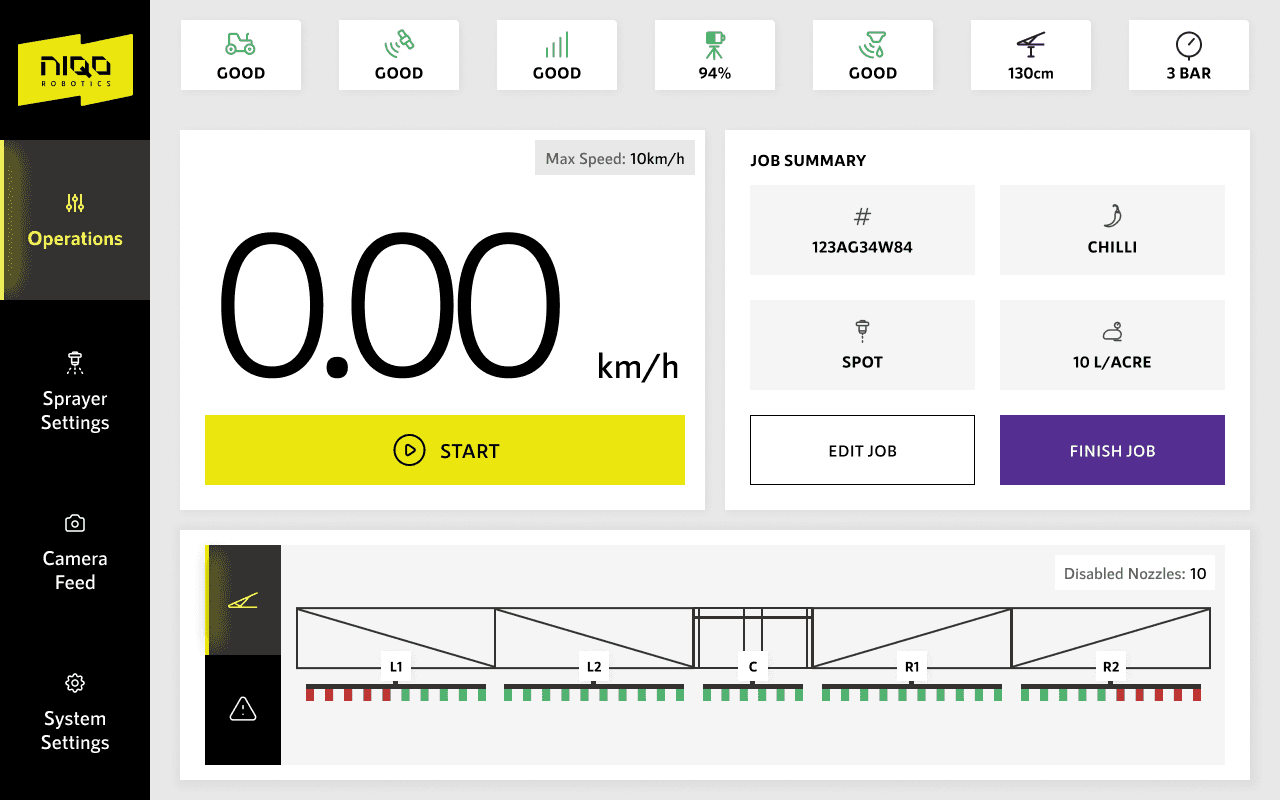
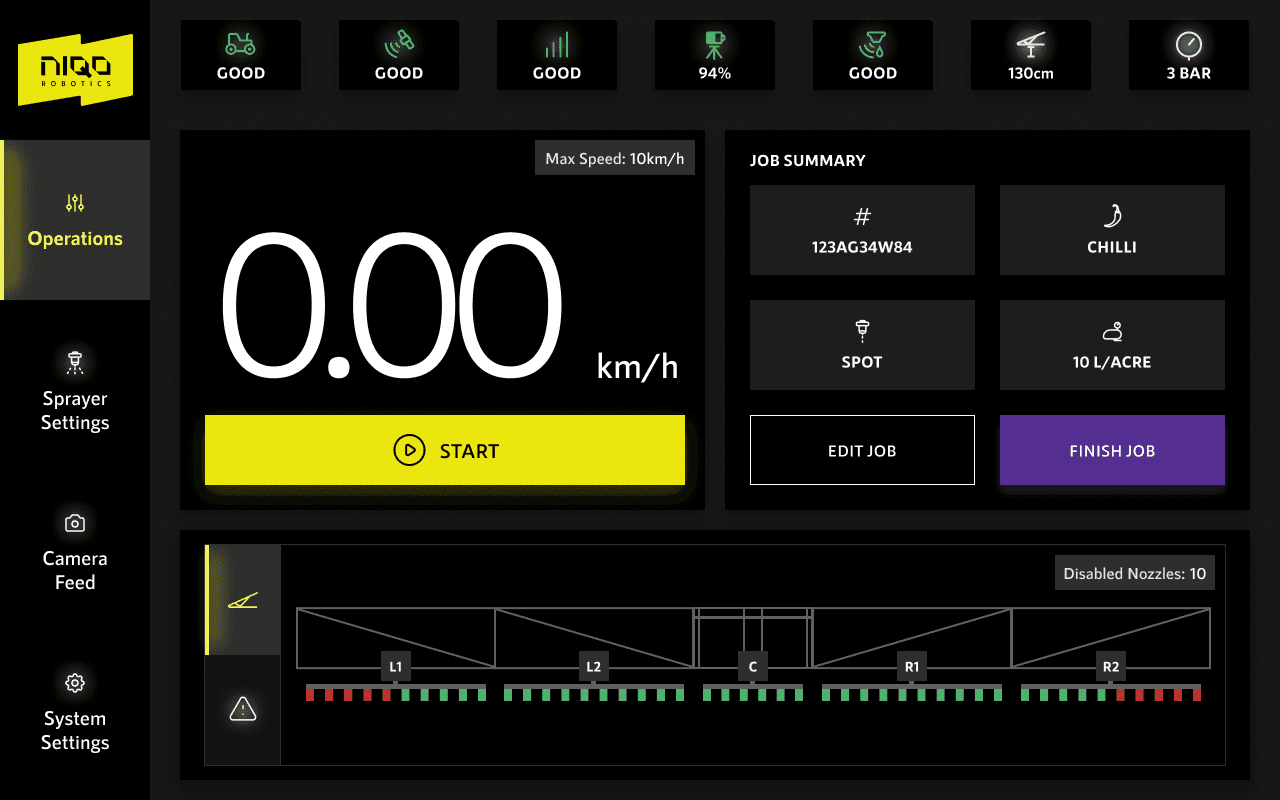
LIGHT / DARK MODES
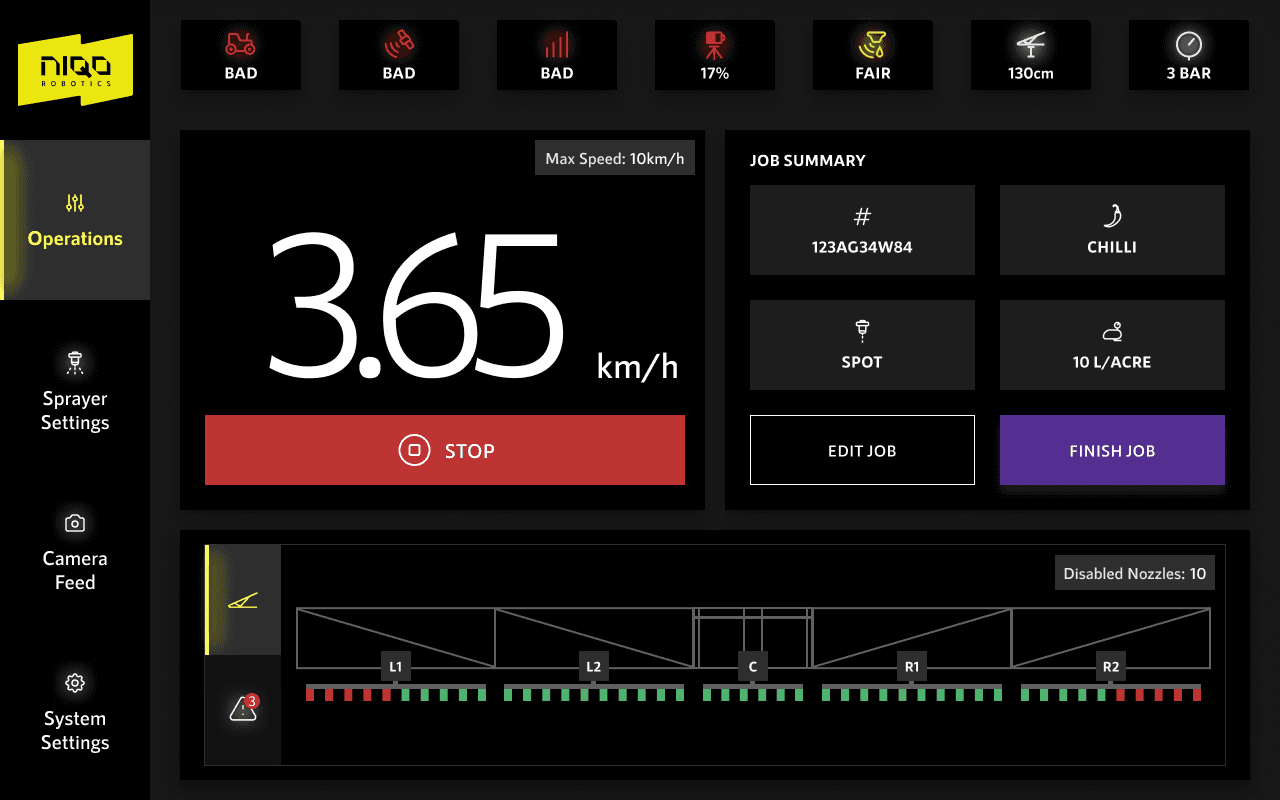
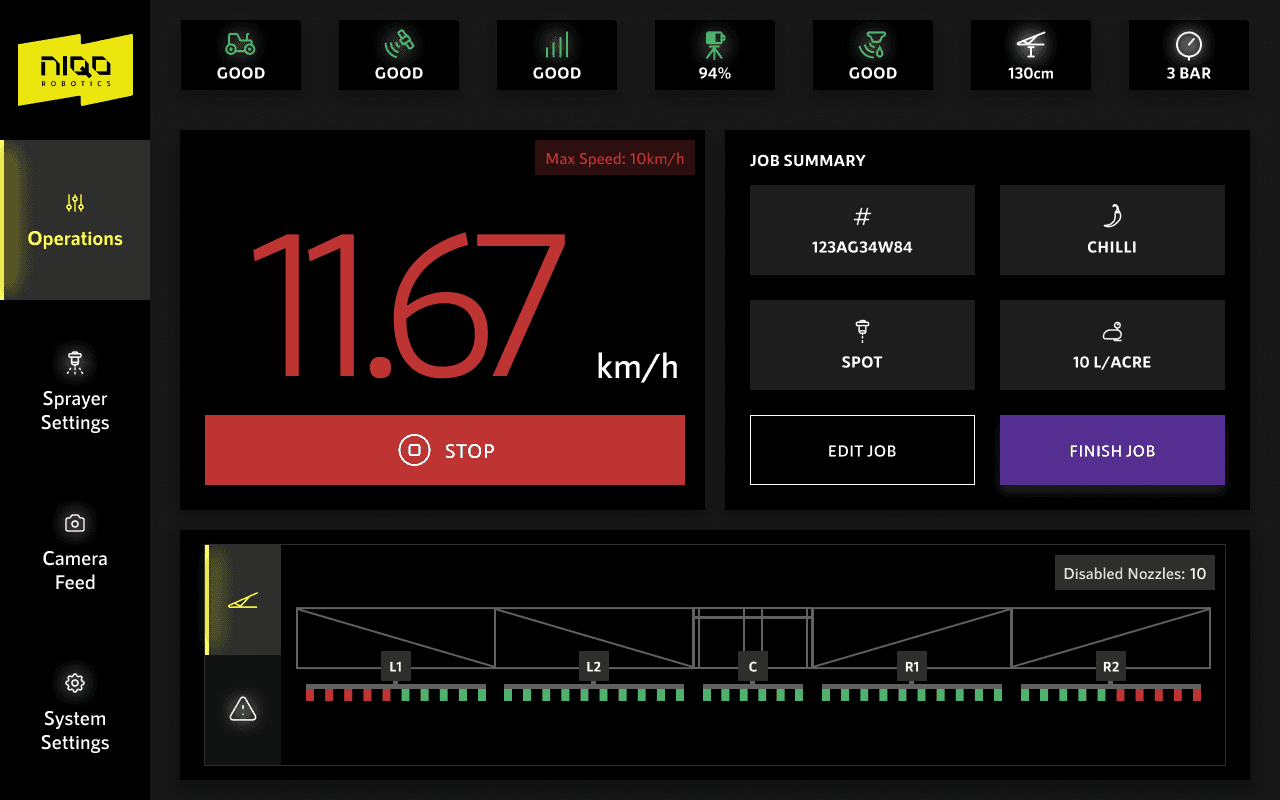
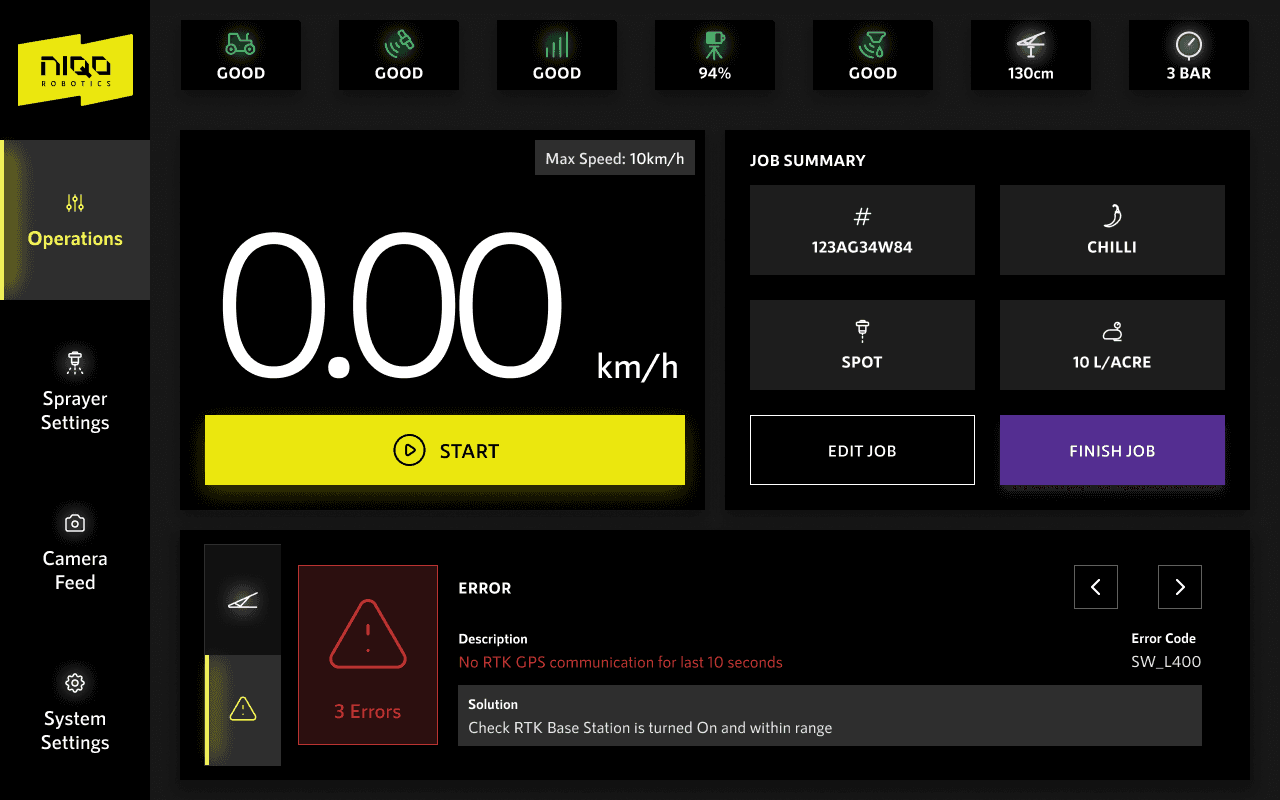
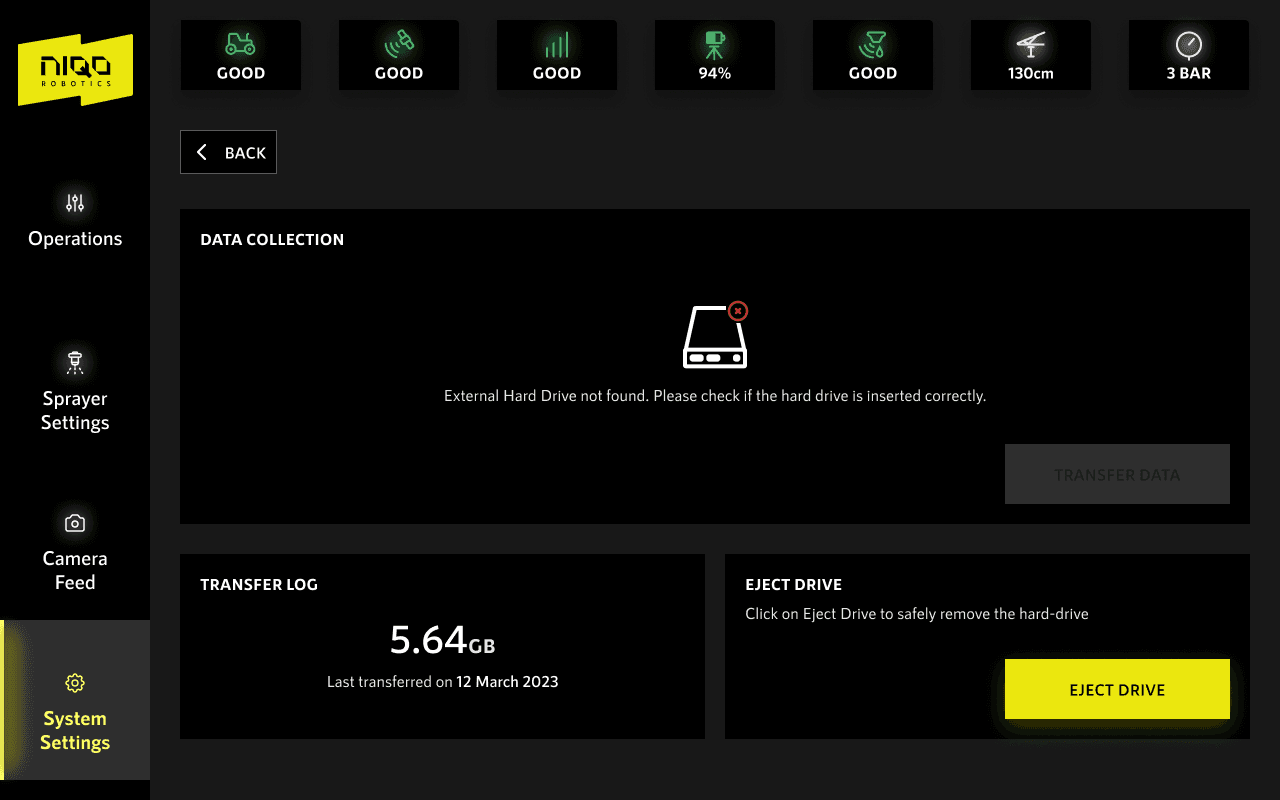
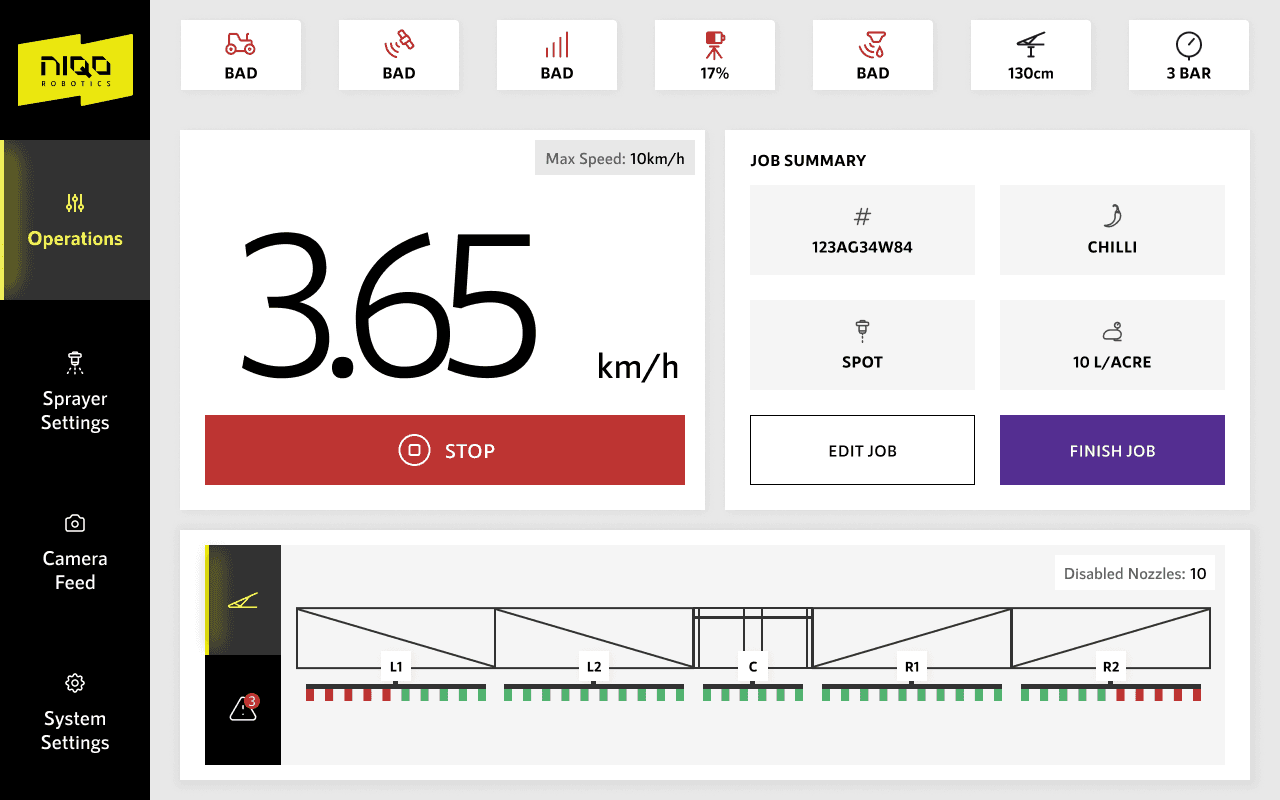
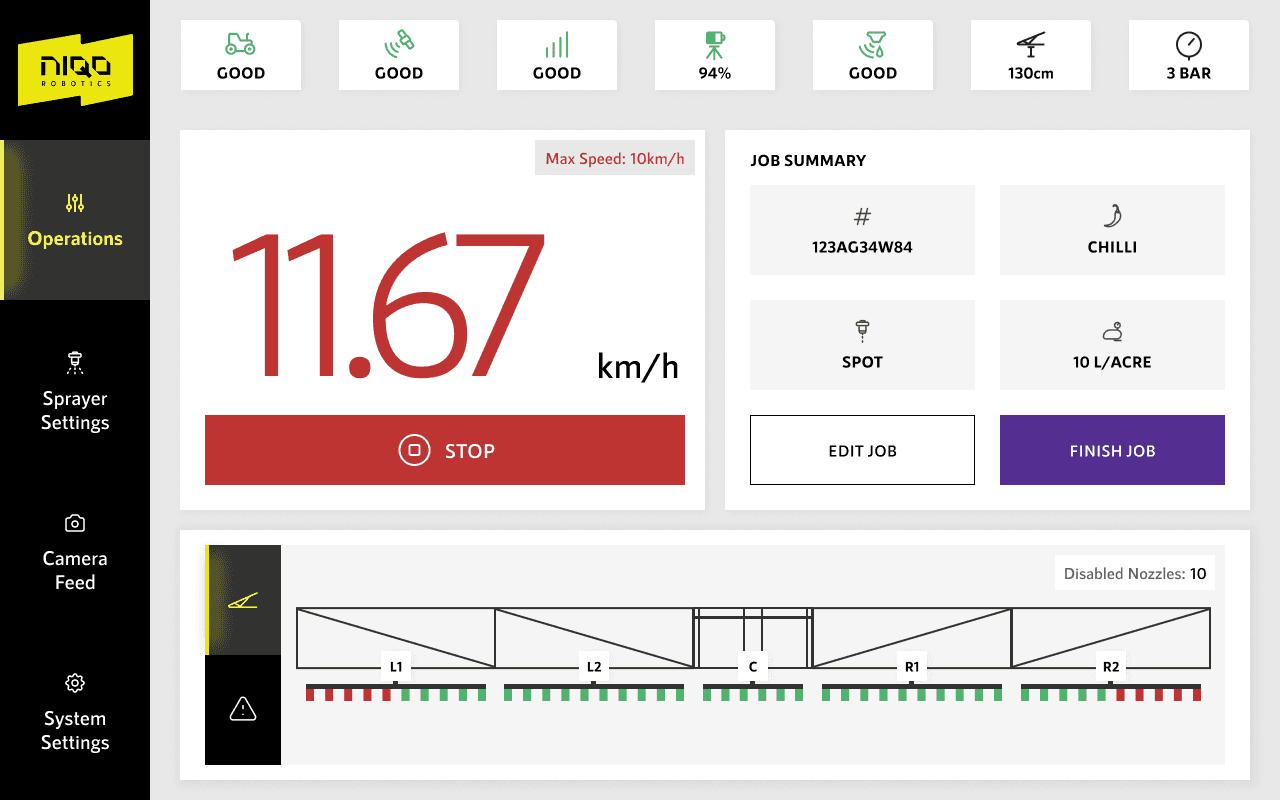
Designed the final screens for both light and dark theme. Following is a showcase of some of the unique screens.
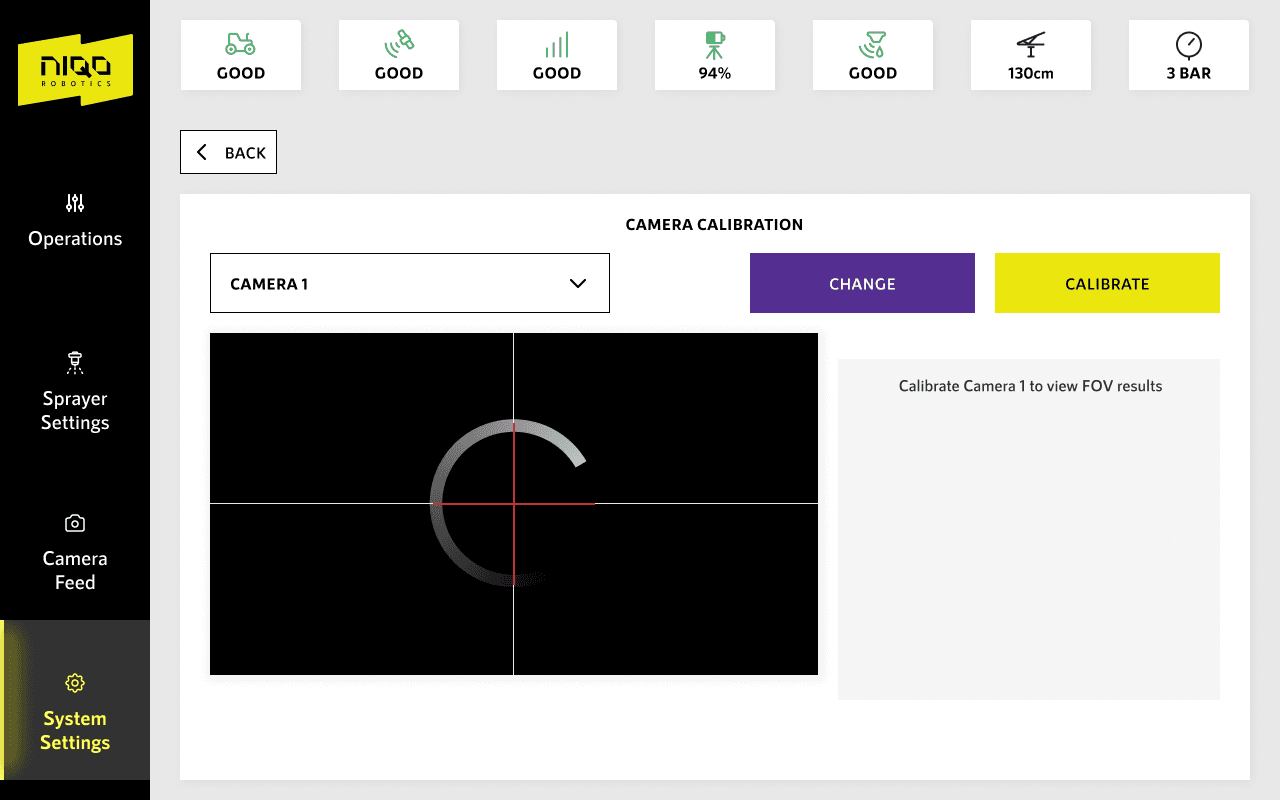
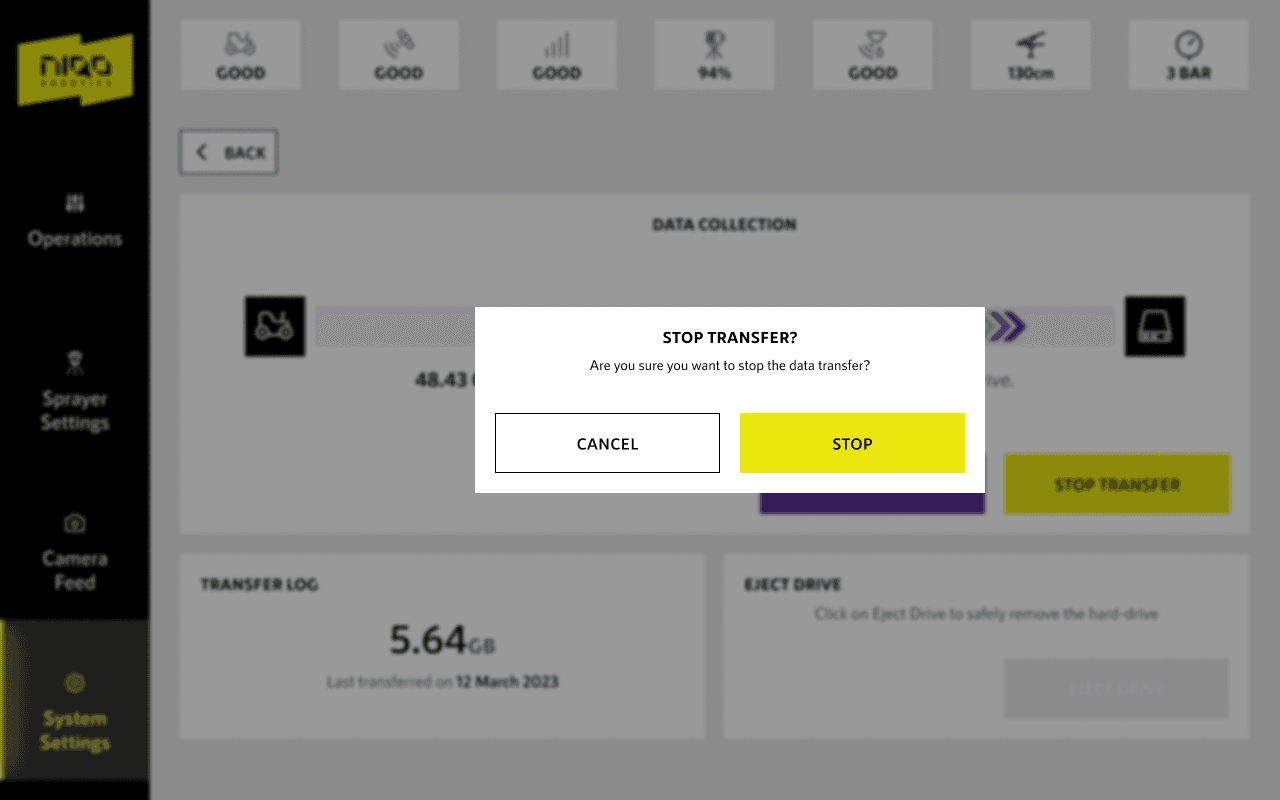
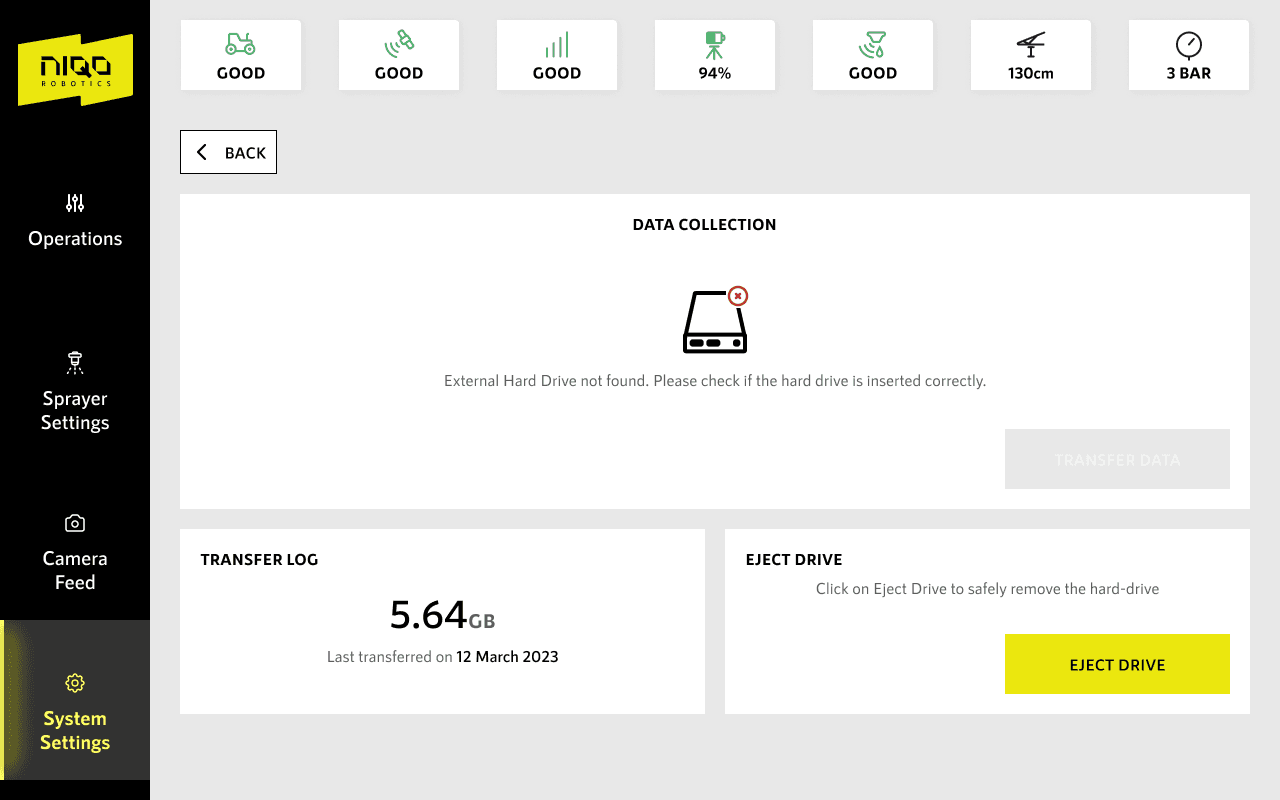
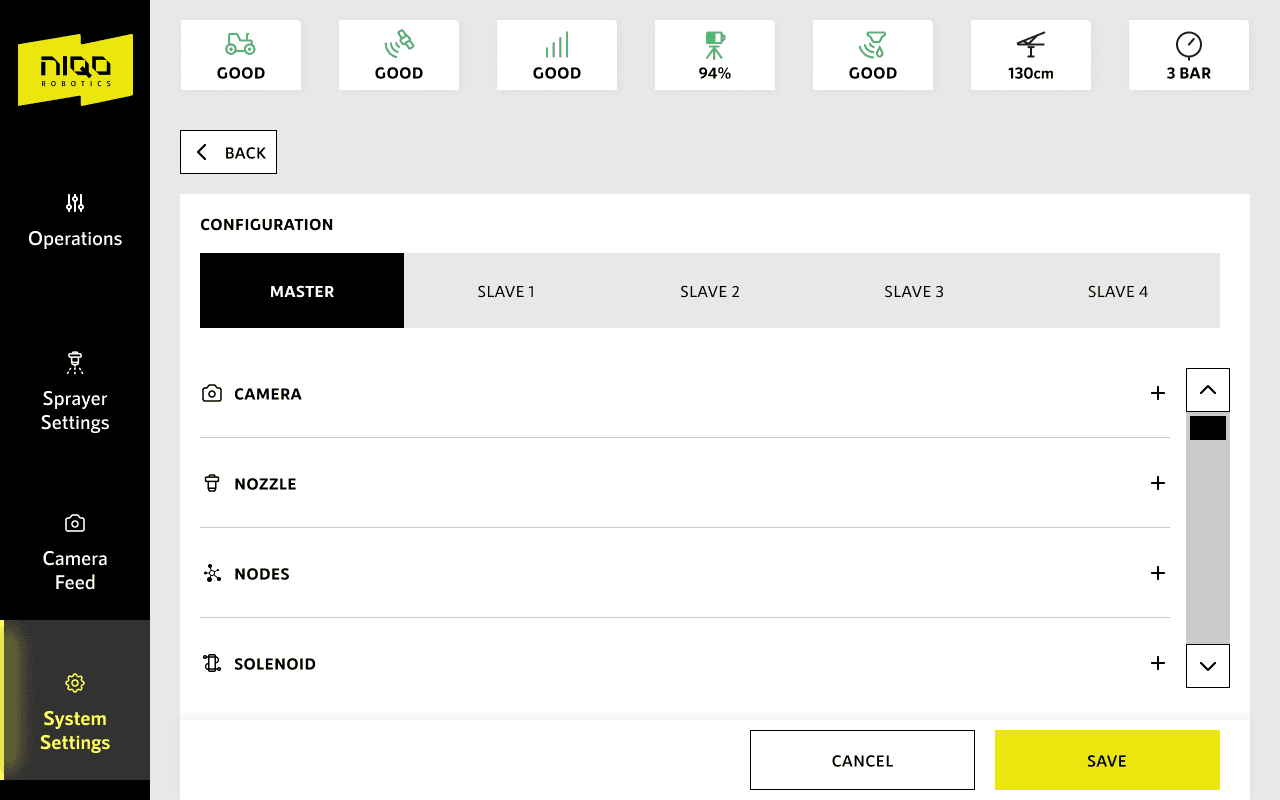
VISUALS
Following are a few unique screens which show the design decisions taken forward for various use cases , scenarios. Rationale behind adopted design paradigms. Note that these are few out of 150+ screens.
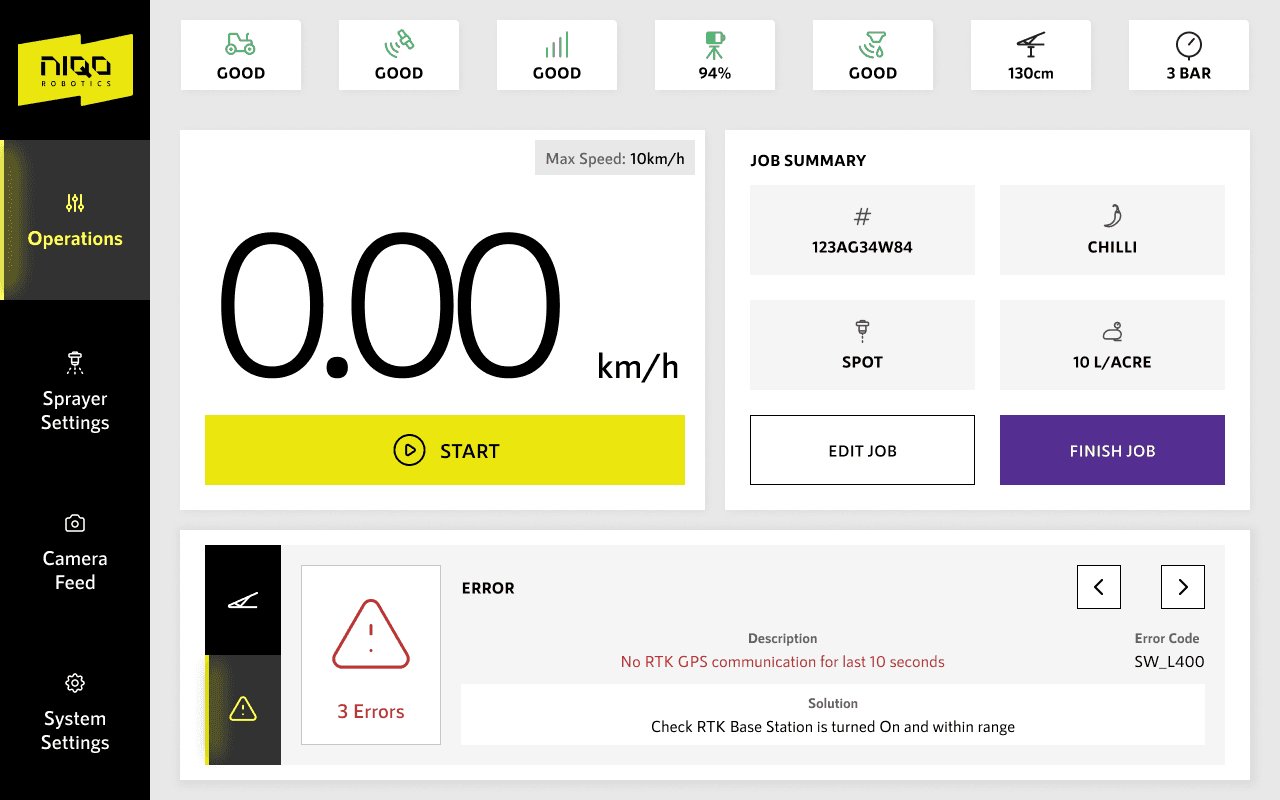
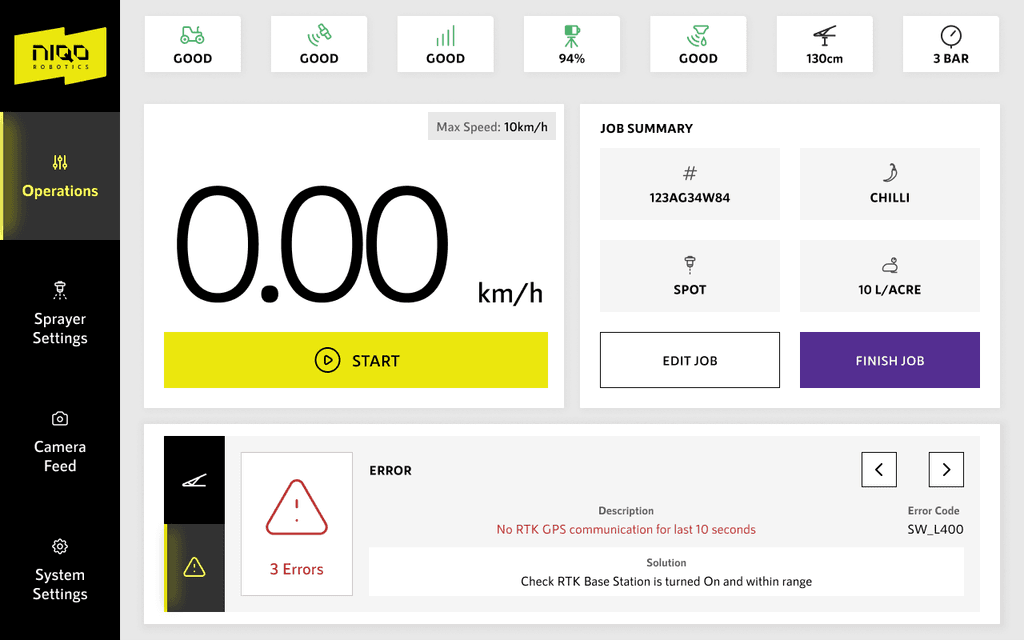
Operations
The screen is divided into statuses, speed , job summary and boom status or error messages.
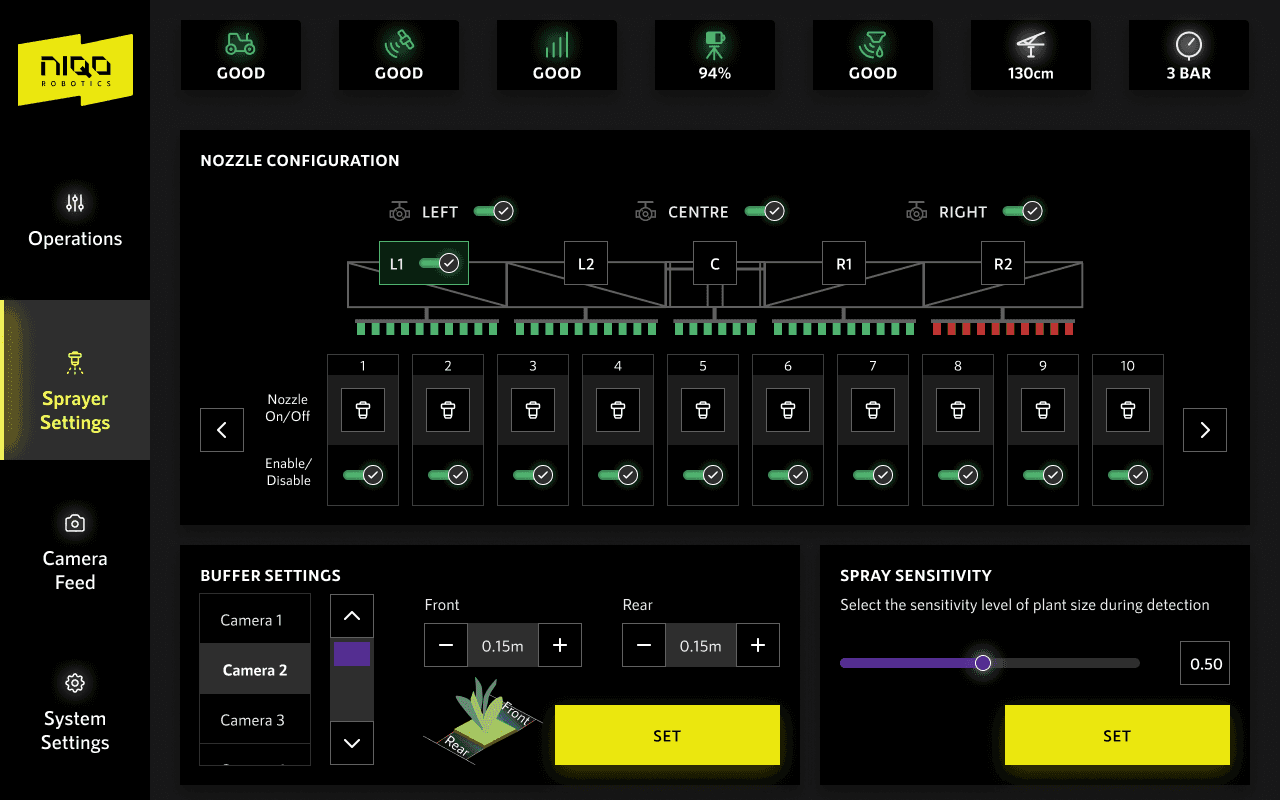
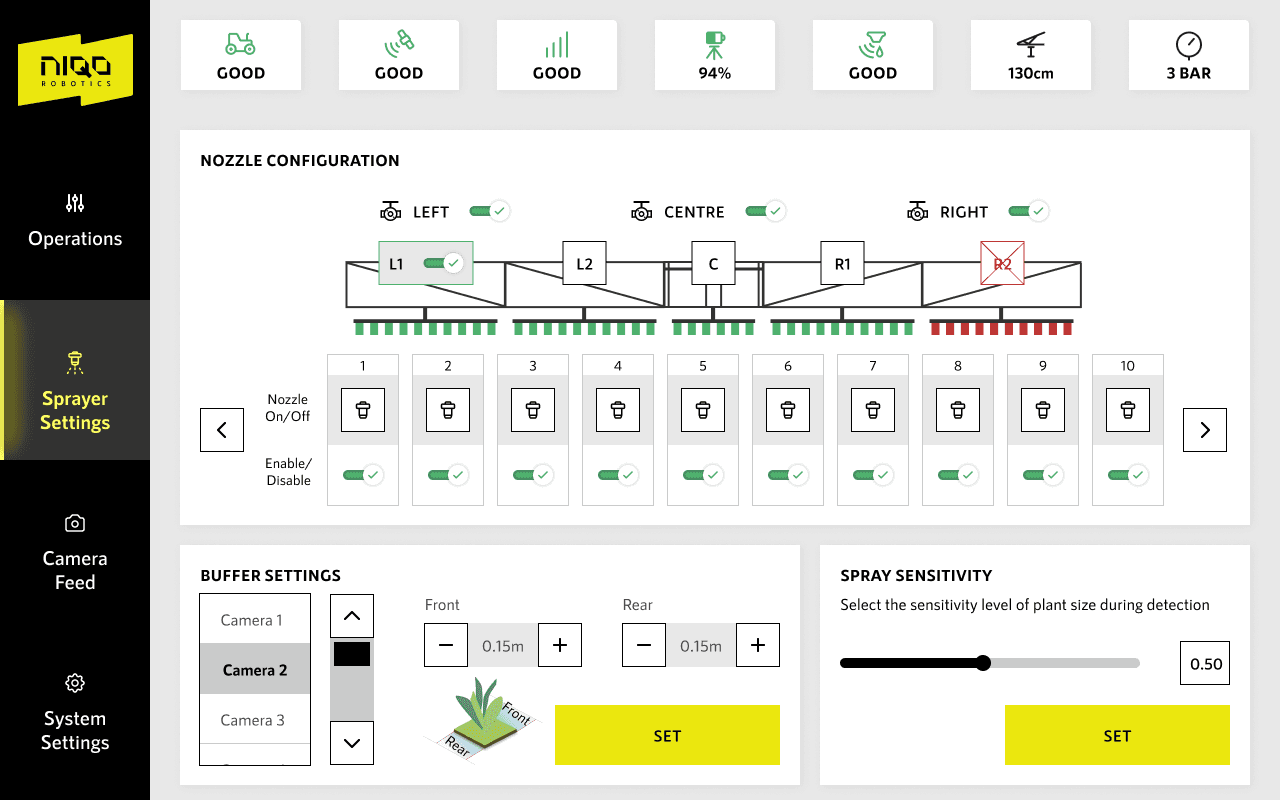
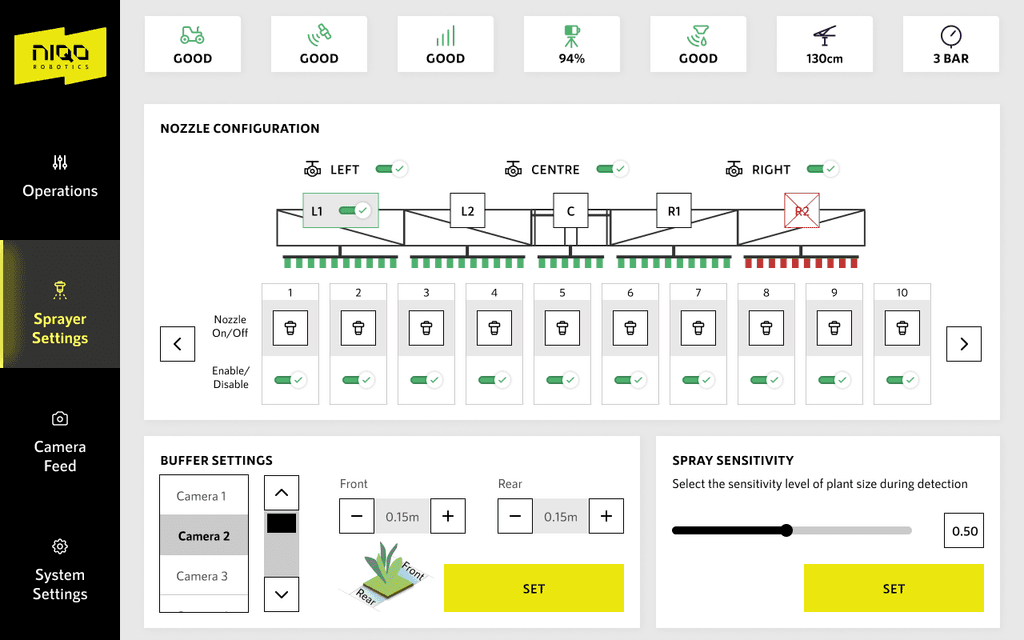
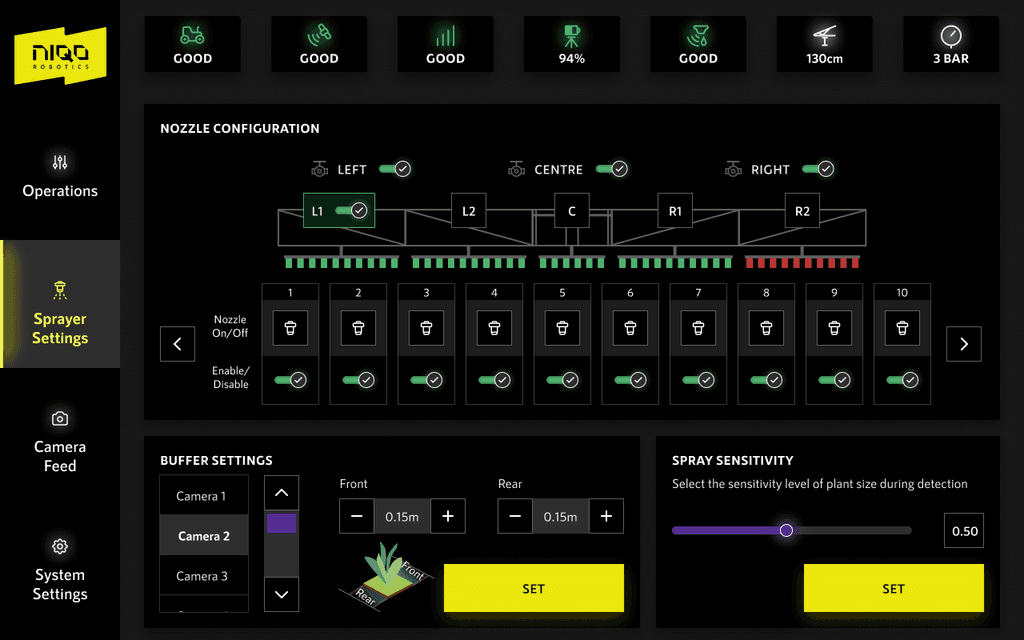
Sprayer Settings
Sprayer settings allows the driver to set up his nozzles as needed. Provision to enable and disable, buffer settings which dictates spray spread, and sensitivity
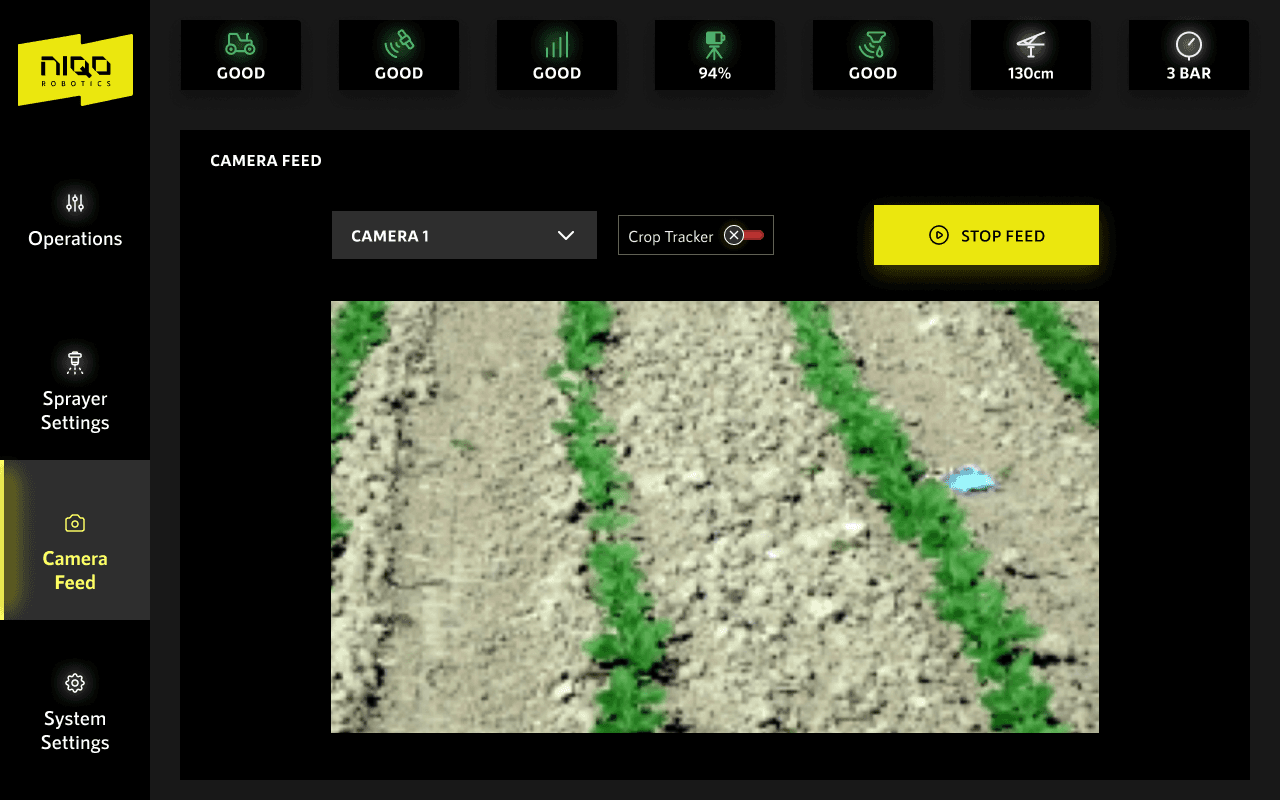
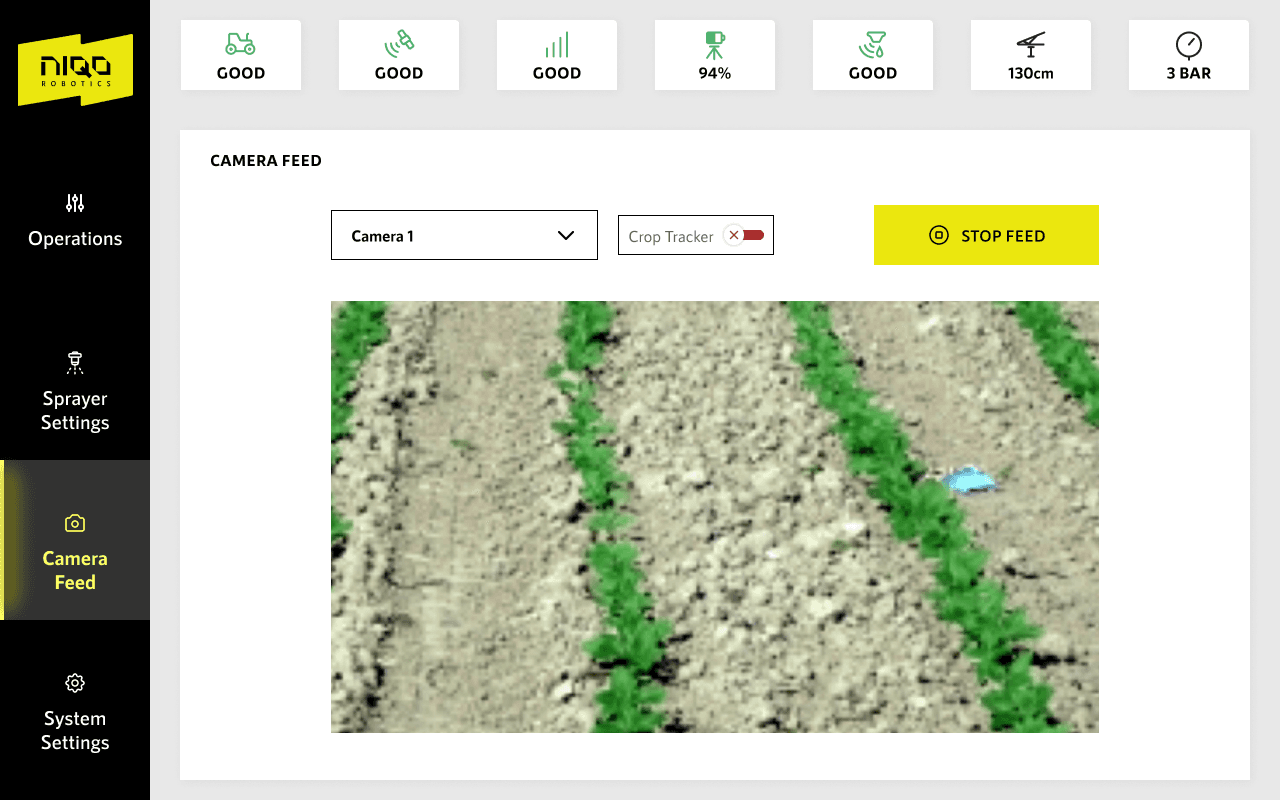
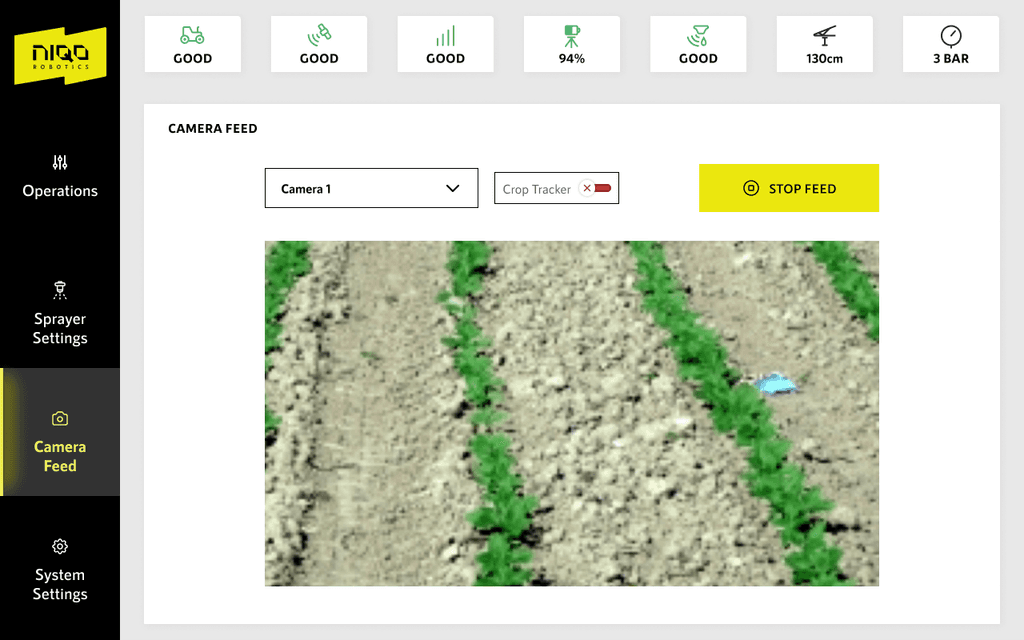
Camera Feed
This section allows the driver
to monitor spraying on the crop on the screen.
The requirement for this was mainly for demo purpose.
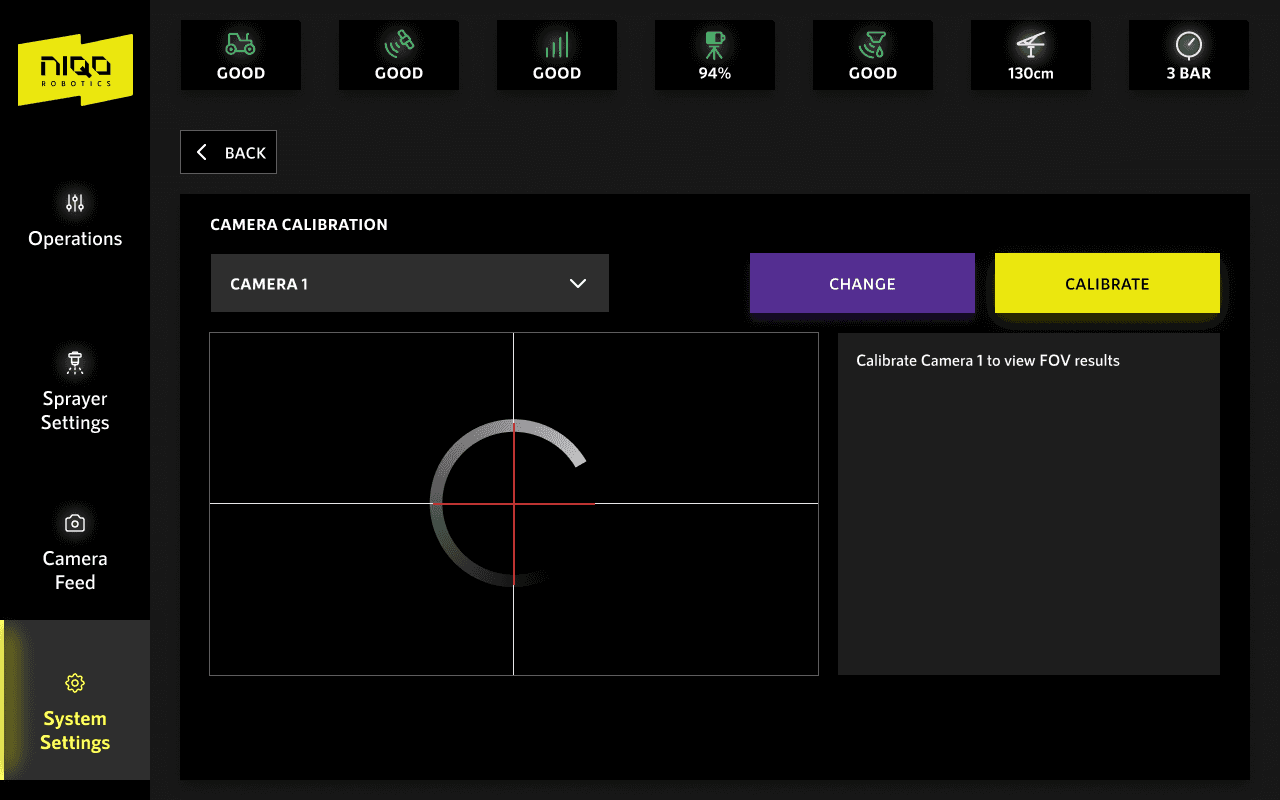
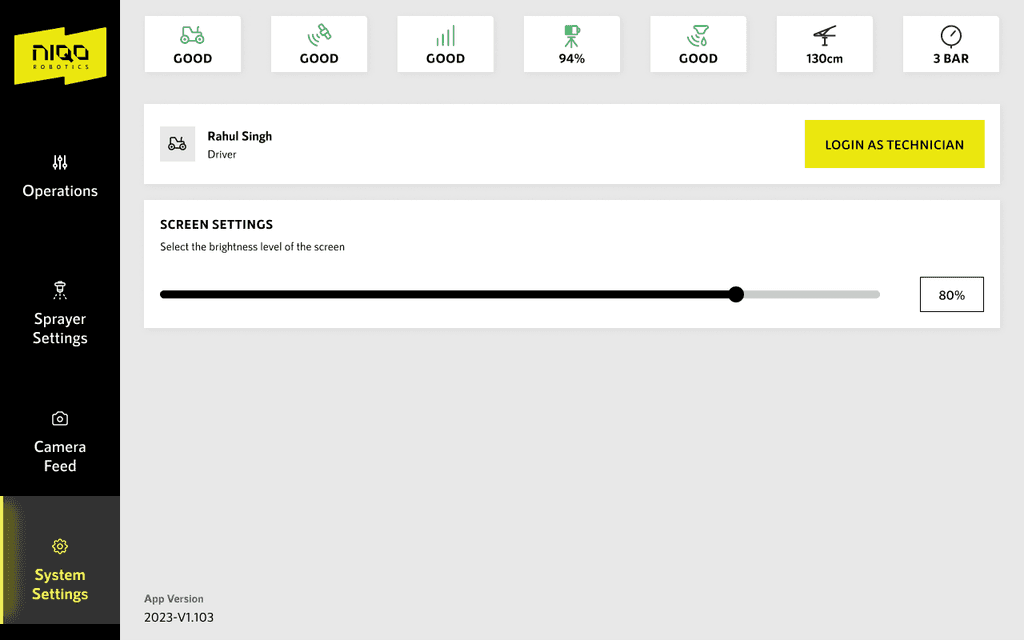
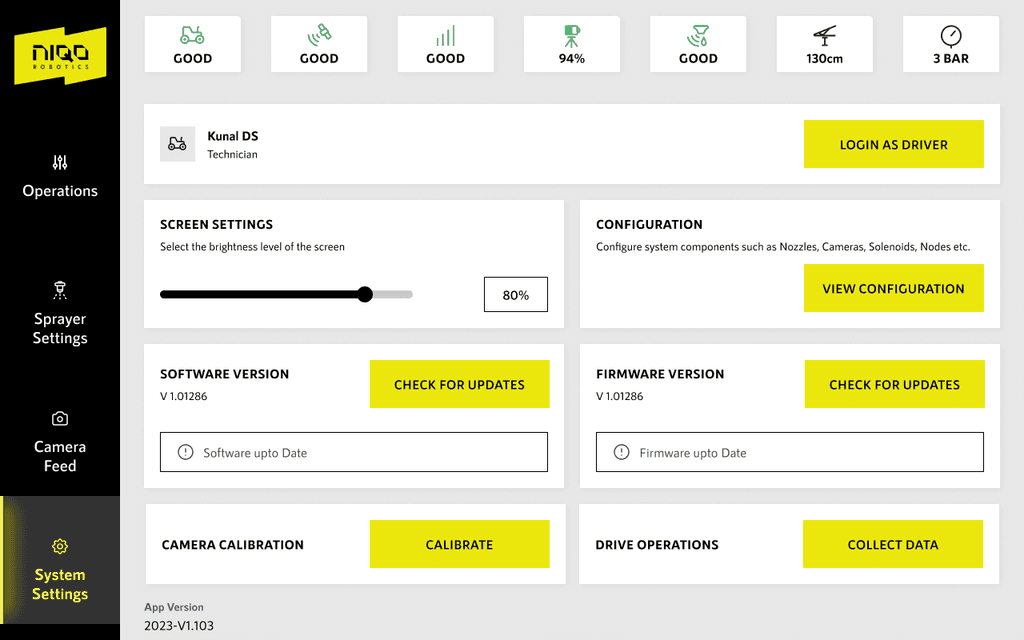
System settings
System setting is bare minimum for the driver. allows for changing the screen brightness.
This is also the gateway to log in as a technician.
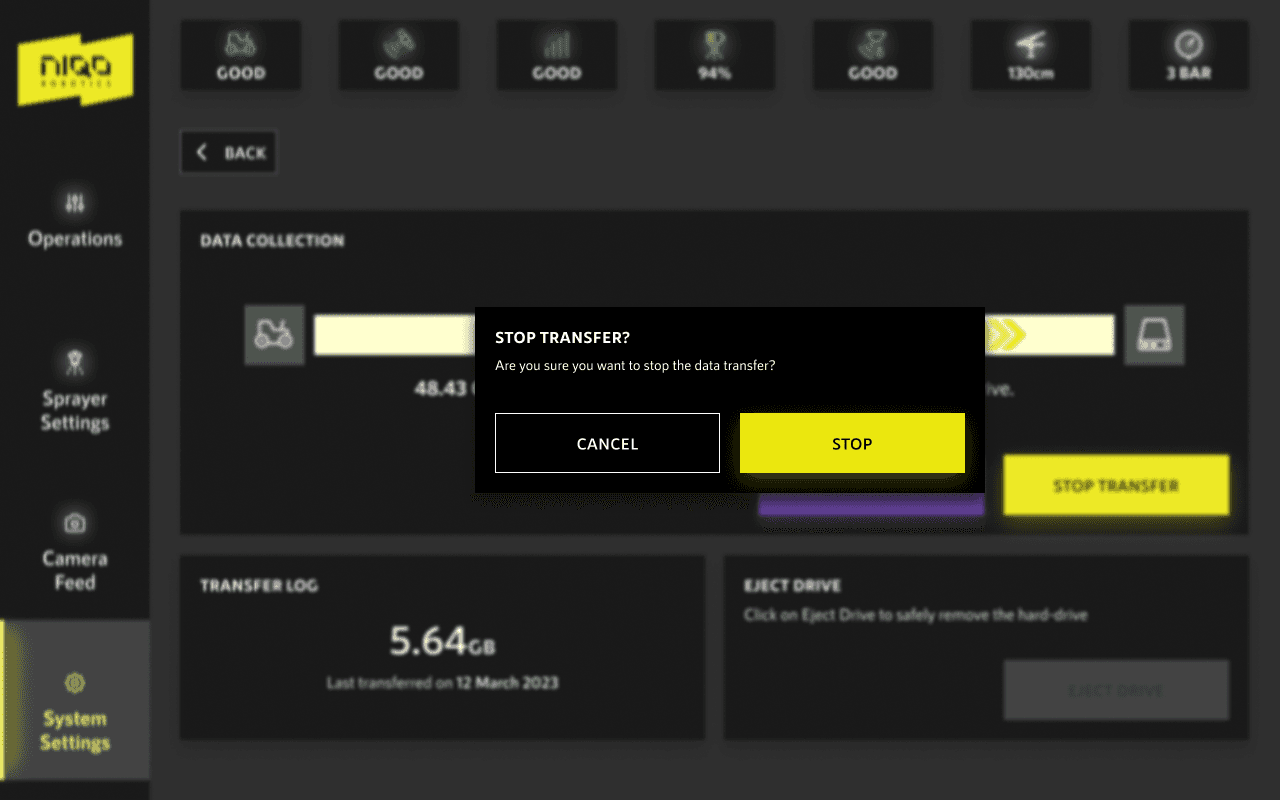
System settings as technician
System setting for technician is provided to update softwares, collect all the data in the drive. Each CTA is designed to be a one step process from this screen.
PROBLEM STATEMENTS
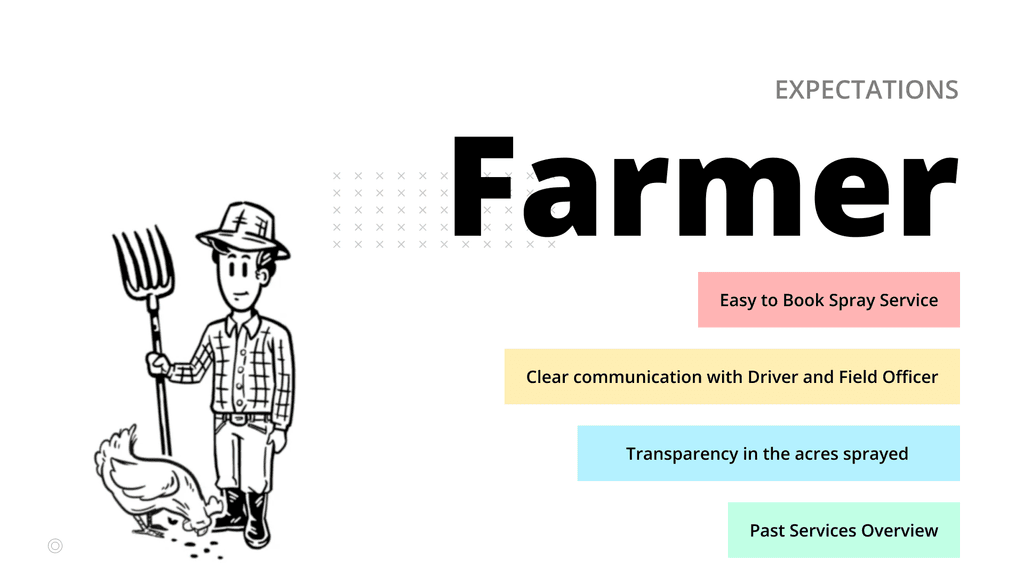
Niqo Robotics application will play out as the only touchpoint to the farmers. Keeping in mind the context of the farmer, how might we make the entire process from booking of a spray service to receiving completed service report a simple and straight forward process ?
Niqo Robotics application will play out as the only touchpoint to the farmers. Keeping in mind the context of the farmer, how might we make the entire process from booking of a spray service to receiving completed service report a simple and straight forward process ?
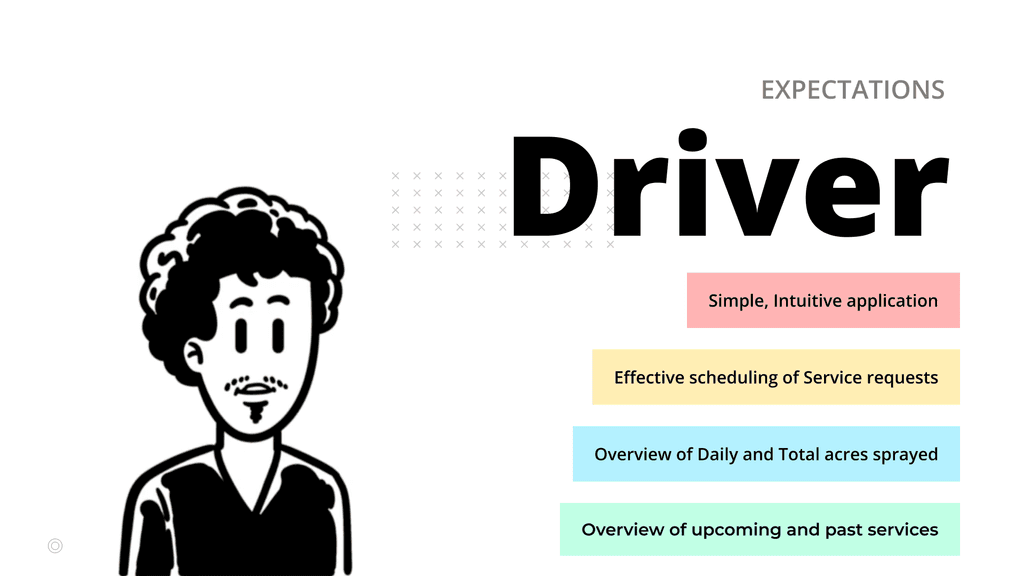
From the driver's point of view the only concern is checking availability on the scheduled date and time. How might we make the process of accepting a request in few simple steps?
From the driver's point of view the only concern is checking availability on the scheduled date and time. How might we make the process of accepting a request in few simple steps?
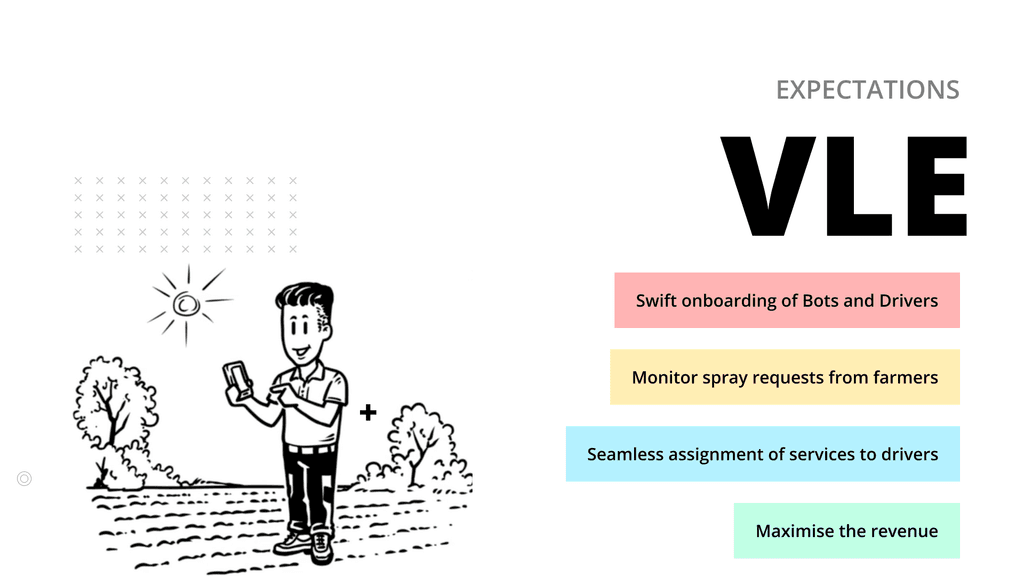
VLE being the business owner has role of onboarding, scheduling and monitoring services of all his employees. How might we make scheduling and monitoring of tasks seamless?
VLE being the business owner has role of onboarding, scheduling and monitoring services of all his employees. How might we make scheduling and monitoring of tasks seamless?
PERSONA
FARMER
DRIVER
VLE
Village Level Entreprenuer (VLE)
Buys the bots from Niqo Robotics on a subscription basis. Onboards the bots on to his system.
VLE also has a list of drivers who are capable of operating the machine. He onboards the drivers on to his system.
VLE gets requests from farmers and assigns a driver to the task for the requested date
Driver
Gets tasks on his application and goes to the location to spray. Driver here carries a very similar role to Delivery partners of e-commerce.
Once the driver reaches the location he is trained to use the interface on the bot which is called the Niqo Robotics Bot Interface.
After completing the service a report is generated which is shared with all the personas involved to keep the service transparent.
Farmer
Farmer registers his farms on the application and books a services as per needs
Niqo Operators
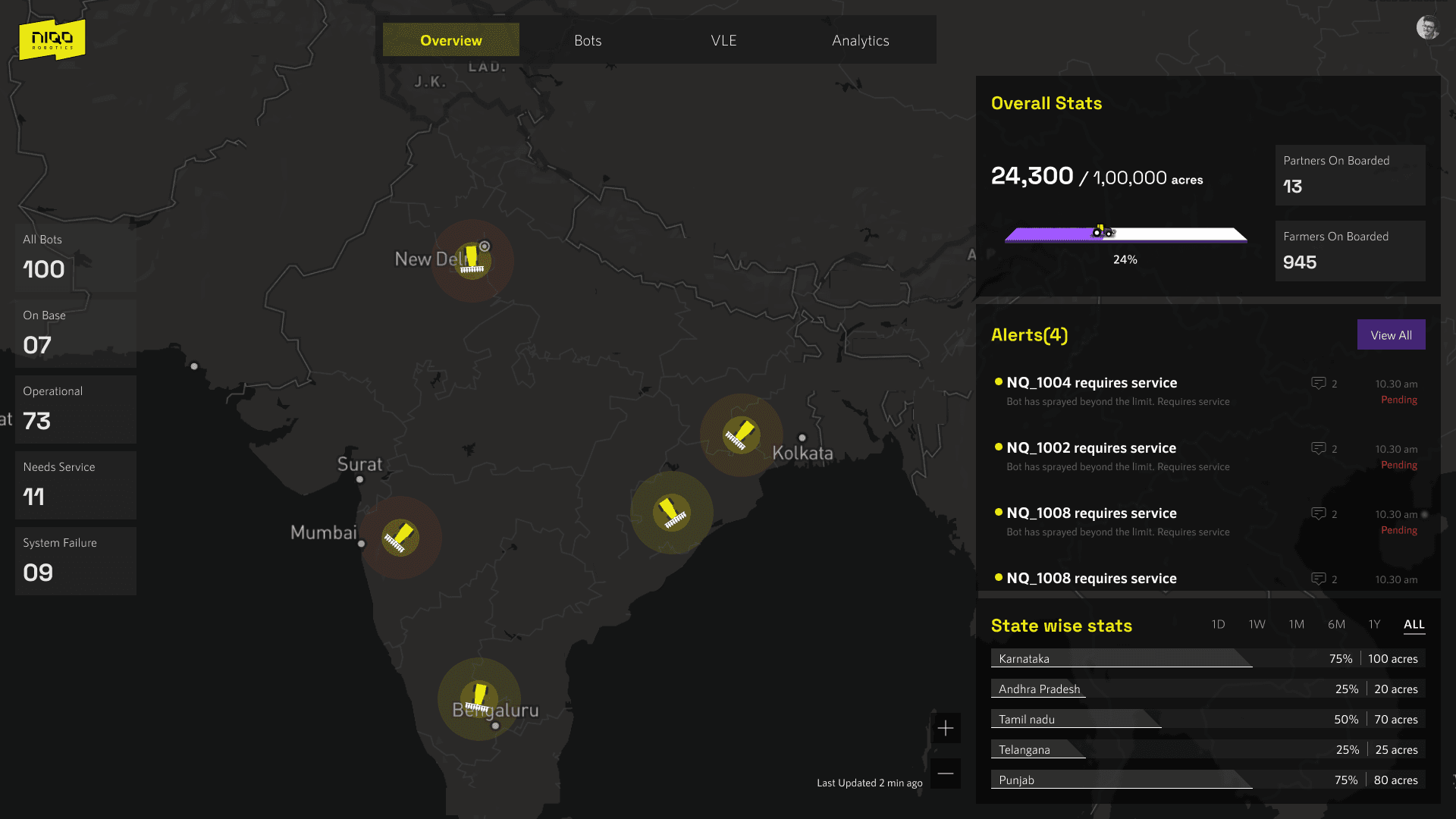
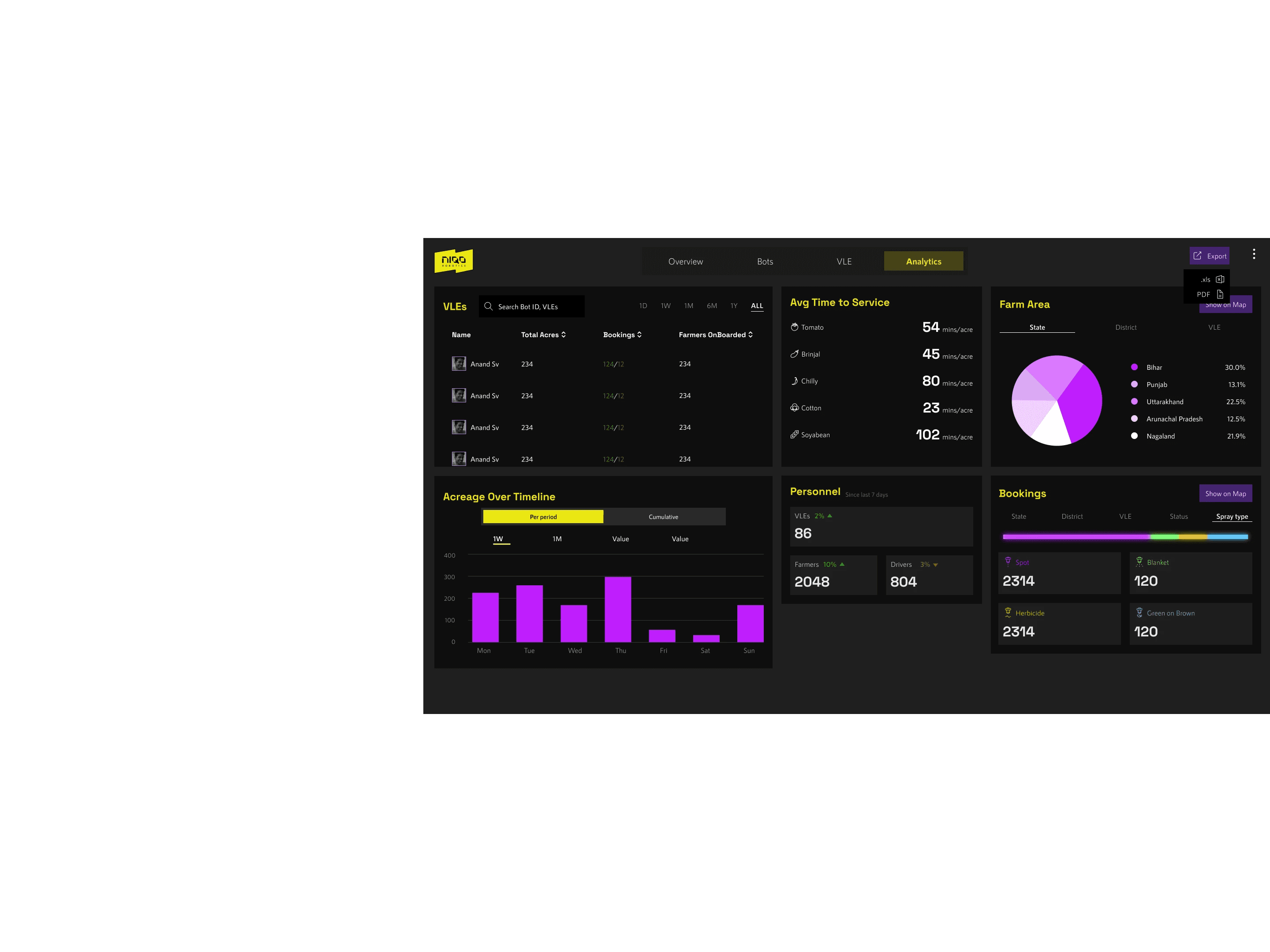
Dashboard comes into play after services have been deployed all over the country. It is designed to help monitor various KPI's
maintenance records of the bots, Performance of VLEs, Drivers etc.
Driver getting the Request
Driver Accepts
Selects job ID in bot
Performs service
Report Generated
Bot operation
Driver
On Board Bot
On Board Driver
VLE getting the Request
Village lever Entrepreneur (VLE)
Farmer Booking Service
Farmer Signup
Farmer
Interaction between three personas
Peripherals
Web Dashboard
View Performance Analytics
Monitor the Bots, VLEs
ECOSYSTEM
It was important to understand the ecosystem and interaction with the personas within the ecosystem. Each section here had an application to be designed.
Design Process
..at a holistic level
REQUIREMENT
GATHERING
CONCEPTUALISED
3 PERSONAS
MAPPED USER
STORIES
DEFINED
USER FLOWS
COMMENCED
DESIGN
REQUIREMENT
GATHERING
REQUIREMENT
GATHERING
CONCEPTUALISED
3 PERSONAS
CONCEPTUALISED
3 PERSONAS
MAPPED USER
STORIES
MAPPED USER
STORIES
DEFINED
USER FLOWS
DEFINED
USER FLOWS
COMMENCED
DESIGN
COMMENCED
DESIGN
First step was to conduct a requirement gathering session with the product stakeholders
Based on the discussions we conceptualised three personas
Mapped user stories for each persona.
Following that the User flows were defined.
After having a clarity in terms of flows and content,
we proceeded to the design phase.
HOW DID WE GO ABOUT IT?
DISCOVERY
Stakeholder
interviews
Contextual Inquiry
DEFINE
User Story
Mapping
Persona
DESIGN
User Flow
Layout
Concept
Wireframe
DELIVER
Visual Design
Design System
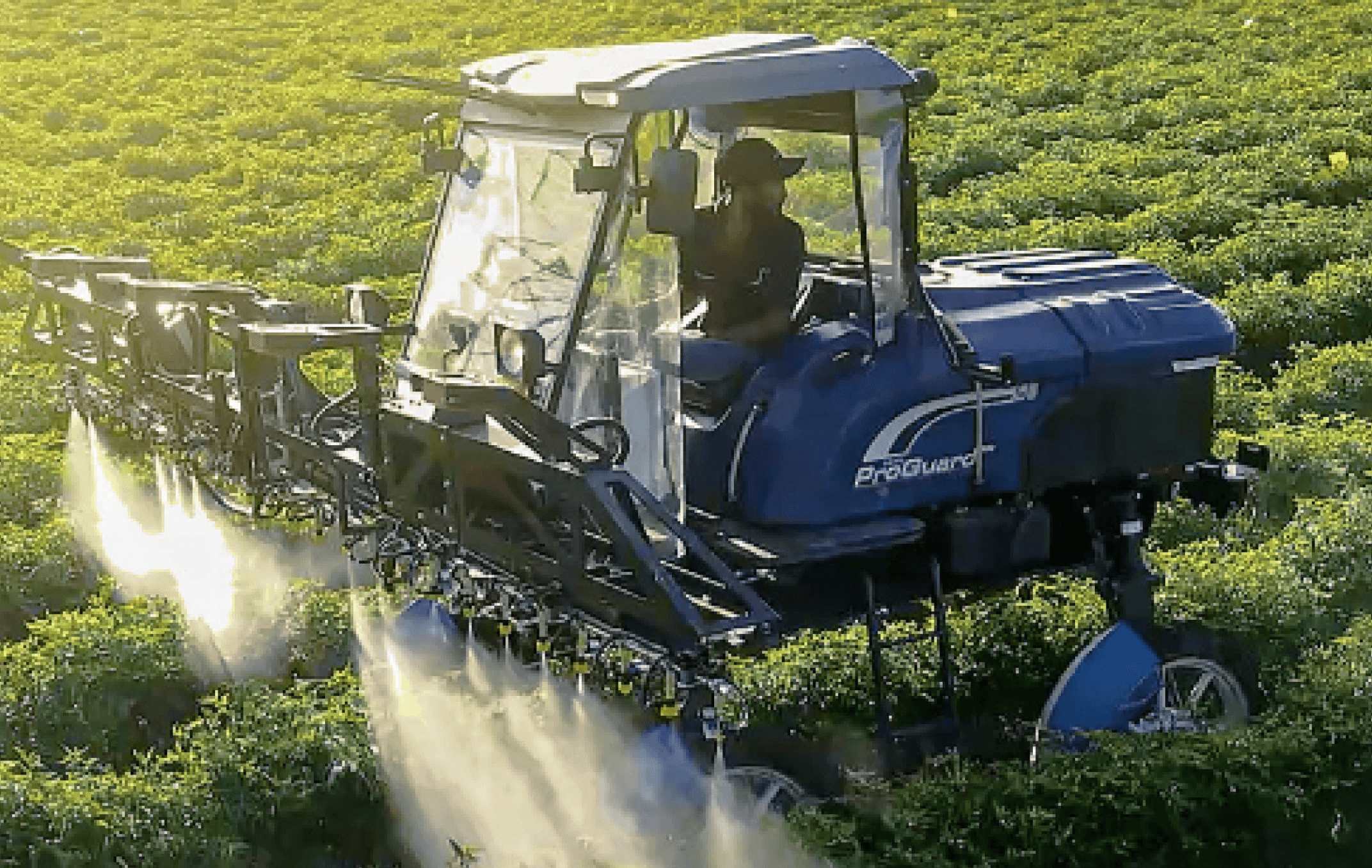
Pictures from the field visits
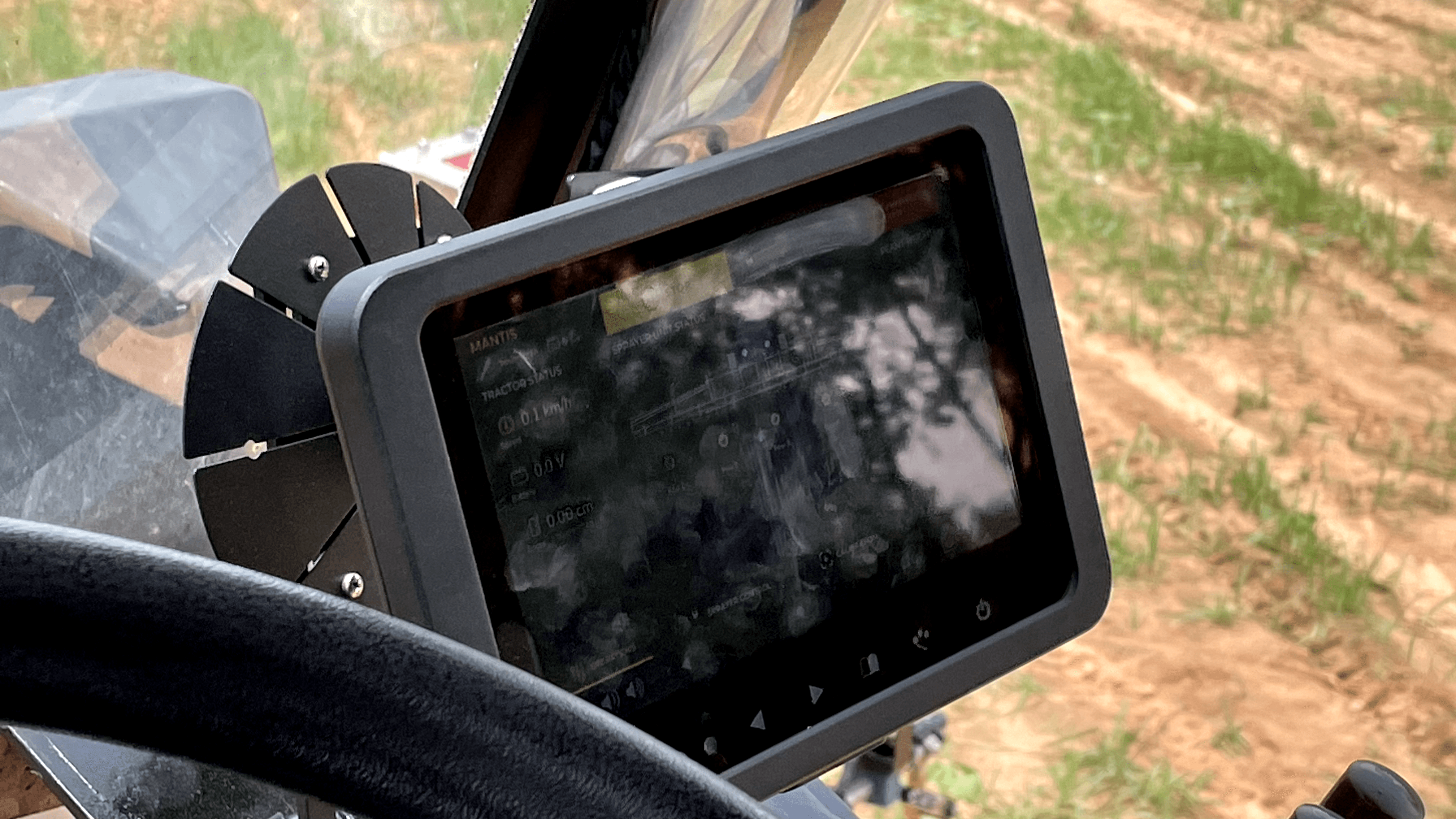
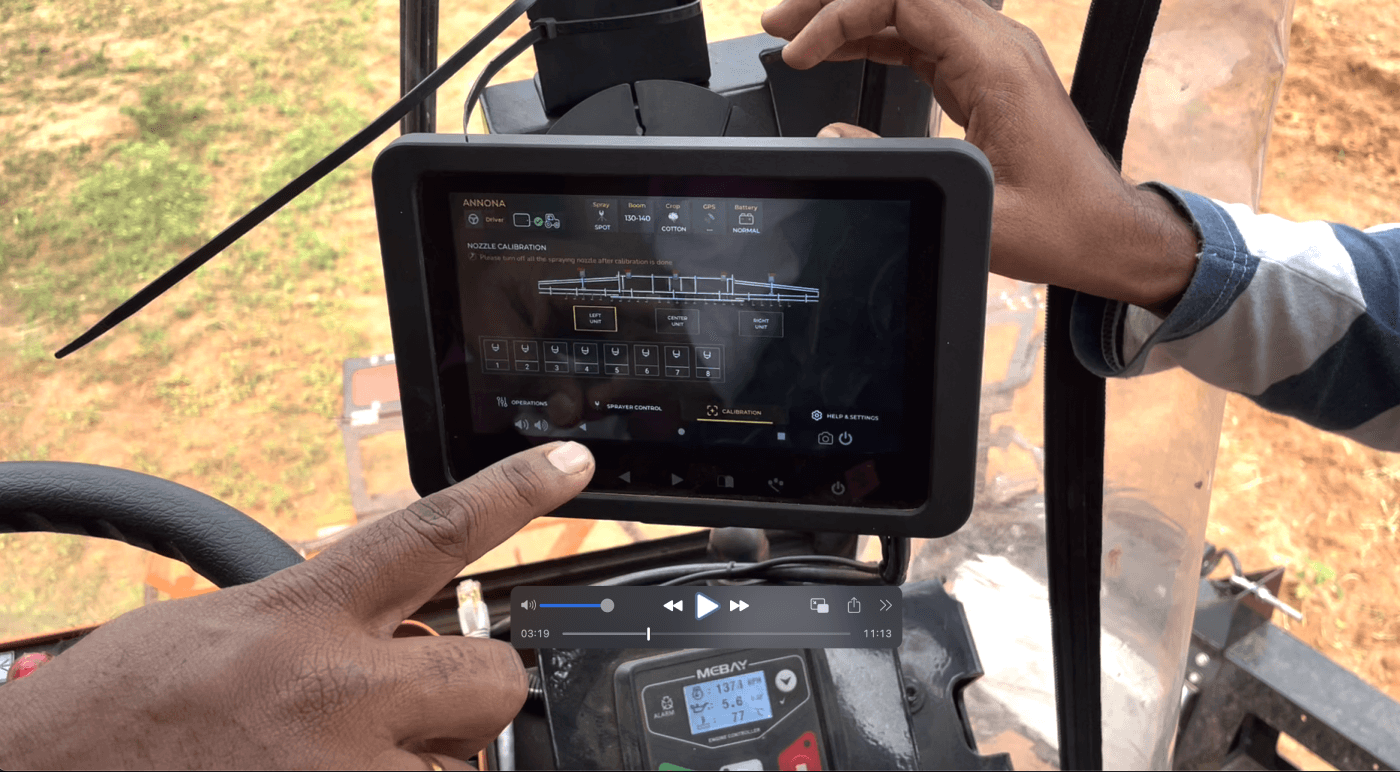
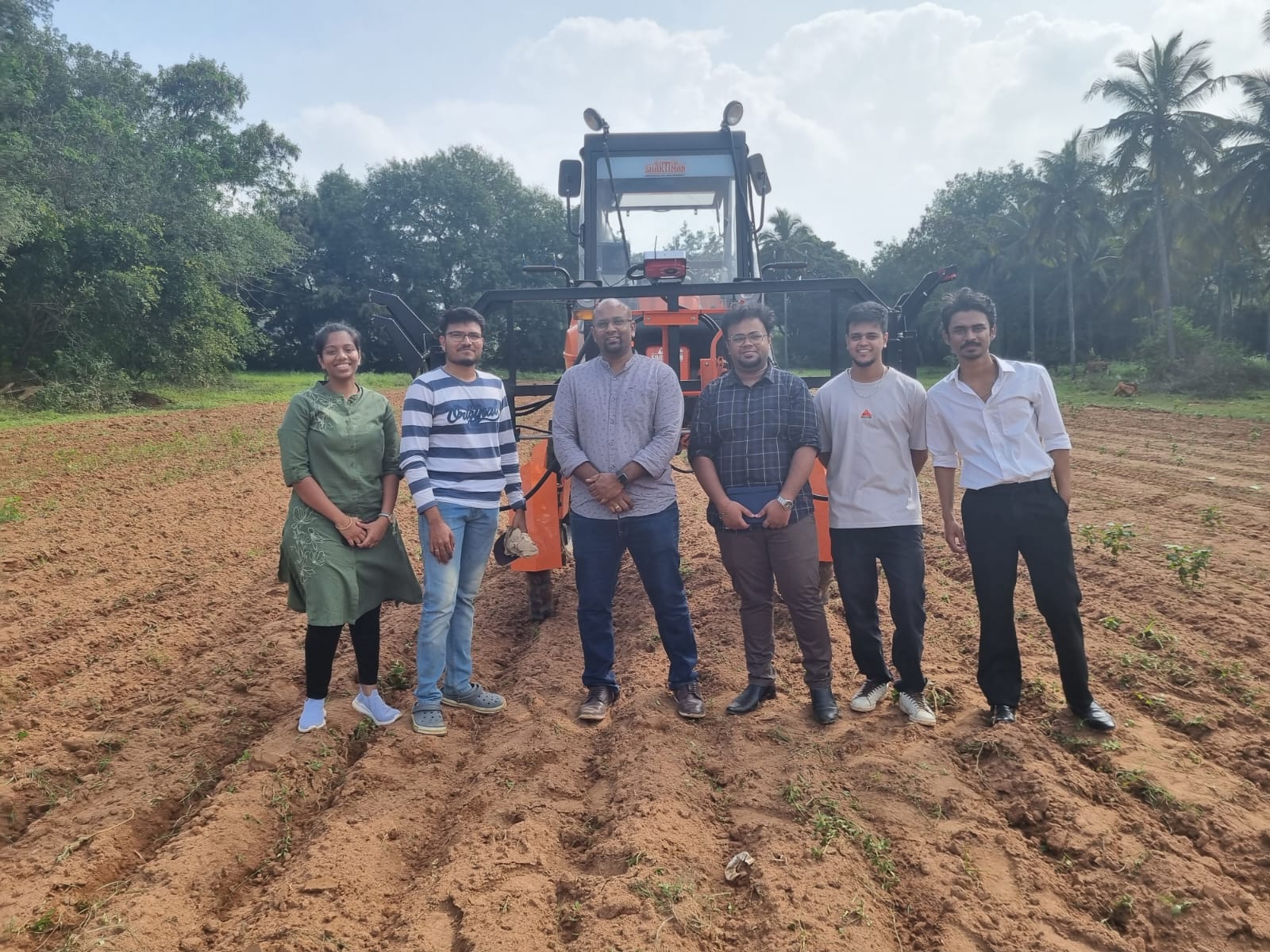
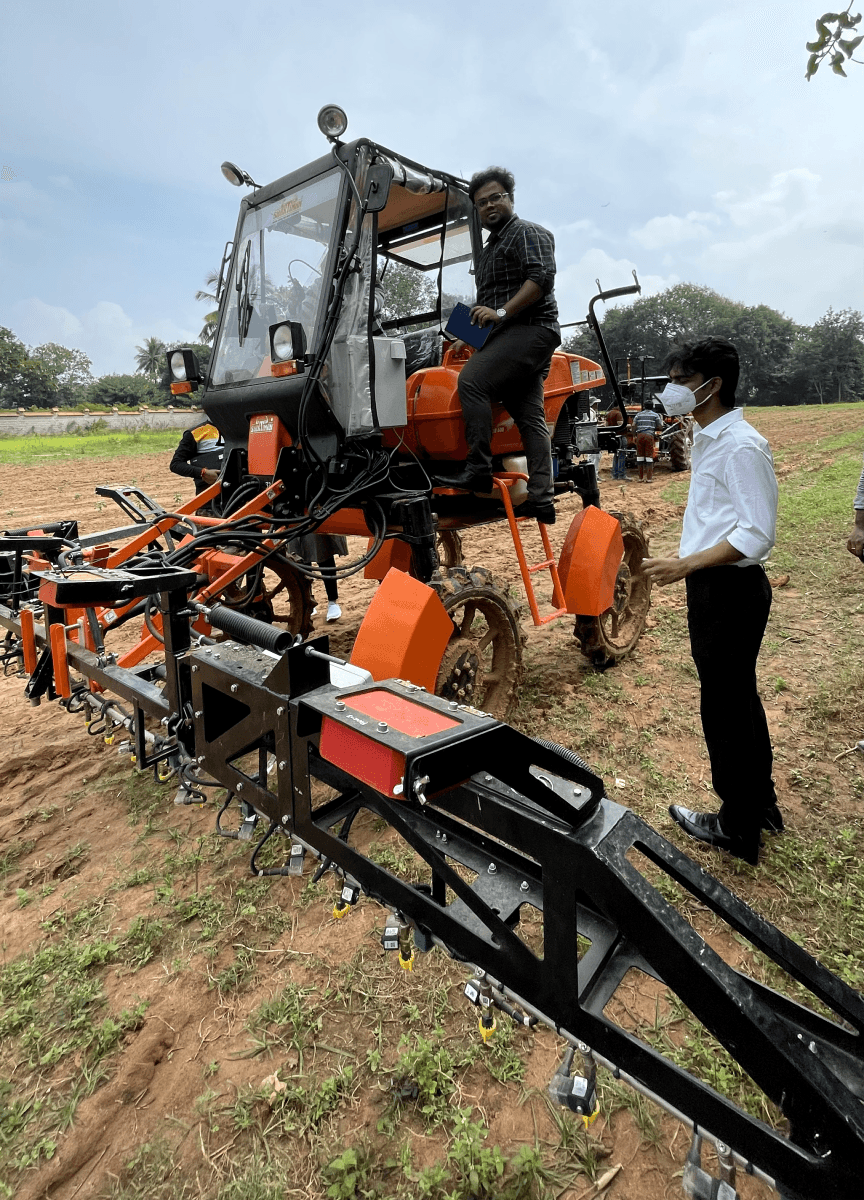
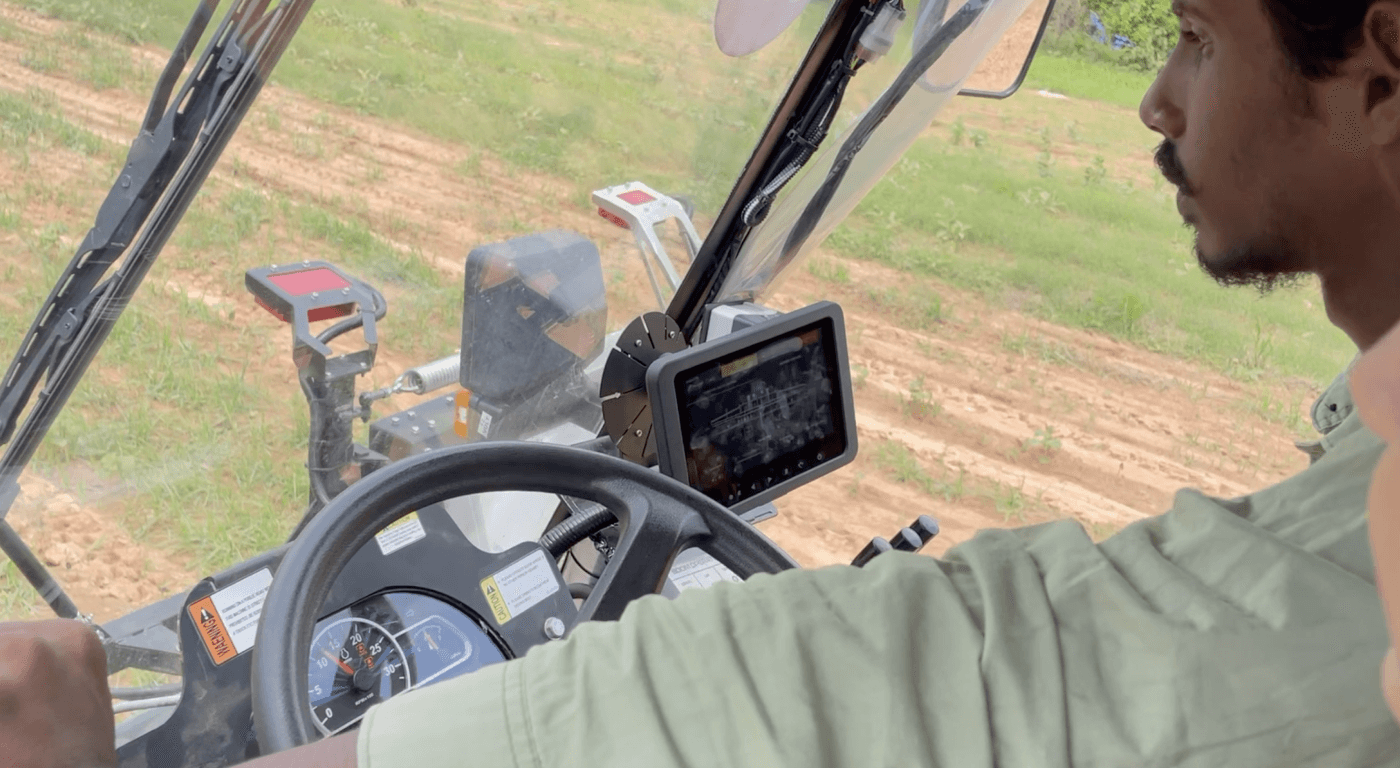
The pictures shown below are of multiple field visits. Collected observations for the Version 1 of the bot interface. Conversations with the operators a.k.a drivers, technicians gave us a better understanding of the scope for improvement of the application.
Version1 was also designed by our team for the first release.
Niqo Robotics sought out to build an entire ecosystem to reach their customers and users who are Village Level Entrepreneurs (VLE), Robot drivers and farmers. The whole ecosystem consisted of mobile applications for each persona, Bot interface, and a monitoring dashboard.
ABOUT PROJECT
Niqo Robo Spray is an AI-powered precision spraying technology which is retrofitted onto blanket spraying machines. Equipped with cutting-edge computer vision and AI, chemicals are sprayed only on the plant and not wastefully on the soil, resulting in up to 60% savings in chemical input costs for farmers and preserving the nutritional value of their soil.
Niqo Robotics is an Agri tech company which builds accessible and reliable AI powered robots for sustainable farming.
ABOUT NIQO ROBOTICS
WORK
Research, UI/UX
CLIENT
Niqo Robotics
RESPONSIBILITIES
Work closely with the stakeholders to define the road map, plan and execute design
Drive ideation sessions and design showcases
Research and design
Setting up a new design system from scratch across all the products
Monitor design delivery
OVERVIEW

PRODUCTS
4
+
REVOLUTION IN
DESIGN
SYSTEM
ROBOTICS
AGRI TECH
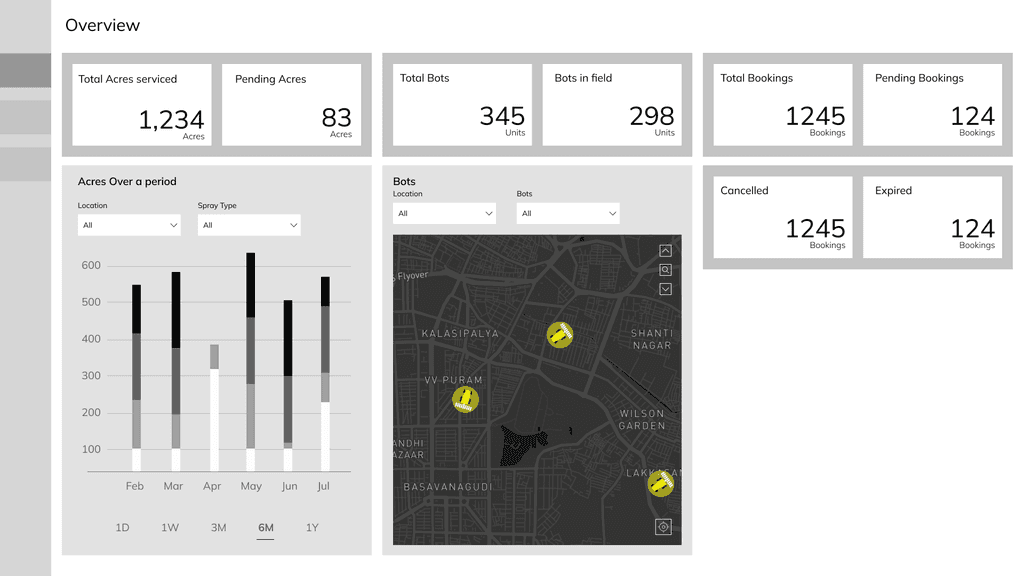
First thought of putting down all the information in cards
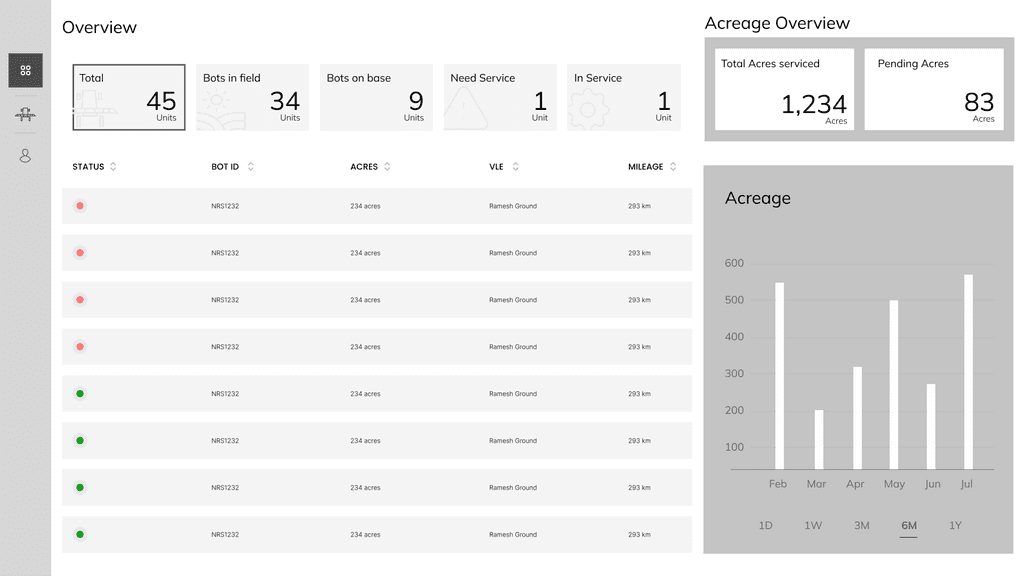
Concept with all current operations put in a table
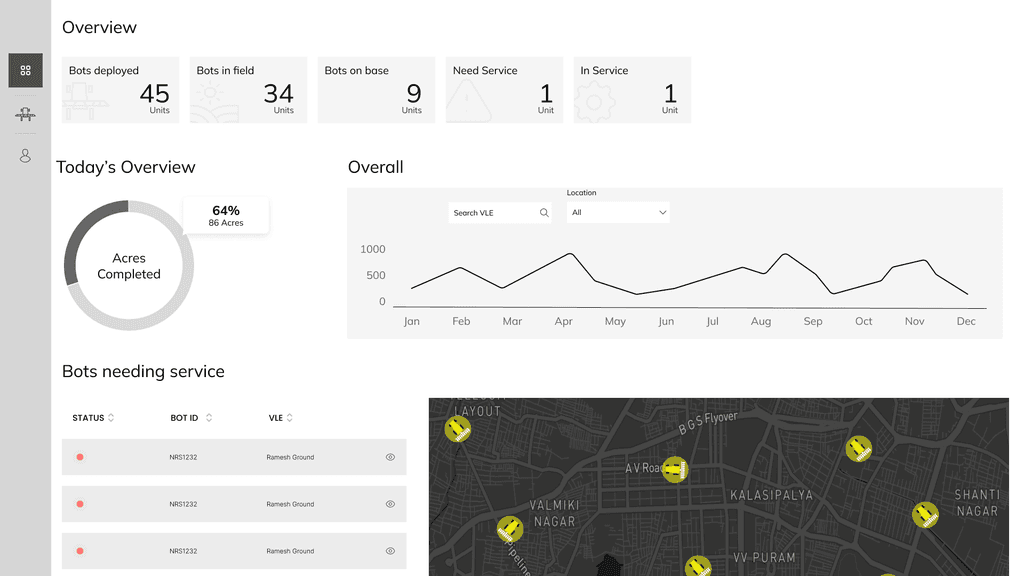
Concept refinement with a visual of the current operations
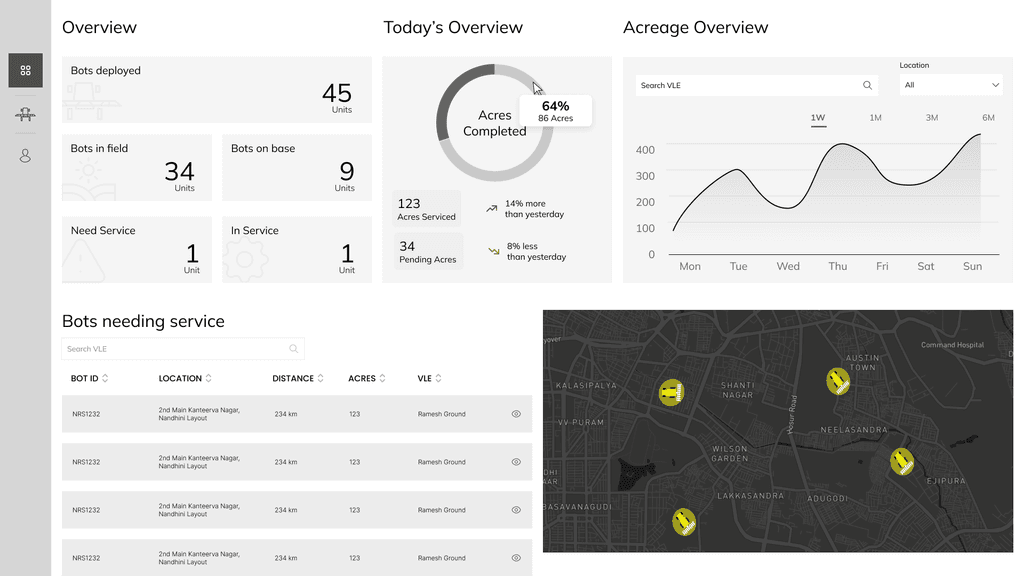
Refined concept
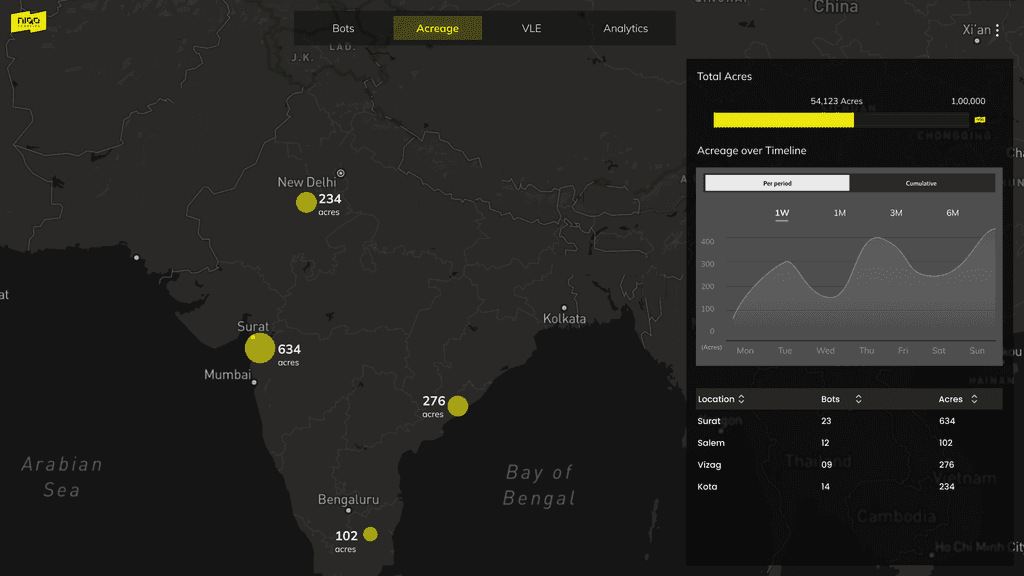
Laying the entire map as the background and displaying the current operrations
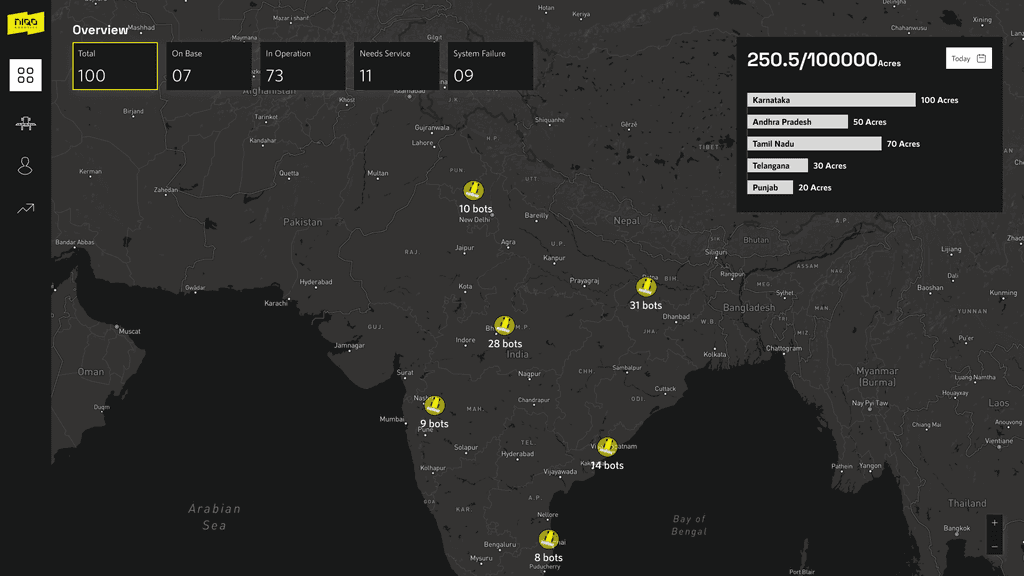
Refined concept
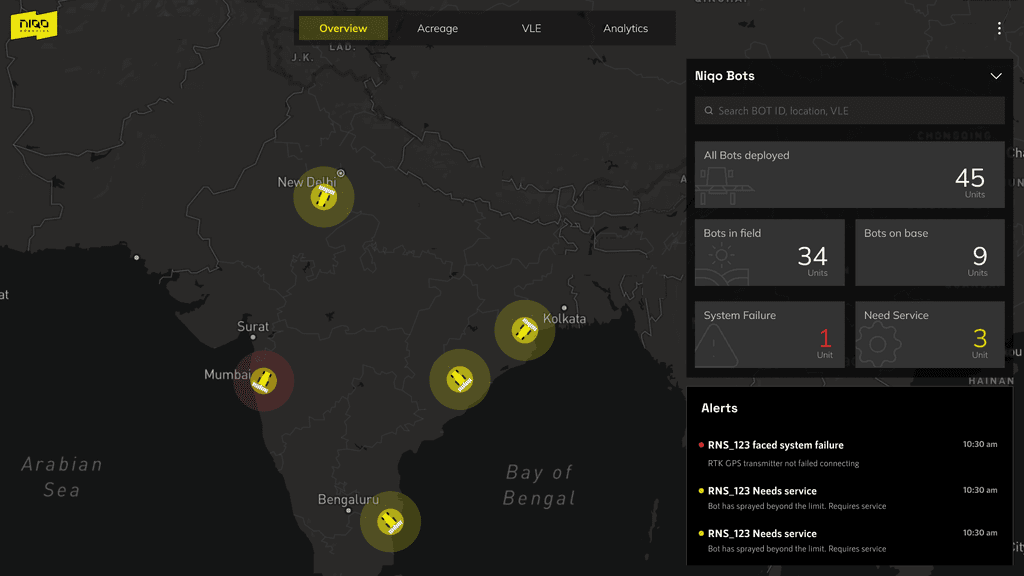
Refined concept
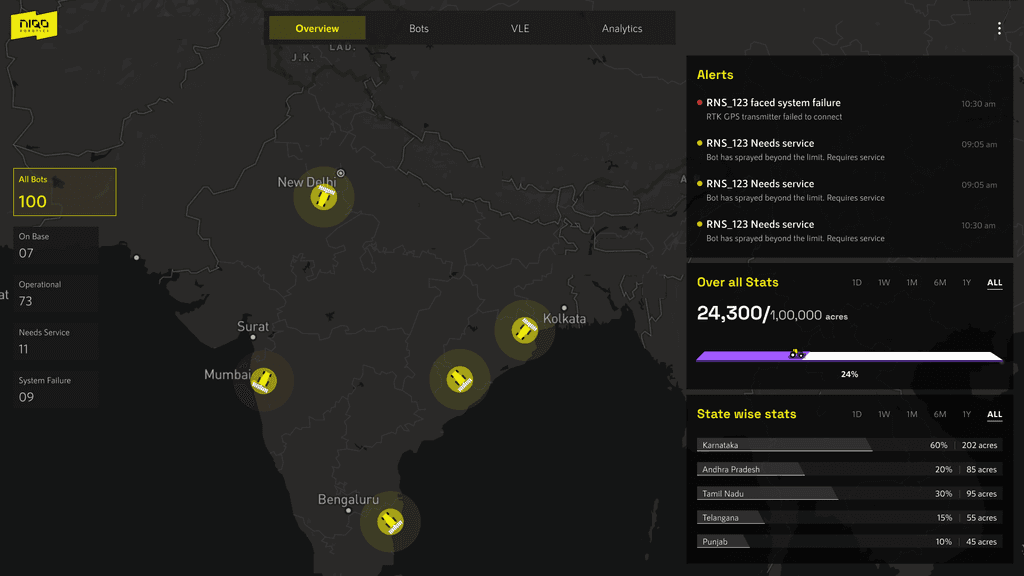
Final approach : Map as the background and action panels laid on top
WIREFRAMES
Following are explorations of the overview page alone. The evolution of concepts started from a conventional layout as the first thought that came to the table. Refinements and explorations of the layout, information displayed, navigation etc led us to arrive at the refined form. For each of these overview explorations we had the corresponding bot and VLE screens in order for us to take a decision.
EVOLUTION OF CONCEPTS
You can press and drag for a closer view
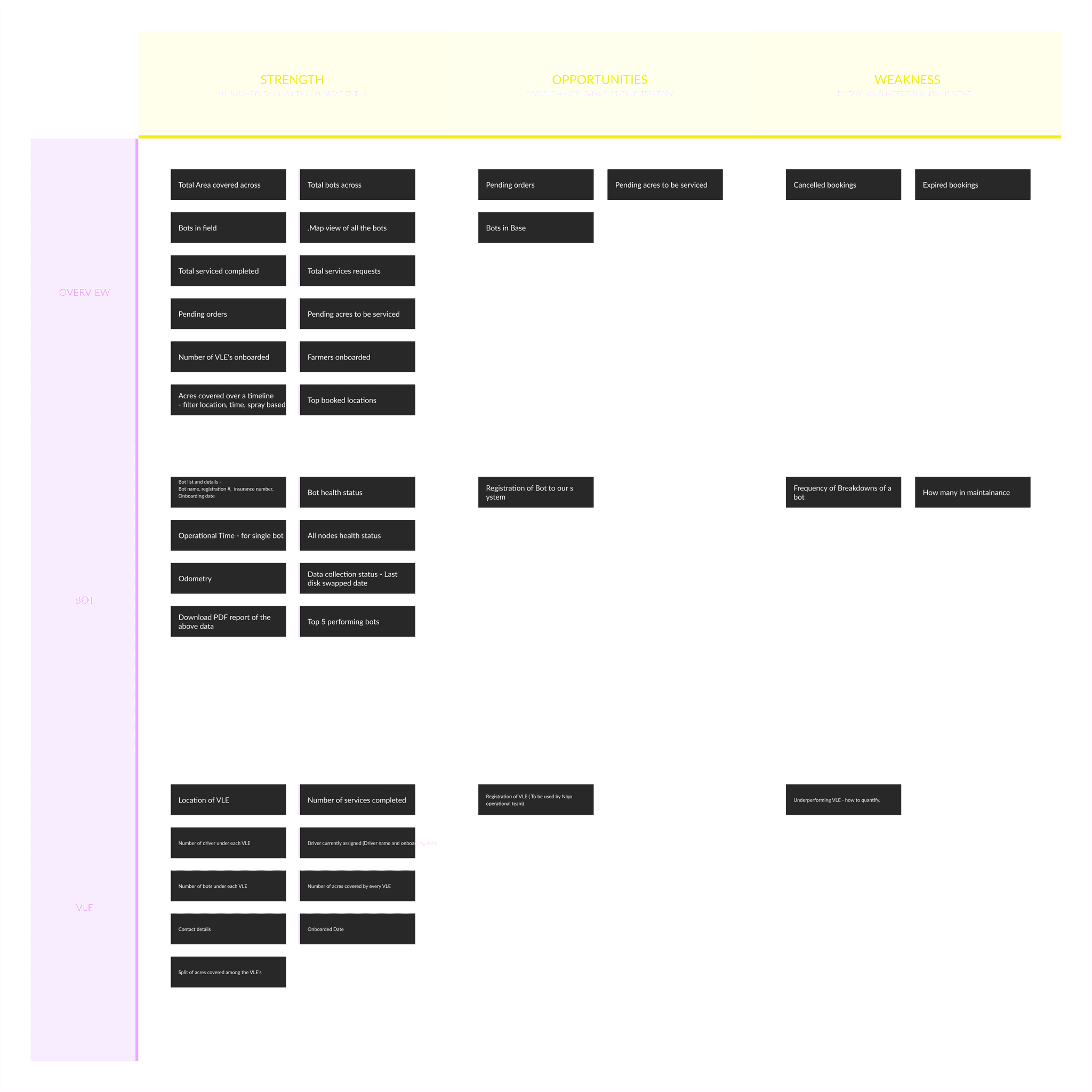
FEATURE PRIORITIZATION
In order to figure out the content for the dashboard we went though the requirements along with the stakeholders and classified the information along three verticals.
Strength - All Passive data which tells current status
Opportunities - Possible ways to increase revenue, expand territory etc
Weakness - Factors which affect business negatively
INTRO
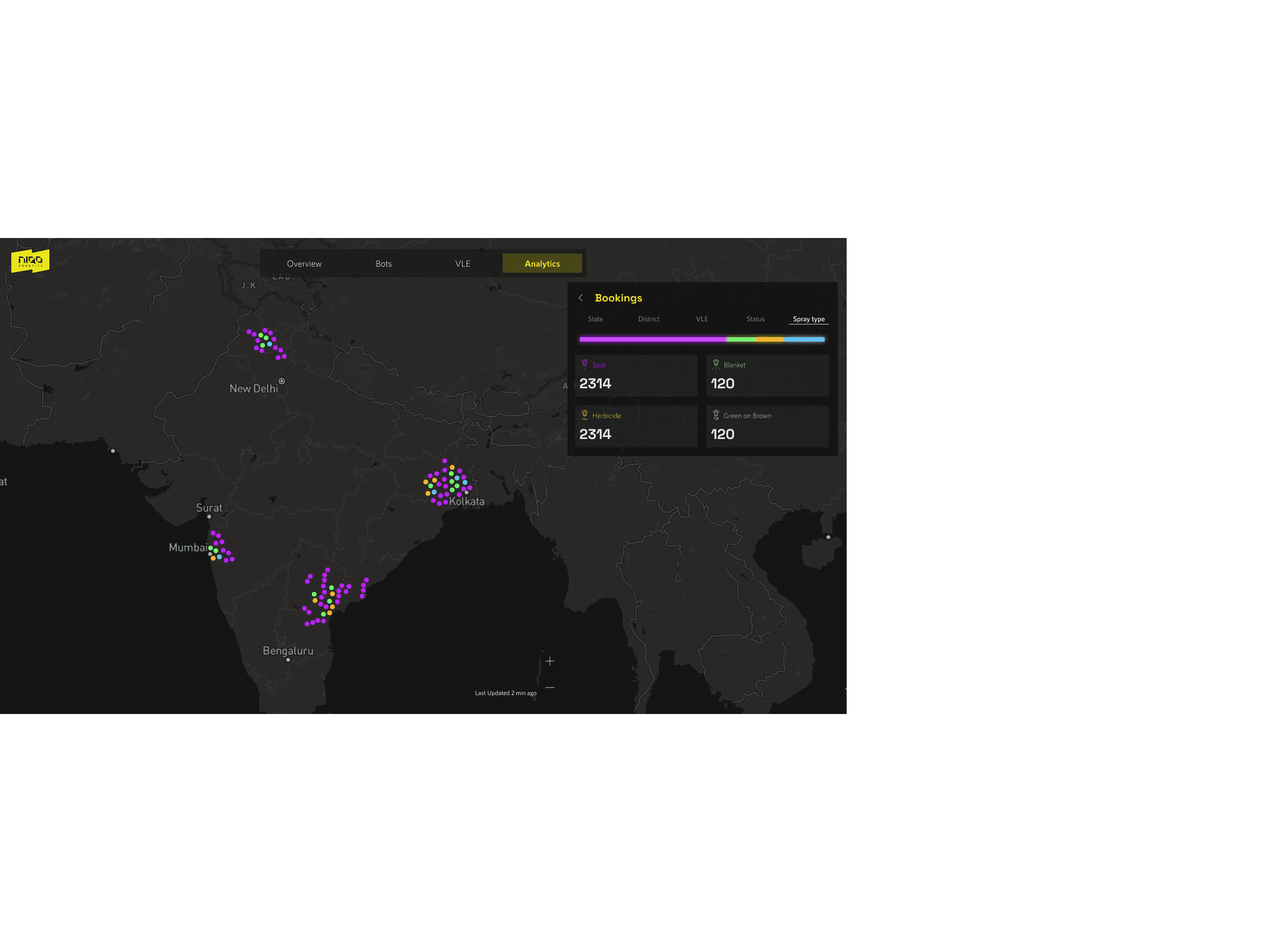
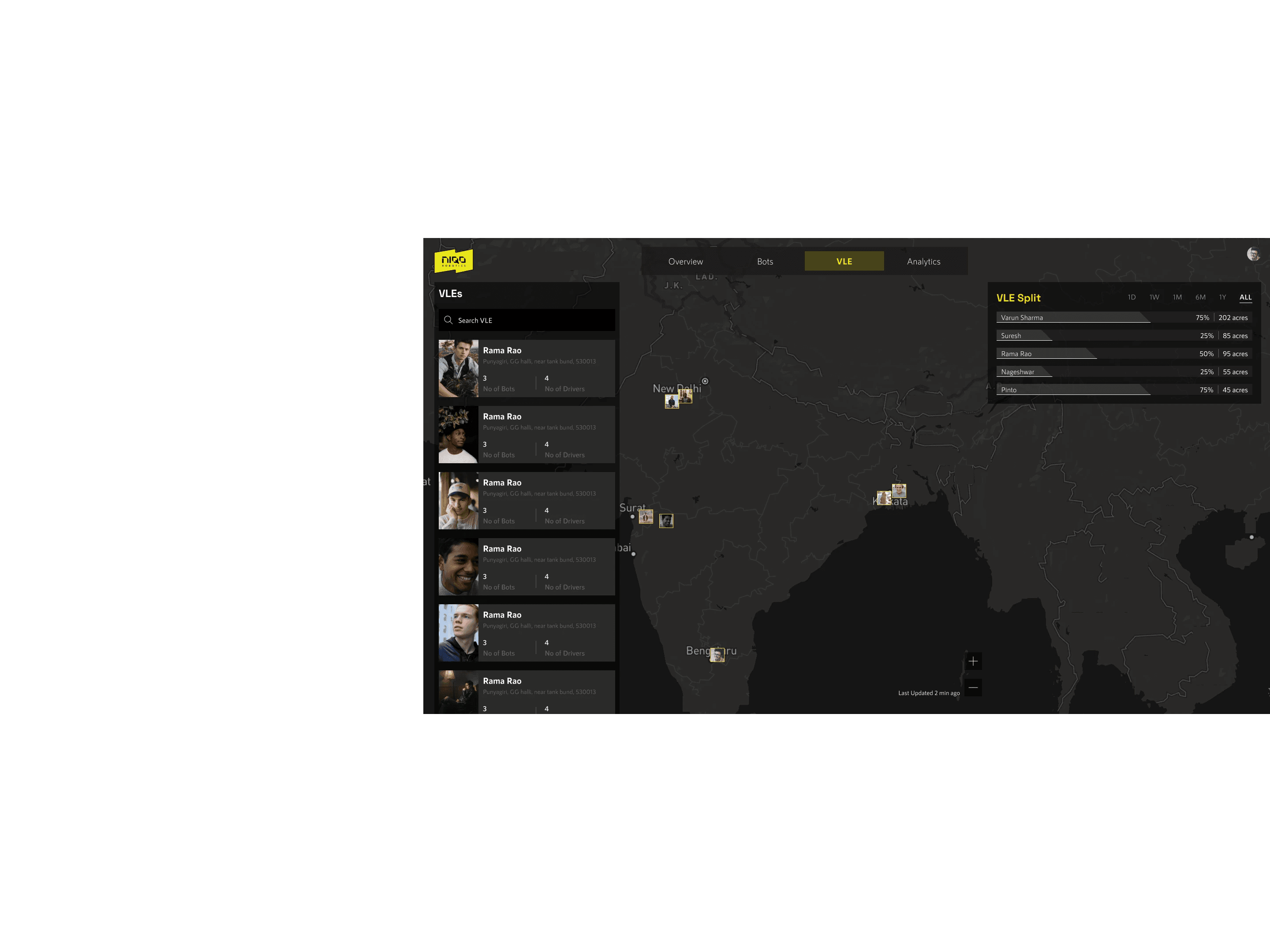
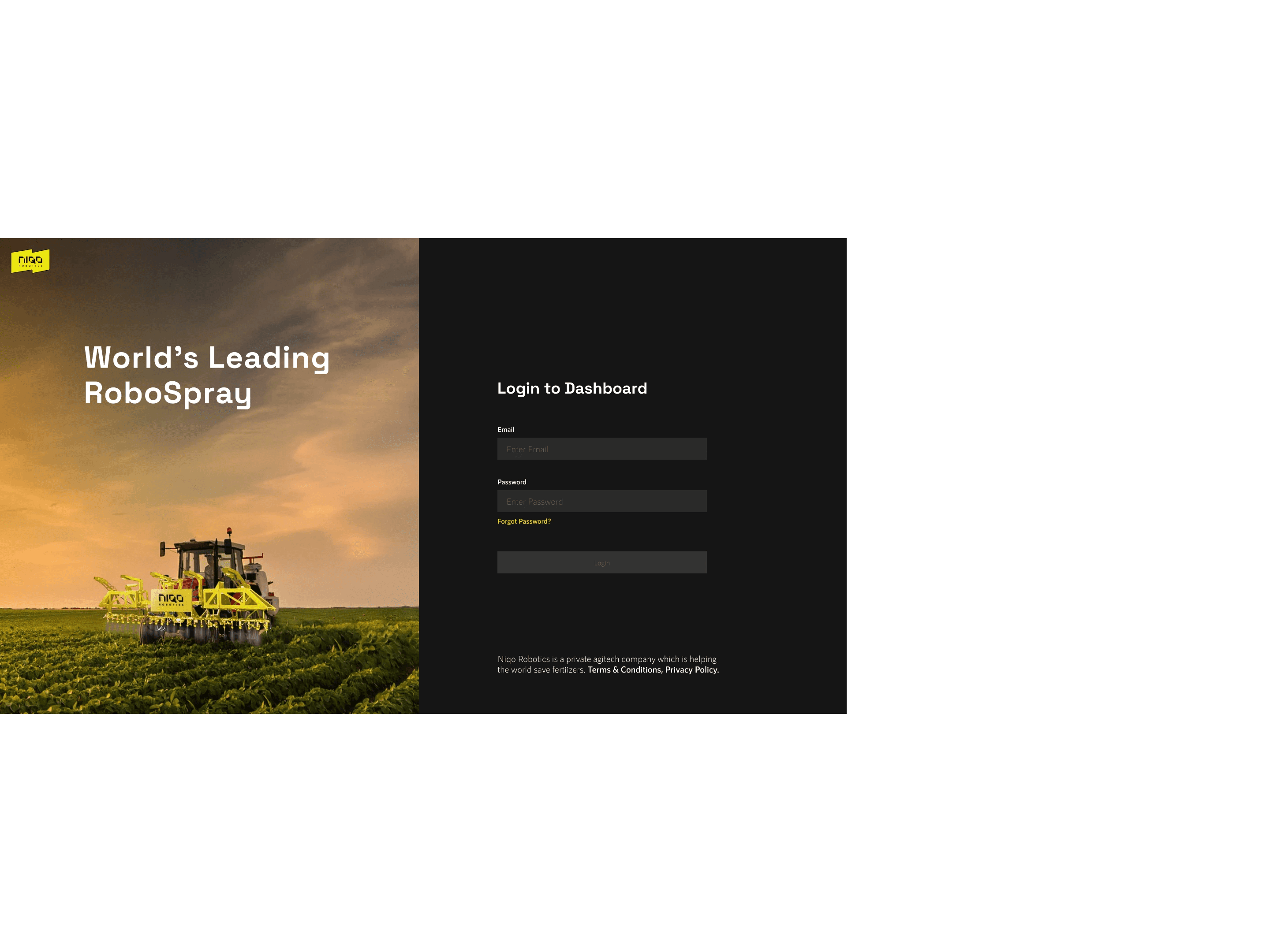
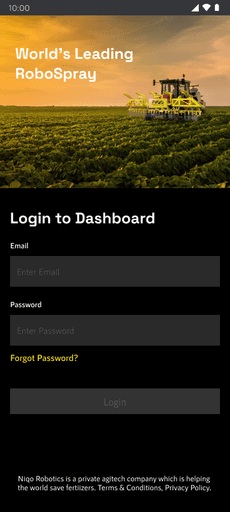
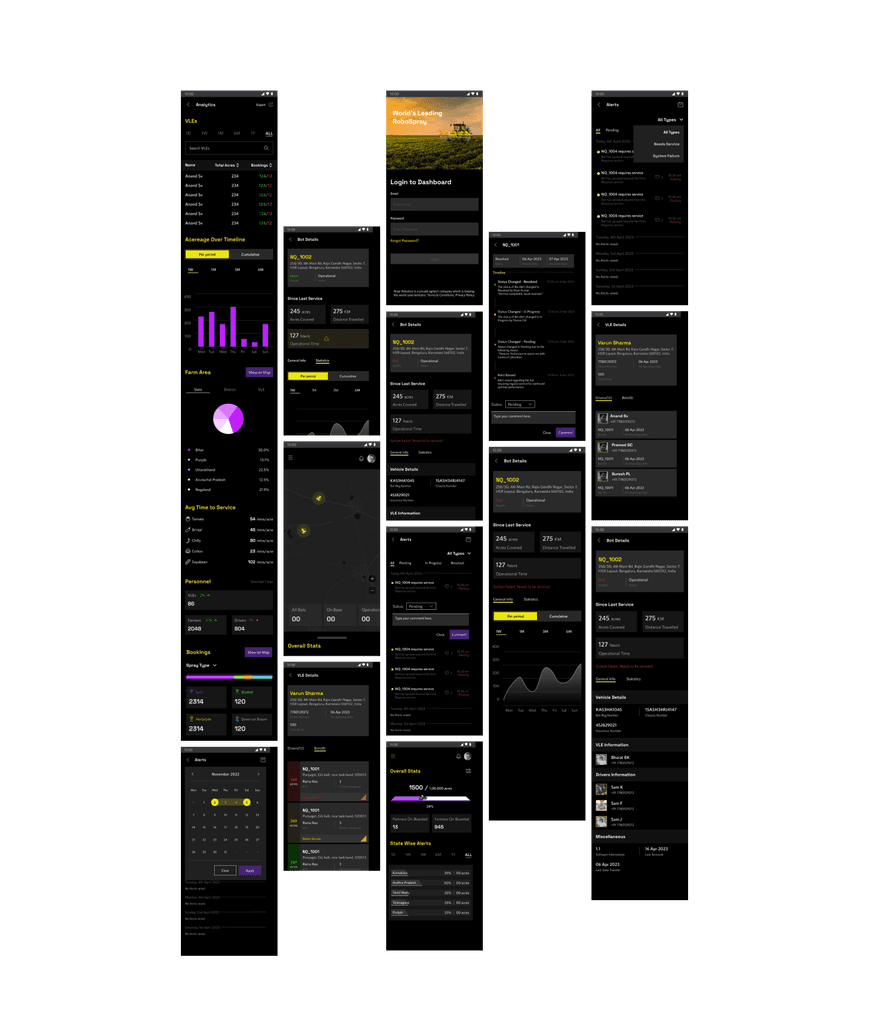
Niqo Robotics dashboard is a browser based application which helps the Niqo admin to monitor all the activities. Dashboard comes into play after services have been deployed all over the country. It is designed to help monitor various KPI's maintenance records of the bots, Performance of VLEs, Drivers etc.
Visuals
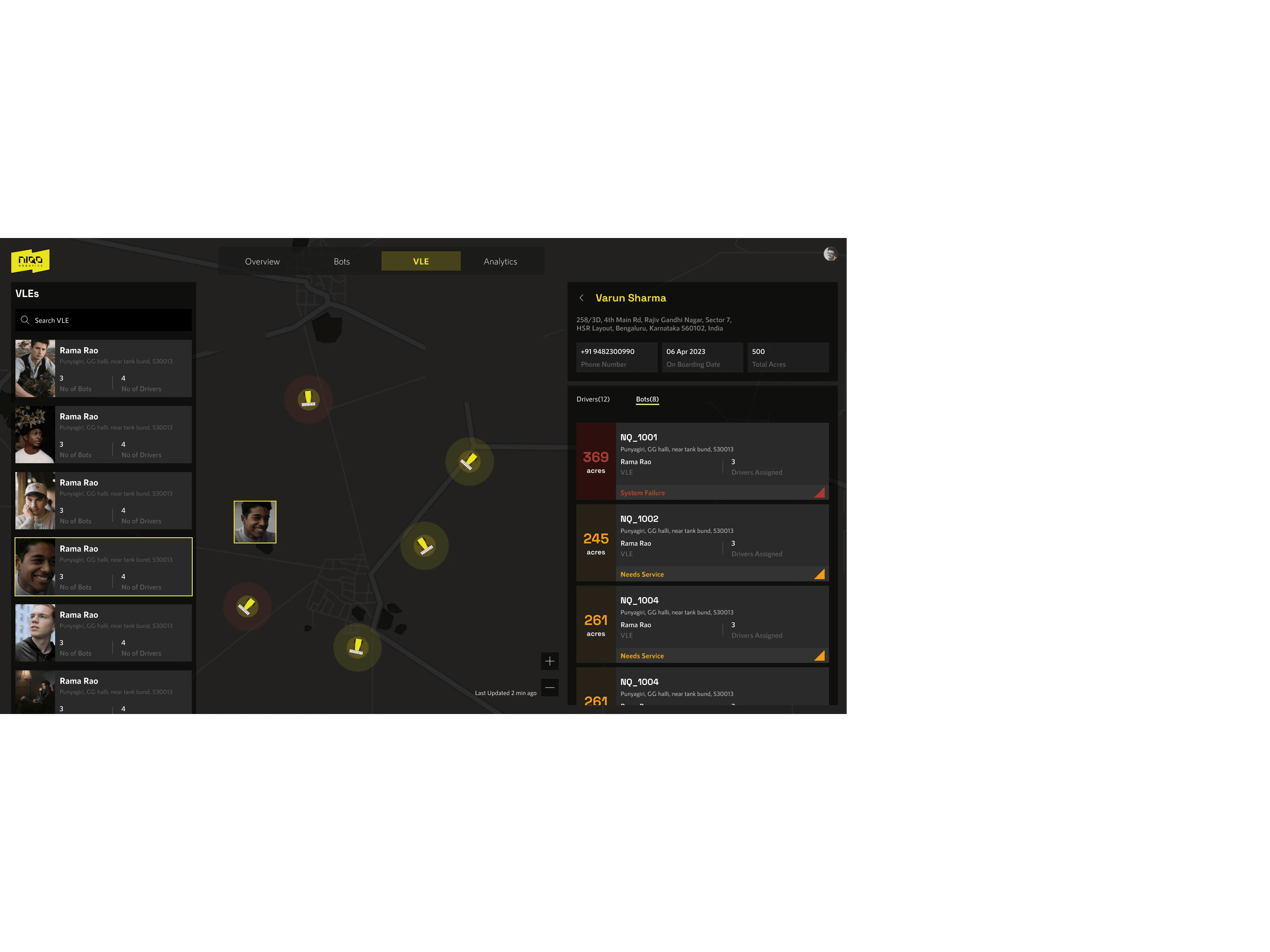
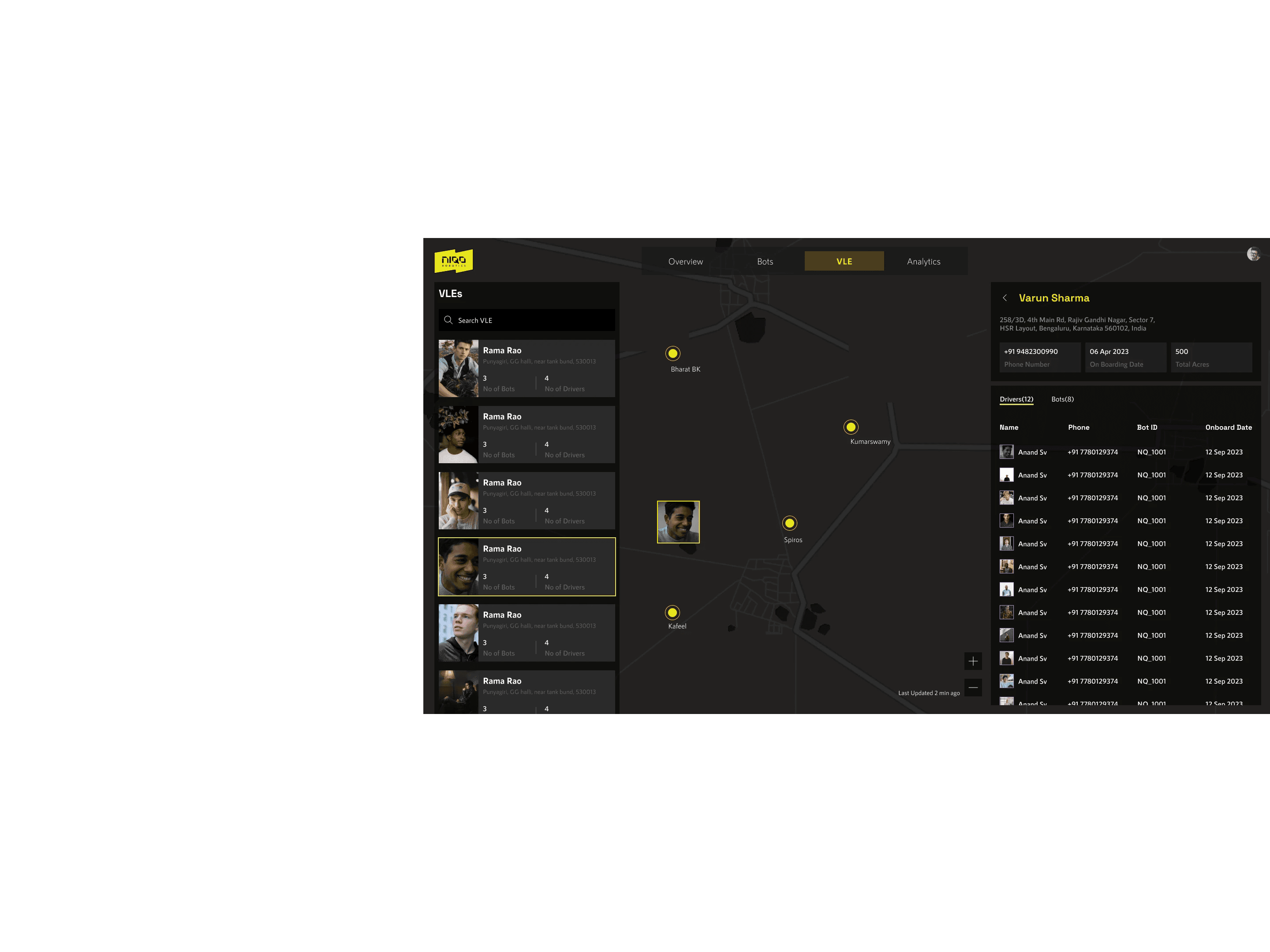
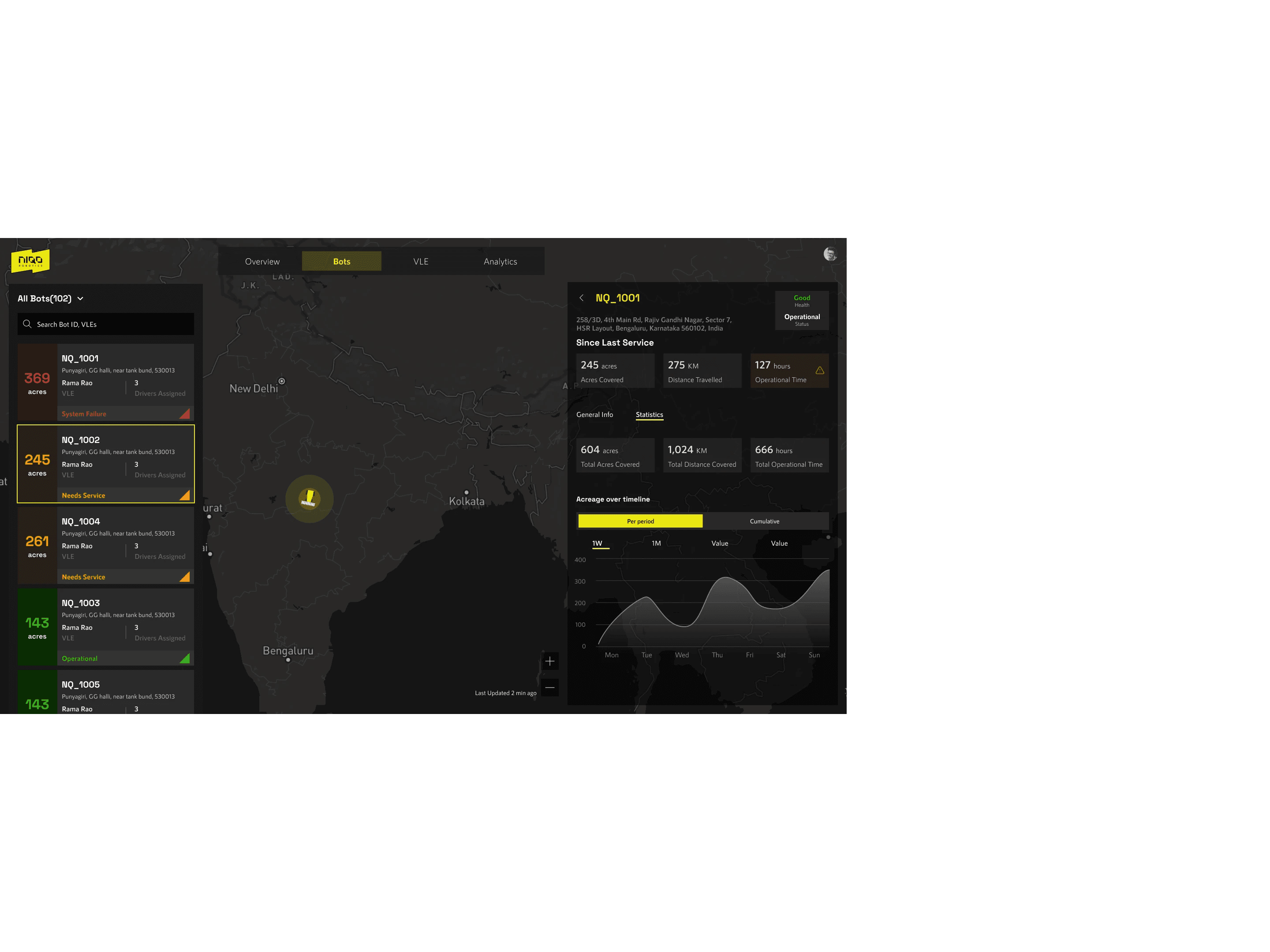
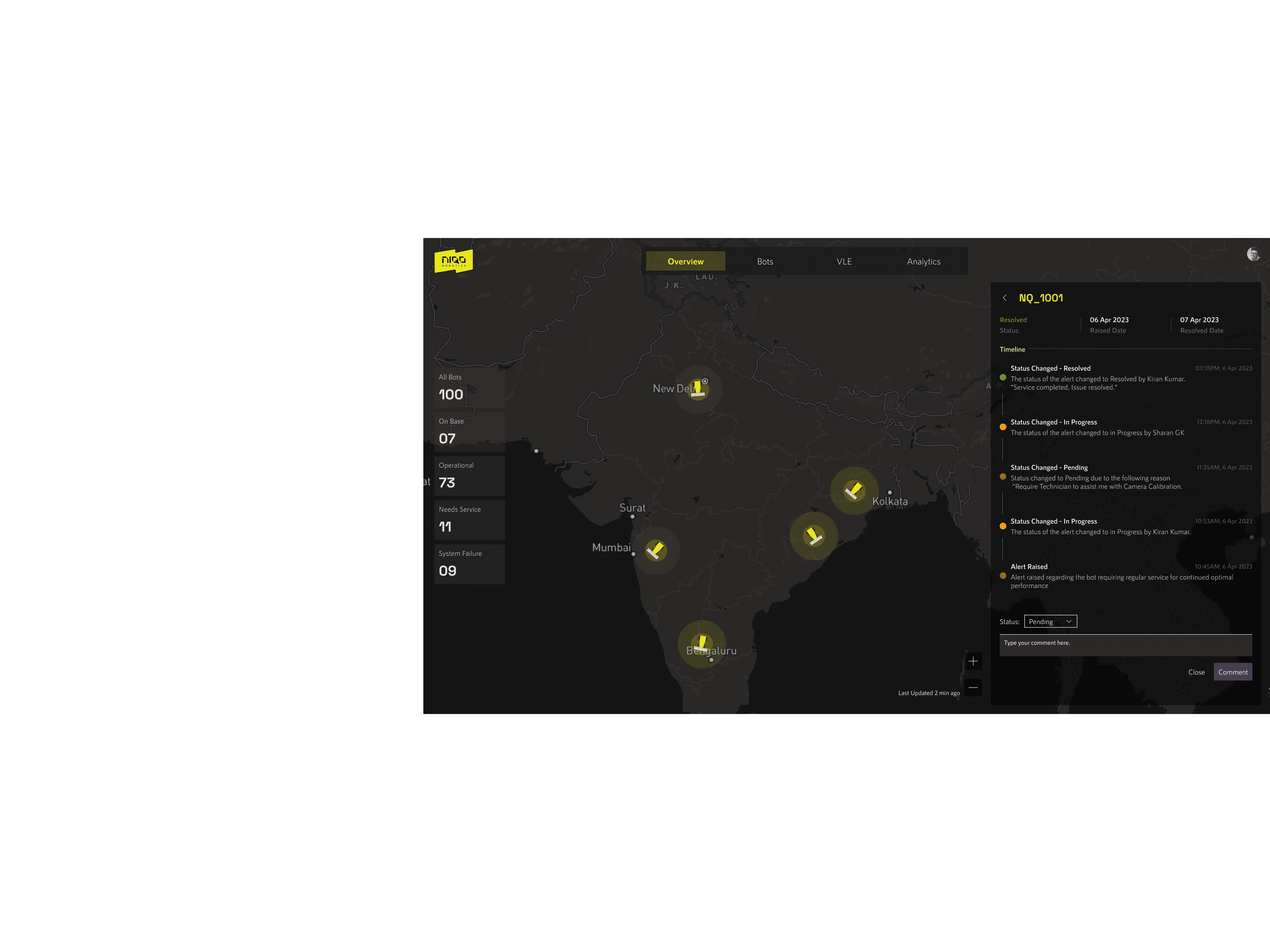
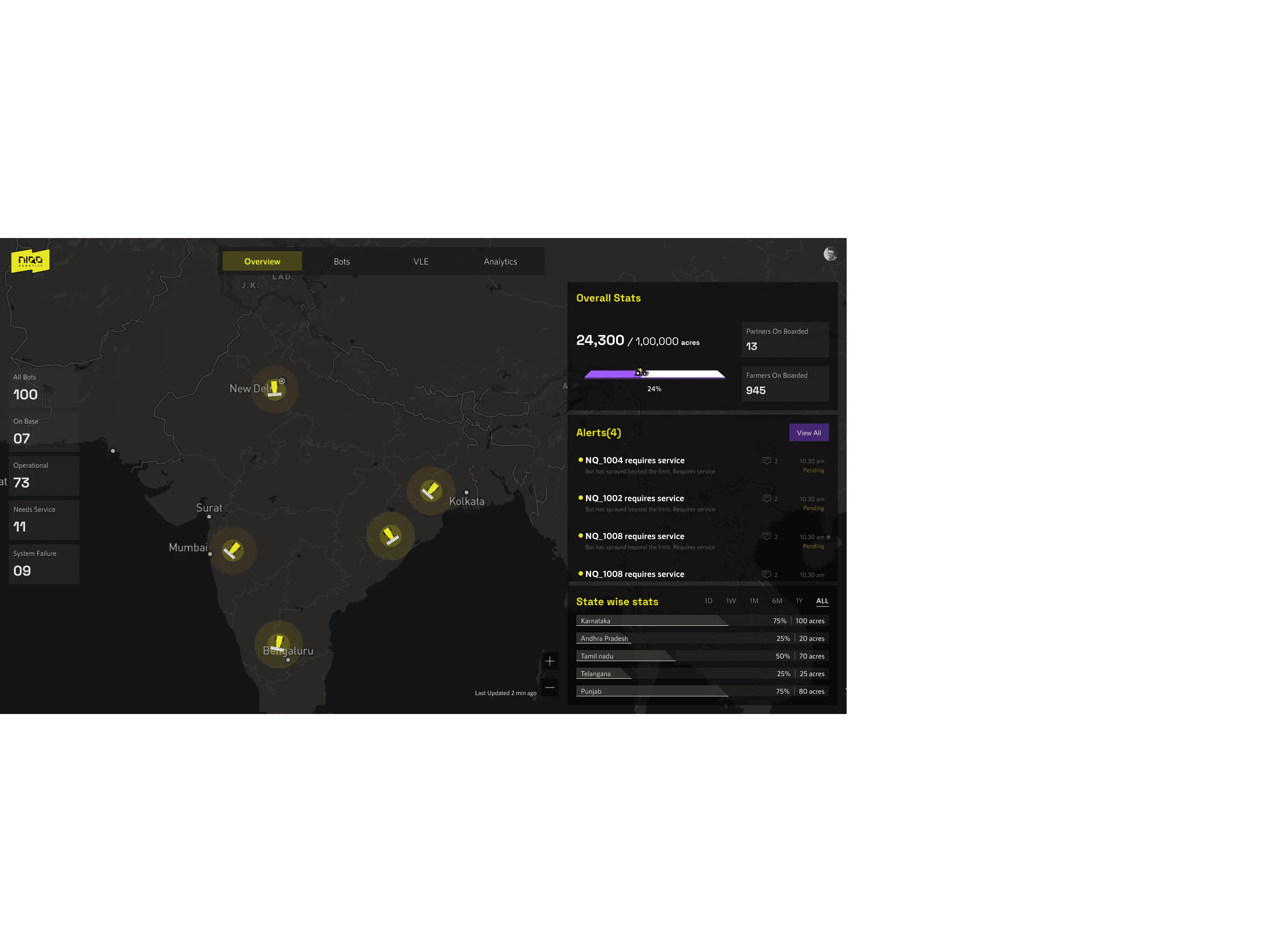
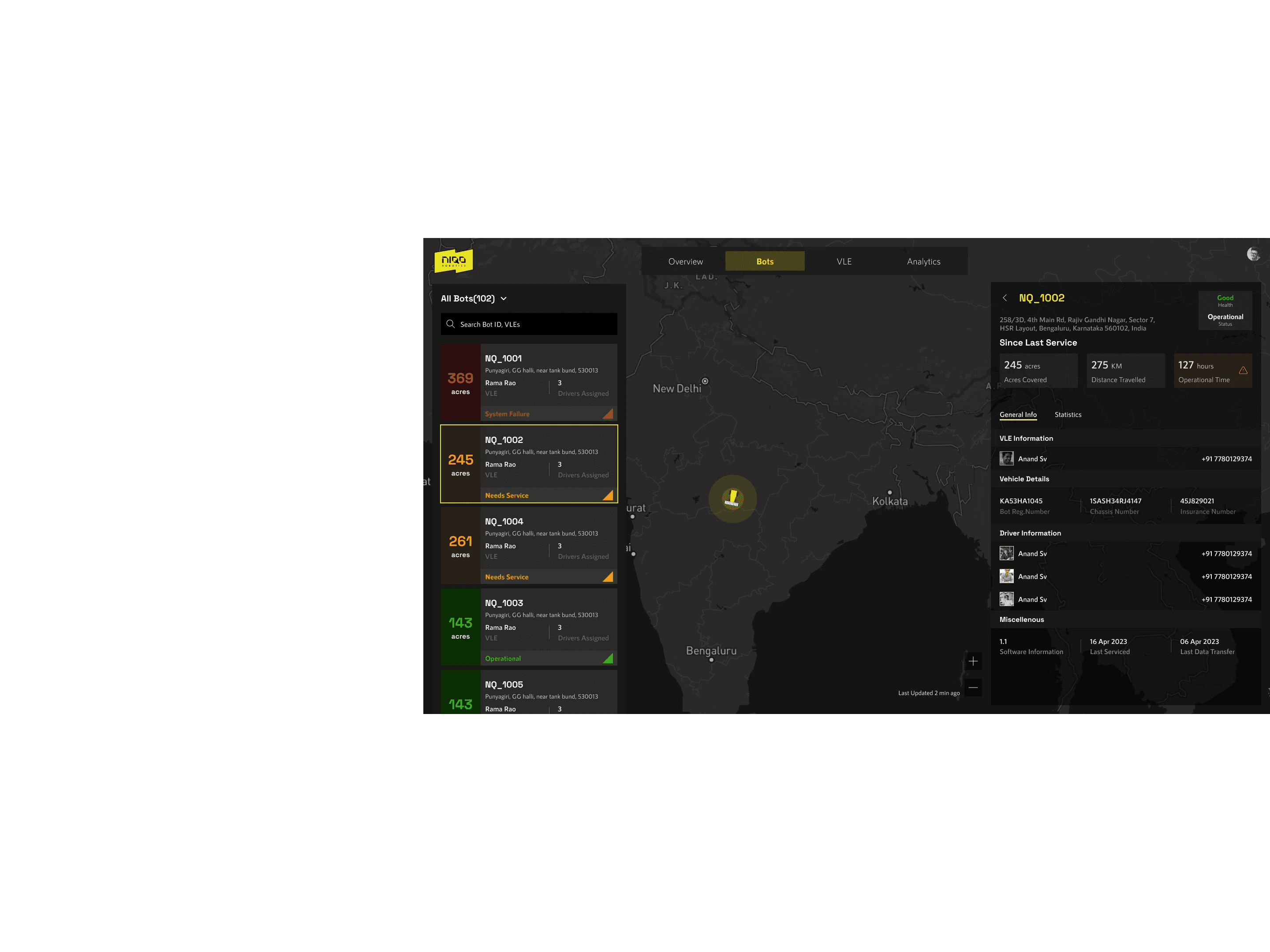
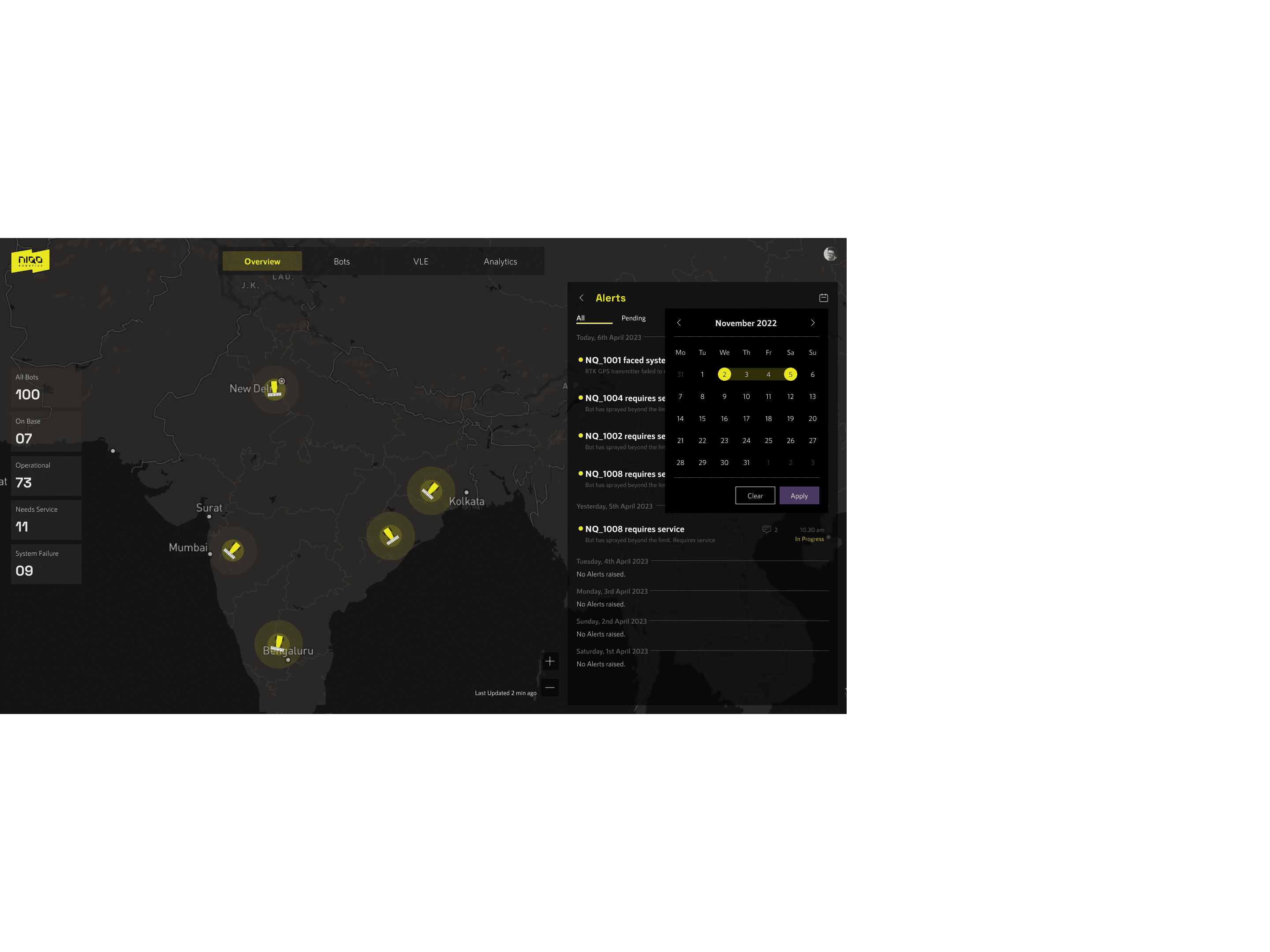
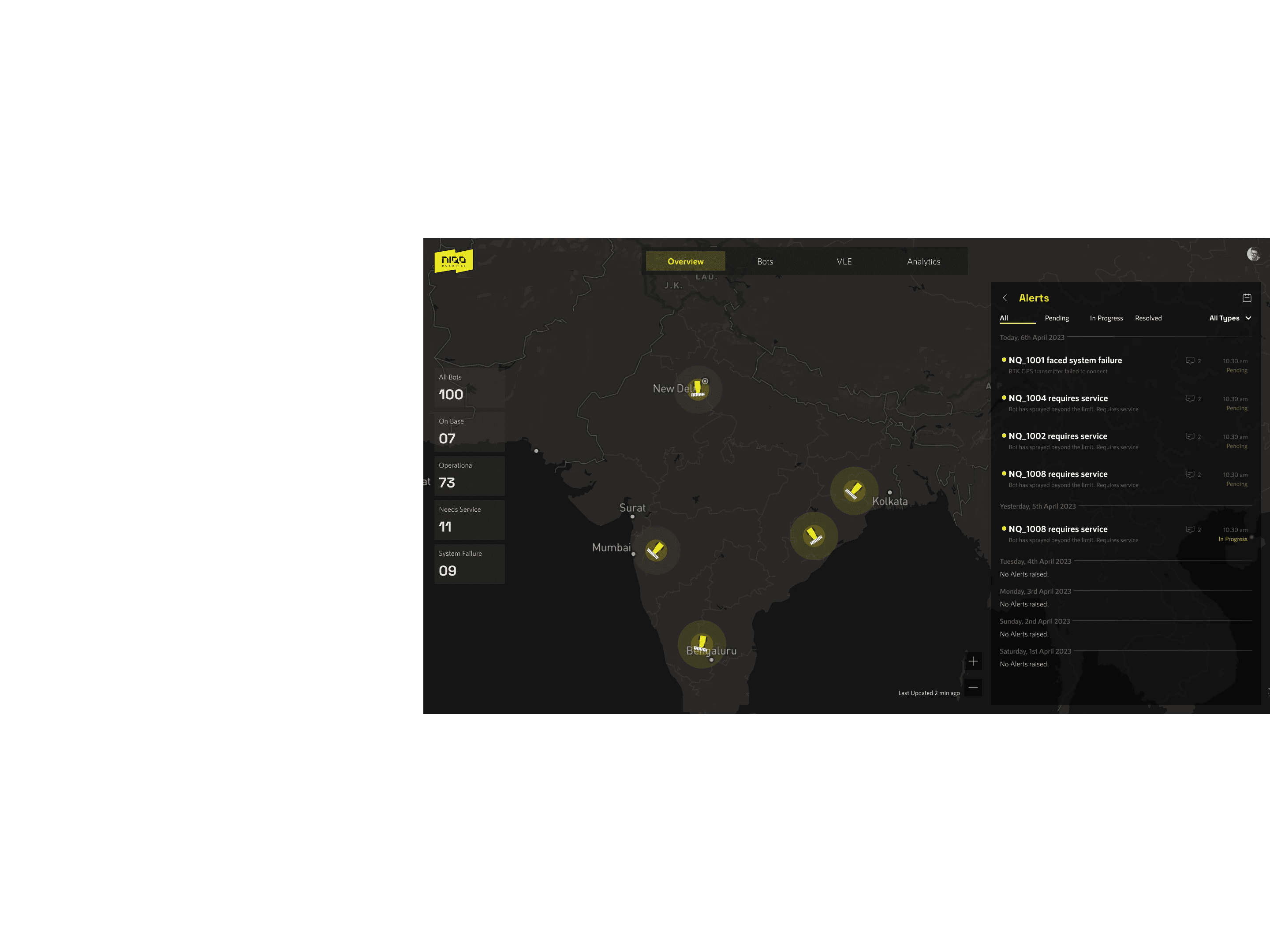
DASHBOARD
NIQO ROBOTICS
DASHBOARD
FEEL FREE TO REACH OUT

gauthamtr.mail@gmail.com
gauthamtr.mail@gmail.com

If you are curious to hear more insights, learnings from the project you can reach out to me @ gauthamtr.mail@gmail.com